Custom Checkout

Your customers can verify the link is real before they pay

Paytia's Secure Code shows customers a code they already know when they open a payment link — so they can confirm it's genuine before entering any card details. No other checkout does this. Add full branding, custom fields, and Stripe integration on top, all PCI DSS compliant with no development work needed.

Key Features

Everything you need for custom checkout

Fully customisable, and it connects to your existing systems without a complicated build.

Custom Branding

Upload your logo, set brand colours, and customise fonts. Every checkout page looks and feels like your own website, not a generic payment form.

Custom Data Fields

Define custom fields to collect the exact data you need from customers. Add text fields, dropdowns, or checkboxes alongside standard payment fields.

Payment Rules Engine

Set minimum and maximum amounts, require specific fields, or restrict payment methods by product type. Configure shipping charges and delivery options.

Template Cloning

Create a checkout page once, then clone and adapt it for different products or campaigns. Roll out new payment pages in minutes, not days.

Stripe Integration

Payments process securely through Stripe with full PCI DSS Level 1 compliance. Card data never touches your servers. Paytia handles everything.

Multi-Channel Distribution

Share payment links through email, SMS, social media, or embed directly on your website. Each page gets its own trackable link for reporting.

How It Works

Create your checkout in 5 simple steps

Paytia's checkout service control system puts you in complete control of your payment experience.

1

Create data capture fields

Define custom fields to collect the exact data you need from customers alongside their payment details.

2

Configure payment method

Set up your payment gateway connection, choose supported card types, and configure payment processing rules.

3

Manage shipping options

Optionally set up delivery charges, shipping methods, and address collection if your checkout requires it.

4

Create checkout template

Design your branded payment page using the point-and-click builder. Add your logo, colours, and layout preferences.

5

Set payment rules

Configure minimum and maximum amounts, expiry dates, and any business logic that controls how your checkout behaves.

Benefits

Why businesses choose Paytia for checkout

Link Expiry Settings

Set specific expiry times for payment links to add security and create urgency for customers to complete payments promptly.

Secure Code Verification

Use Paytia Secure Code to build customer trust by providing a verification code that confirms the legitimacy of payment links and reduces phishing risk.

Branded Email Templates

Add your company logo to Paytia email templates and send emails from your own domain for a professional, branded appearance that reinforces customer recognition.

Use Cases

Custom checkout for every business type

Event Ticketing

Collect attendee details, ticket type preferences, and dietary requirements alongside payment in a single branded form.

  • Attendee data capture
  • Ticket type selection
  • Dietary requirements

Professional Services

Invoice clients with custom reference fields, project codes, and service descriptions. Collect payment and data together.

  • Custom matter references
  • Project code capture
  • Service descriptions

Membership Organisations

Process subscription fees with membership tier selection, renewal dates, and member information capture.

  • Tier selection
  • Renewal date capture
  • Member information

E-Commerce

Create product-specific checkout pages with quantity selectors, shipping options, and promotional code fields.

  • Quantity selectors
  • Shipping options
  • Promo code fields
Security and Trust

Built-in security that builds customer confidence

Every checkout page is backed by PCI DSS Level 1 certified security that protects your customers and reduces fraud risk.

Paytia Secure Code

Each payment link includes a unique verification code that customers can use to confirm the legitimacy of the checkout page. Reduces phishing risk and builds trust.

Link Expiry Settings

Set specific expiry times for payment links to add security and create urgency for customers to complete payments promptly. Expired links cannot be used.

3D Secure Integration

All card payments are processed through 3D Secure authentication, adding an extra layer of verification and reducing chargeback risk.

PCI DSS Level 1

Card data is captured in a Paytia-hosted iframe and sent directly to the payment gateway. Your servers never see, store, or transmit card details.

Branded Email Templates

Add your company logo to Paytia email templates and send emails from your own domain for a professional, branded appearance that reinforces customer recognition.

Fraud Detection

Real-time BIN checks, LUHN validation, and card type controls ensure only legitimate payments are processed through your checkout pages.

Templates

Fully customisable templates

Each template has been designed to allow full point-and-click customisation of branding, available control functions (using on/off sliders) and custom tick boxes customers will interact with.

4 customisable templates available to suit your business needs.
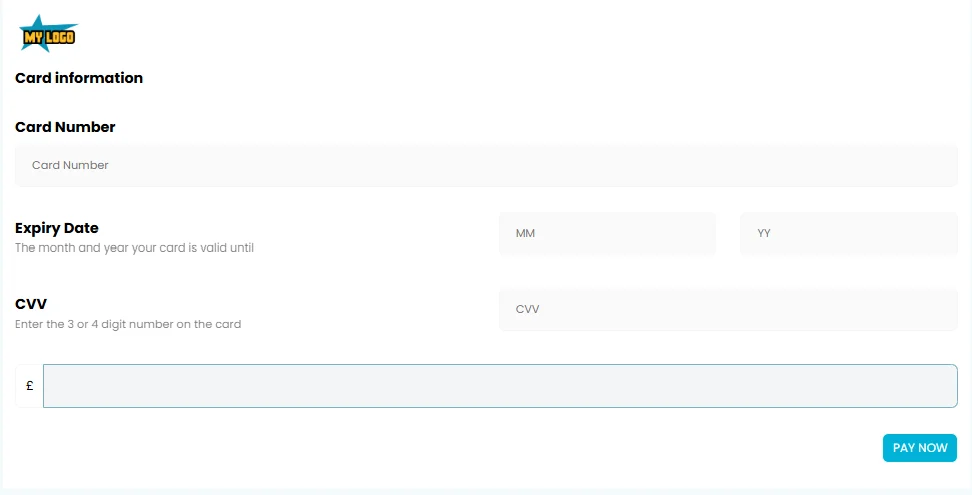
Web checkout template 1 — customisable payment form design
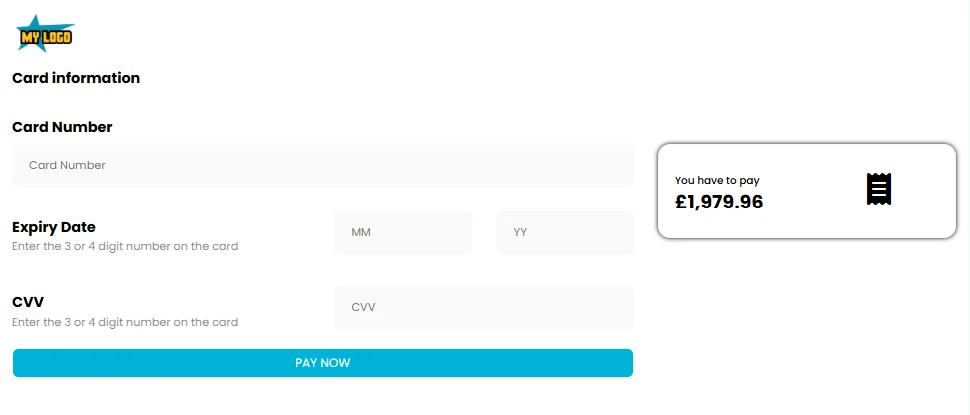
Web checkout template 2 — customisable payment form design
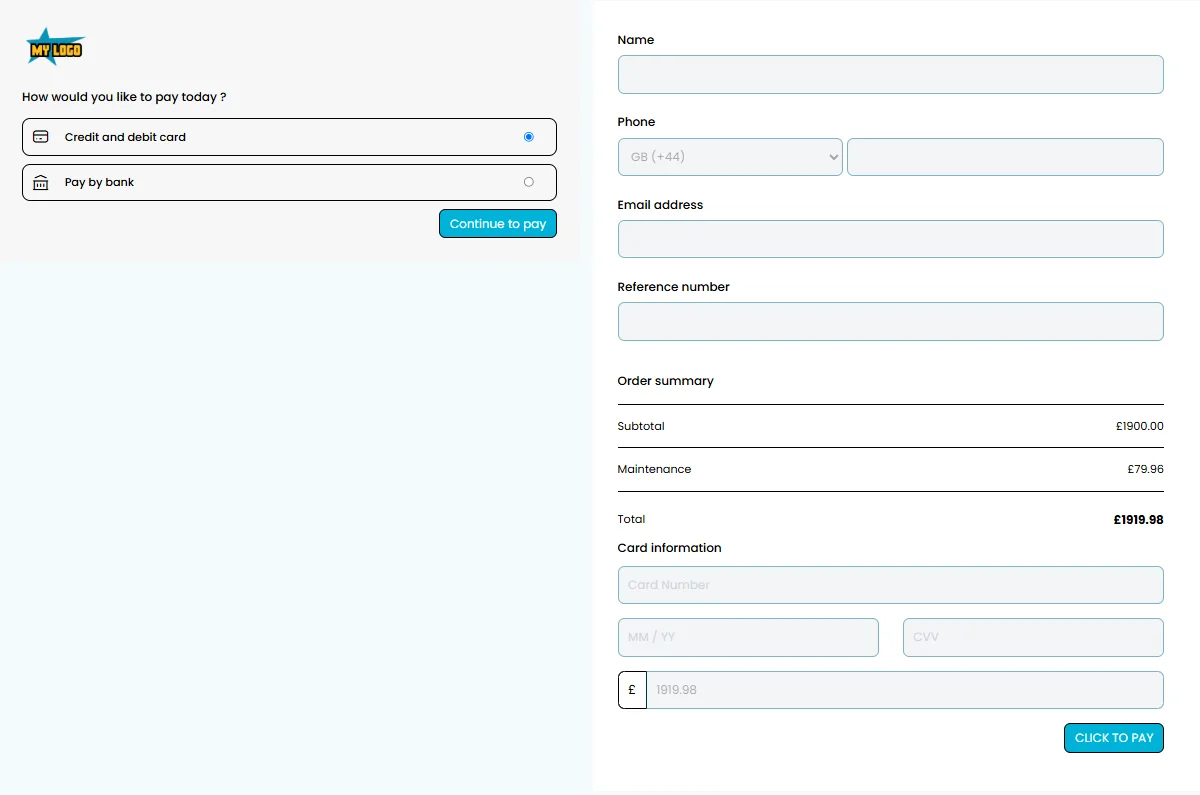
Web checkout template 3 — customisable payment form design
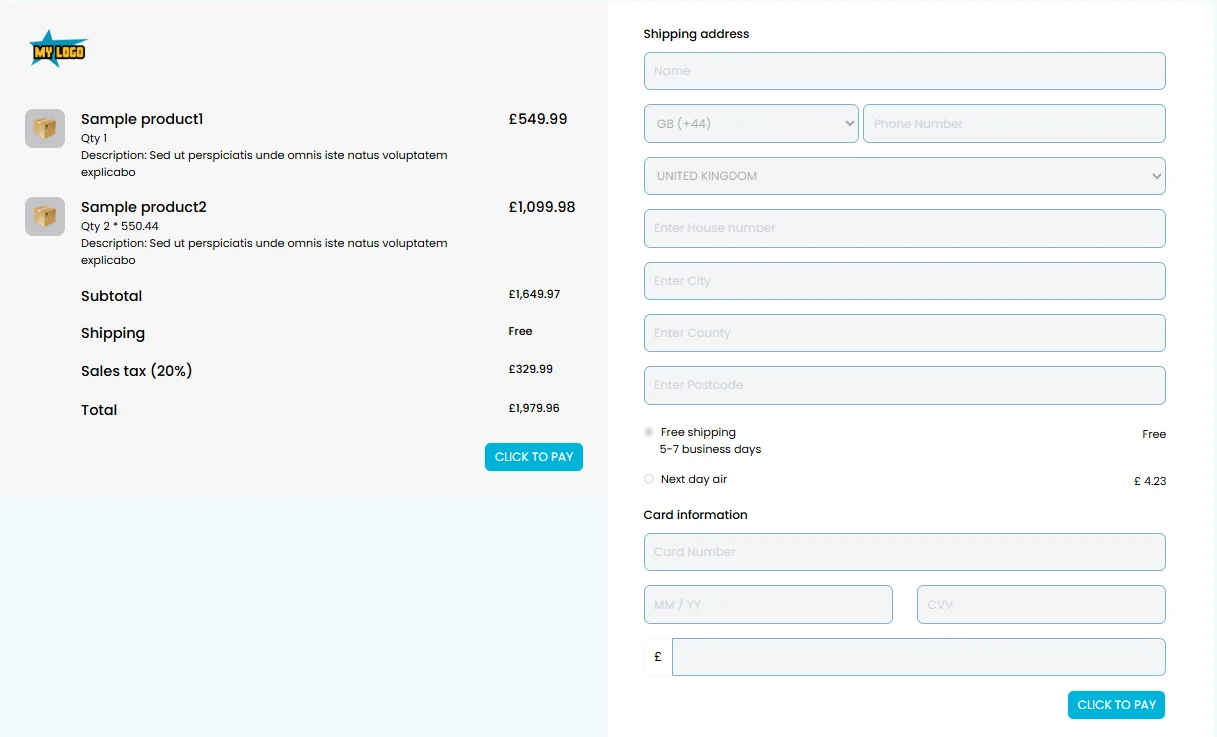
Web checkout template 4 — customisable payment form design

Template Control Settings

Customise and control every field with simple on/off sliders
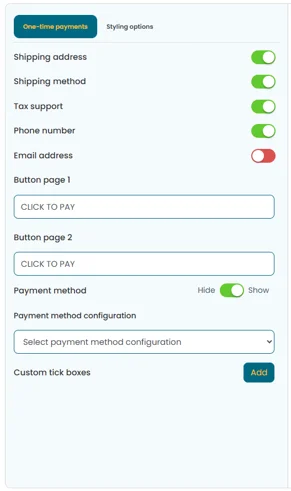
Checkout templates control panel showing on/off sliders for customising one-time payment form fields

Toggle fields on/off, configure required fields, and customise the customer experience with intuitive controls.

Complete Branding Control

Match your website design with full styling options
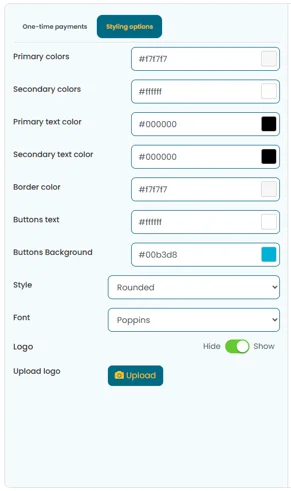
Checkout template styling controls showing colour schemes, fonts, logos, and branding customisation

Customise colours, fonts, logos, and every visual element to match your brand identity.

Complete Template Overview

See the control panel and live preview side-by-side
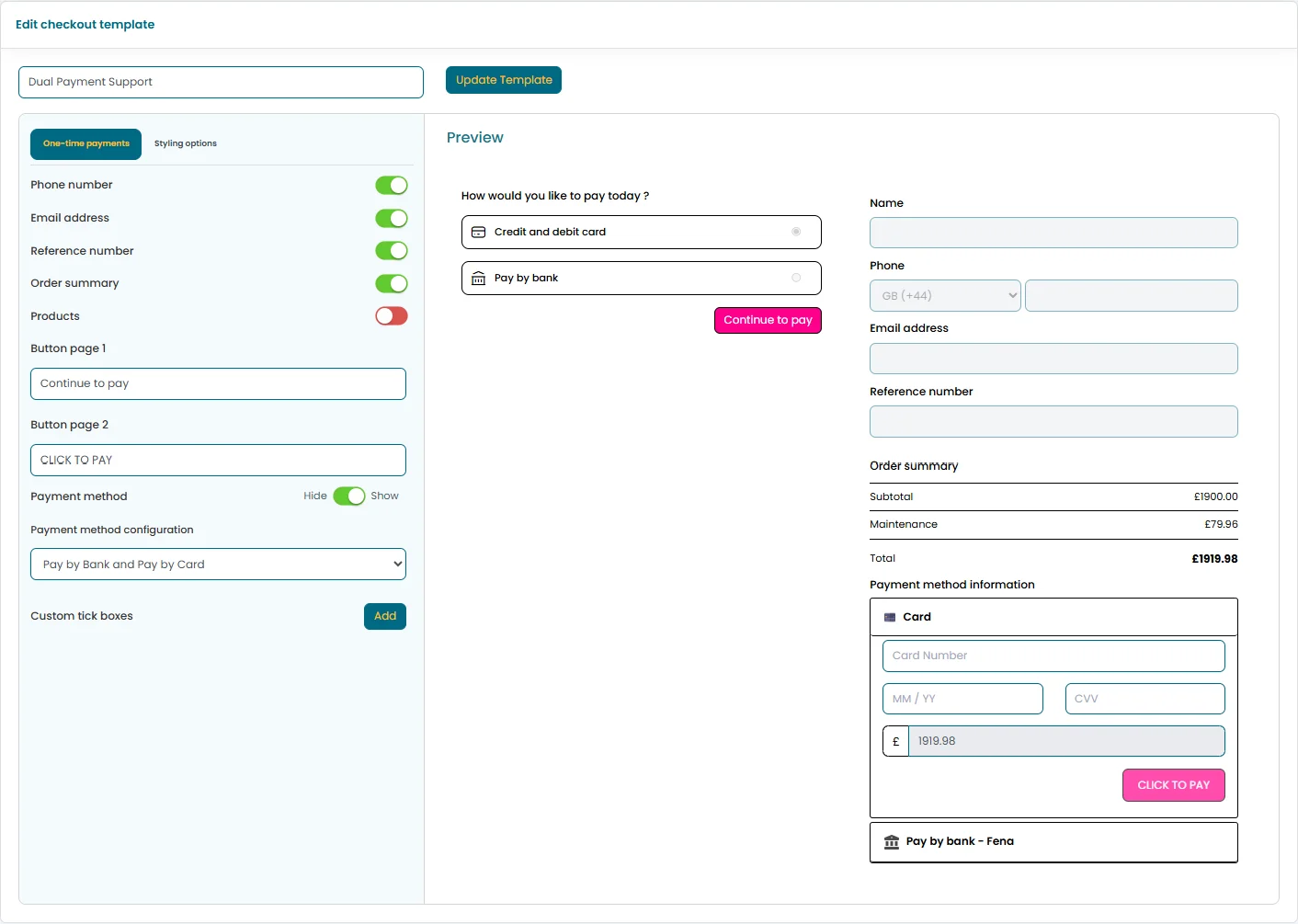
Full template view showing both the control panel and the live checkout form preview

Real-time preview of your checkout form as you customise — what you see is what your customers get.

FAQ

Frequently asked questions

What is a customised web checkout?
A customised web checkout is a fully branded payment form that businesses can customise with their logo, colours, fonts, and custom fields. It gives customers a payment experience that looks and feels like your own website, while Paytia handles PCI DSS compliance and security in the background.
How customisable is the web checkout solution?
The web checkout is fully customisable — branding (logos, colours, fonts), custom fields, form layouts, and styling. You can build a checkout that matches your brand and connects to your systems without a complicated integration.
Is customised web checkout PCI DSS compliant?
Yes, all customised web checkout solutions are fully PCI DSS Level 1 compliant. Paytia handles all card data processing securely, ensuring that sensitive payment information never touches your systems.
Can I integrate with my existing payment gateway?
Yes, customised web checkout integrates with popular payment gateways including Stripe and other major providers. The solution connects directly to your existing payment infrastructure with no reworking required.
How does it improve conversion rates?
Customised web checkout improves conversion rates by providing a branded, trustworthy payment experience that matches your website design. Customers feel more confident completing payments when the checkout looks professional and consistent with your brand.
Can I customise the checkout flow?
Yes, you can customise the checkout flow including the number of steps, field order, validation rules, and user experience elements. Create a checkout process that matches your business needs and customer preferences.
How do I integrate it into my website?
Customised web checkout can be integrated through Paytia's API. Embed the checkout form directly into your website pages or use hosted payment pages, depending on your technical requirements.
What payment methods are supported?
Customised web checkout supports all major payment methods including credit cards, debit cards, and digital wallets. The specific methods available depend on your payment gateway configuration.

Ready to create your branded checkout?

See how Paytia's customised web checkout can boost conversions with branded, secure payment pages.

Related solutions

Other ways to take payments in this channel.