Take the deposit in-store. Take the balance online or by phone.
In-Person Payment Flow
Secure, tokenised, cross-channel
- 1Customer taps or inserts on the Verifone terminal
- 2Payment authorised, card tokenised
- 3Follow-up payments use the token, no terminal needed
- 4Refunds issued back through the original or alternate channel
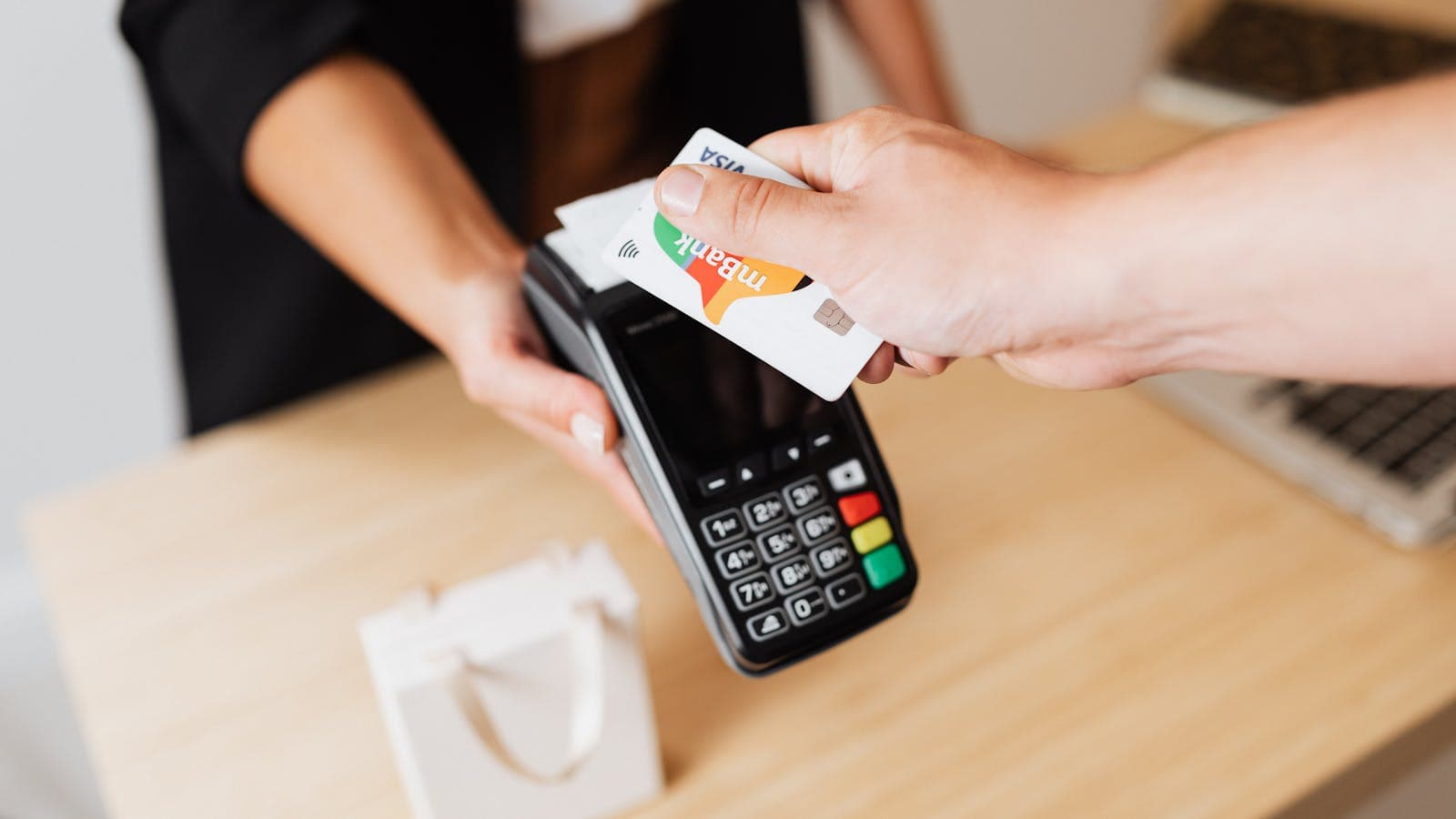
How In-Person Payments Work
Initiate from your CRM or iPad app
Your agent kicks off the payment from whatever tool they're already in — browser-based CRM, iPad sales app, or any system that calls the Paytia API. Paytia sends the request to the connected Verifone terminal.
Customer pays at the terminal
The customer inserts, taps, or uses their mobile wallet on the terminal and enters their PIN if required. The Verifone terminal handles card capture and authorisation. Card data never touches your systems.
Get a token, use it anywhere
Paytia returns a tokenised reference for the card. Use that token later to take the balance online or by phone, issue a refund, or capture a follow-up deposit — all without bringing the customer back into the store.
Three use cases, one token
The same token flows through the whole customer lifecycle — deposit, follow-up, refund. Your team stops chasing payment details and starts closing tickets.
Take a deposit in-store
The customer pays a deposit on the Verifone terminal in your store. They insert or tap the card, enter their PIN, the terminal authorises the payment.
Paytia returns a token that represents the card. Your CRM gets a webhook confirming the payment and storing the token against the customer record. No card details pass through your staff or your systems at any point.
Take the balance without the card
Later — days or weeks on — the balance is due. Maybe it's the final payment on fitting day. Maybe it's the next instalment. Either way, your team takes the payment using the stored token, from the CRM or iPad, without needing the customer or their card.
No terminal interaction. No phone call to read out a card. No payment link to send and chase. The token authorises the follow-up against whichever acquirer Paytia's connected to.
Refund across any channel
Returns, part-refunds, adjustments — handled from whichever channel makes sense. A payment taken at the terminal can be refunded from the CRM. A phone or online payment can be refunded to the card on file from the same dashboard.
By default refunds go back to the original card (card-scheme rule). Where your acquirer permits an alternative destination — for example if the original card has expired — Paytia supports that flow with the right approvals in place.
What you get with Paytia in-person payments
A Verifone-connected terminal setup isn't new. What is new is the rest of the lifecycle — the token, the refunds, the cross-channel reuse — sitting on top of it without you having to stitch it together yourself.
Verifone-supported terminals
Works with your existing Verifone POS estate. No new hardware required unless you want it — Paytia connects to the terminals your acquirer already provisioned.
Tokenised card reuse
Every in-store transaction returns a token that can be used across Paytia channels. Take a deposit at the terminal, take the balance by phone. One card, one customer, one record.
Cross-channel refunds
Refund any Paytia-processed payment from a single interface — POS, online, phone, chat, all visible in the same dashboard. No juggling separate refund tools.
Any-acquirer support
Your in-store terminal may sit behind one acquirer and your online gateway behind another. Paytia's token layer works across both — the follow-up payment uses the gateway you choose, not the one locked to the terminal.
PCI DSS scope reduction
Card data is captured by the terminal directly and never enters your environment. For most customers that drops the in-store channel from SAQ D (329 controls) to SAQ A (22).
Real-time webhooks
Every state change — authorised, settled, refunded, failed — fires a webhook back to your CRM. Your records stay current without anyone having to refresh a dashboard.
Security & Compliance
Card data is captured on the Verifone terminal and goes straight to Paytia's PCI DSS Level 1 environment. It doesn't pass through your CRM, your staff, or your servers.
Tokenisation
The terminal returns a non-reversible token in place of the card number. Tokens can be stored in your CRM safely — they're useless to an attacker and out of PCI scope.
TLS + AES-256
All data between the terminal, Paytia and your systems is encrypted in transit with TLS 1.2+ and at rest with AES-256. Standard, verifiable, no novel cryptography.
PCI DSS Level 1
Paytia is independently audited against PCI DSS Level 1 every year. The in-person channel is covered under the same certification as our phone and online products.
Webhook signatures
Webhook payloads are signed so your CRM can verify they came from Paytia and haven't been tampered with. Replay protection built in.
UK data residency
Payment data is processed in UK/EU data centres to meet UK GDPR, the Data Protection Act 2018, and card-scheme data-residency rules.
Full audit trail
Every action — who triggered what, which terminal, which token, which acquirer, which outcome — is logged and exportable. Same trail regardless of the channel.
Who it's for
In-person payments with token reuse are most useful where the sale doesn't complete in one visit. Deposits now, balance later.
Retail with deposits
Carpets, furniture, bespoke fit-outs, kitchens, bathrooms. The customer pays in-store, the work happens later, the balance is due on completion.
Hospitality
Hotels, restaurants, event venues where a deposit is taken at booking or check-in, and the final bill is settled later — ideally without the customer queueing to re-swipe at checkout.
Professional services with instalments
Legal retainers, elective healthcare, private education, consulting engagements where payment is staged across milestones or months.
Frequently Asked Questions
What terminals do you support?+
Verifone terminals day one. Paytia connects to your Verifone POS over the standard terminal integration path, so any Verifone device your acquirer provisions should work. We don't currently support Ingenico, PAX, or other vendors.
Can the follow-up payment use a different acquirer to the one that took the deposit?+
Yes. The token returned from the in-store transaction can be used to process a follow-up payment through any acquirer Paytia is connected to. That matters if your online gateway is different to the one sitting behind your Verifone terminal.
What if the customer wants to pay the balance on a different card?+
Take the balance through any of Paytia's other channels — phone, payment link, web chat — and capture the new card there. You can keep the original token for the deposit and use a new one for the balance. Nothing's tied together forcibly.
What happens to the token if the customer disputes the original deposit?+
The token is still valid technically — it's a reference, not a commitment — but we'd recommend holding further payments against it until the dispute is resolved. Paytia flags tokens with active disputes in the dashboard so your team can see them.
Does the token expire?+
Tokens don't expire automatically. Card expiry dates do, so if the underlying card expires before you re-use the token, the follow-up payment will fail and you'll need to take a fresh card. Paytia returns expiry metadata with the token so you can schedule around it.
How does this reduce our PCI DSS scope?+
Card data is captured by the Verifone terminal directly — it never enters your CRM, your staff's laptops, or your servers. Paytia only ever holds the token, which is non-sensitive. For most customers, the in-store channel drops from SAQ D to SAQ A on the PCI side, the same way our phone and online products do.
Do refunds have to go back to the original card?+
By default yes — card scheme rules require refunds to go to the original payment method. Where your acquirer permits alternative refund destinations (for example, original card expired), Paytia supports that flow with the right approvals in place.
Can the in-person flow work from an iPad or tablet?+
Yes. The Paytia in-person flow is triggered from whatever web-based app your team uses — a browser-based CRM, an iPad sales tool, or your own internal app through our API. The terminal receives the request, the customer taps, and the result comes back to your system via a webhook.
What happens if the terminal or the network drops mid-transaction?+
The terminal handles the card authorisation independently, so a network drop between the terminal and Paytia doesn't invalidate a payment that already authorised. Paytia reconciles the state on reconnect and the webhook fires when things settle. Your team can see the status in the dashboard at any point.
How long does integration take?+
Depends on your existing CRM and whether you're using a new Verifone terminal or adapting an existing one. A typical integration is 4-8 weeks from kickoff to first live transaction, with most of the time going into defining payment triggers inside your CRM rather than the Paytia side.
“We highly recommend Paytia to any business wanting to enable distributed and remote working whilst removing the risk and uncertainty of a potential data breach, fraud and PCI fines.”
Total Tiles
Read the case study →Used by British American Tobacco · Howard Kennedy · CITB · Clinical Partners · Trinity Hall College
Since 2016
Building secure payments
PCI DSS Level 1
Highest certification
99.99%
Platform uptime
£400M+
Transactions processed
Ready to take in-person payments that carry on after the customer leaves?
Book a demo to see the deposit-to-balance-to-refund flow end to end on your own systems.
Trusted by law firms, insurers, healthcare providers and regulated businesses worldwide. Learn more about Paytia