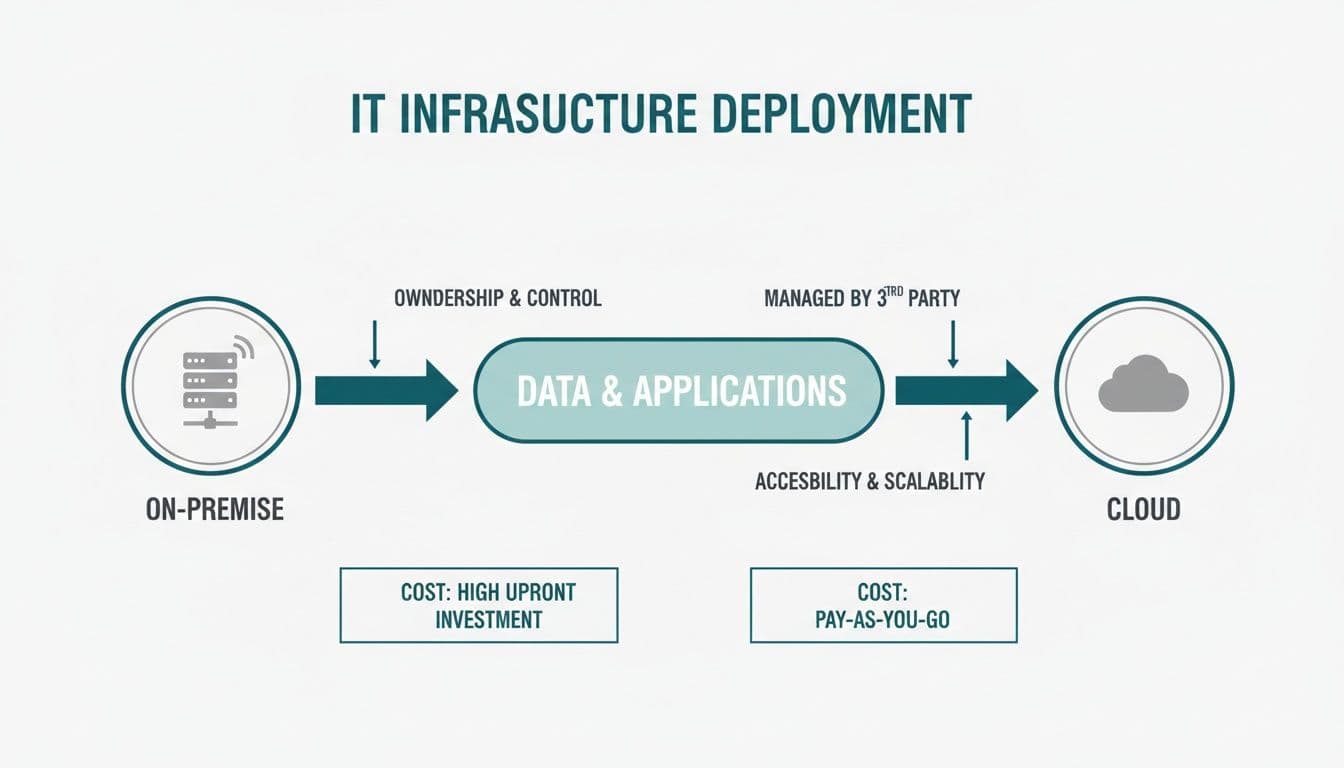
Aircall has become a popular choice for sales and customer service teams that want a cloud-based phone system they can set up quickly, integrate with their CRM, and manage without a dedicated telecom team. It works well for distributed and hybrid teams, it connects cleanly with tools like HubSpot and Salesforce, and it gives managers real-time visibility into call activity. What it doesn't include is built-in secure payment capture — and that's where businesses taking card payments over the phone can run into trouble.
Taking a card payment through Aircall without any additional controls means the agent hears the card number, the call gets recorded with the card number — a PCI call recording compliance risk in it, and your telephony estate becomes part of your PCI DSS scope. That's not a problem unique to Aircall — it's a problem with any telephony platform that treats payment calls the same as any other call. The solution is to add a secure payment layer that integrates with your existing platform rather than replacing it.
Paytia does exactly that. By connecting Paytia's Secure Virtual Terminal to your Aircall environment, you keep everything your team already knows how to use while adding the controls that PCI DSS requires for telephone-based card capture.
How the integration works in practice#

Your agents continue to use Aircall as normal. When a call reaches the point where a customer needs to pay, the agent opens Paytia's Secure Virtual Terminal — which runs alongside Aircall, not inside it — and initiates a payment session. The customer is asked to enter their card details using their phone keypad. Our Aircall integration demo shows this happening on a real call.
At that point, Paytia's DTMF masking kicks in. The tones produced by the customer's keypad are intercepted before they reach Aircall's audio stream. The agent's headset receives a neutral flat tone during entry. The Aircall recording captures the same neutral tone. The actual card digits go directly into Paytia's PCI DSS Level 1 certified processing environment. Neither Aircall nor anything connected to it ever receives the card data.
The agent watches a progress screen on the Secure Virtual Terminal. Once the customer has finished entering their details and the transaction is authorised, the screen confirms the result. The agent can then wrap up the call, update the CRM, and move on. The whole payment process typically adds less than a minute to the call, and in many cases it's faster than reading out and re-entering numbers manually.
Payment links as a complement to call-based capture#
Not every payment needs to happen in real time during the call. Sometimes a customer wants to think about it. Sometimes they're calling from a situation where entering card digits isn't practical — driving, in a noisy environment, or using a phone where the keypad isn't easy to access. In those cases, the agent can send a secure payment link directly from the Paytia platform while the call is still active.
The customer receives the link on their phone, clicks through to a branded payment page, and completes the transaction on their own device. Paytia's Secure Code feature verifies that the link is genuine — the customer is shown a code they recognise before they commit any card details. This is relevant not just for the customer's confidence but also for your compliance position: it demonstrates that your payment processes protect against payment fraud, which UK Finance and the FCA have both flagged as a growing concern.
The result is a flexible payment capability sitting inside your Aircall workflow. Agents can handle on-call payments for customers who prefer that, and offer link-based payments for those who don't. Both options keep card data out of Aircall entirely.
Want to see this working in your setup? Book a working-demo call — we'll wire up your actual phone system and show you a live capture.
What this does for your PCI scope#
Scope is one of those PCI concepts that sounds technical but has very practical consequences. Everything in your PCI scope — systems, networks, people — has to be assessed, documented, and controlled according to the standard. The more scope you have, the more expensive and time-consuming compliance becomes.
When card data flows through Aircall without masking, Aircall itself, your call recording system, the networks carrying the calls, and any agent devices involved all become part of your scope. That's a significant surface area. When you add Paytia's DTMF masking, card data never reaches Aircall's infrastructure. Your Aircall deployment stays out of scope. Your call recordings stay out of scope. The only thing in scope for PCI purposes is Paytia's own infrastructure — and Paytia holds its own PCI DSS Level 1 Service Provider certification, which your assessor can reference directly.
In practice this means your annual PCI Self-Assessment Questionnaire gets shorter. Sections that ask about call recording controls, agent access to card data, and network segmentation around payment systems become much easier to answer — or stop applying to you altogether. If you use a Qualified Security Assessor rather than completing a SAQ yourself, their job gets simpler too, which usually means a shorter engagement and lower fees.
Reporting that makes reconciliation simpler#
One thing Aircall teams often appreciate is that Paytia's reporting maps payment activity back to call data. You can see which calls resulted in successful payments, which produced declined transactions, and when the payment phase of a call occurred. That information is useful for several purposes.
For compliance, it provides evidence of when secure capture sessions began and ended — exactly what a PCI auditor wants when verifying that your controls work as described. For operations, it helps identify where payment calls are taking longer than expected, which can point to agent training gaps or customer experience friction. For finance, it simplifies reconciliation between call activity and payment records.
None of this requires your Aircall administrator to do anything special. Paytia generates the payment reports independently, and they're available in the Paytia dashboard. Cross-referencing them with Aircall call logs is straightforward because the timestamps align.
Getting started#
Paytia sits alongside Aircall — there's no replacement project. There's no infrastructure to install, no hardware to configure, and no changes required to your Aircall account settings. Agents need a brief introduction to the Secure Virtual Terminal workflow, but the process is simple enough that most teams are comfortable with it after a single training session. Our account setup guide walks through the first login step by step.
Remote agents and the home environment problem#
One of the reasons Aircall became popular during the shift to remote work is that it lets agents take and make calls from anywhere — their home office, a co-working space, a client site. That flexibility is genuinely valuable. But it creates a specific problem for payment calls. An agent working from their kitchen table taking a card payment verbally from a customer is in a situation where anyone nearby could potentially hear the card number. The controls that exist in a physical contact centre — separate rooms, headsets that don't project audio, managers who enforce payment handling procedures — don't translate naturally to home environments.
Because Paytia's DTMF masking means the customer enters digits rather than speaking them, the home environment risk for audio exposure disappears. There are no card digits spoken aloud on the call. The agent's family members, housemates, or anyone else in earshot hears nothing sensitive. This isn't a minor convenience — it's a material risk reduction for any organisation whose agents regularly work from home and take phone payments.
What happens when a payment is declined#
Declined payments are a normal part of accepting cards, and how they're handled in a call matters. In a standard virtual terminal setup where the agent has typed in the card number, a decline typically means the agent knows the card details they entered (because they typed them), knows the decline reason (because it appears on their screen), and has to decide how to handle the conversation without that information creating awkward exposure.
With Paytia's system, a declined transaction returns a result to the Secure Virtual Terminal — approved or declined — without the agent having access to any of the card details that were submitted. The agent knows the payment didn't go through, but nothing about the card details is revealed. They can discuss alternatives with the customer — trying a different card, using a payment link, or arranging a callback — without the declined card information sitting in the conversation as a potential data handling risk. If you process through Lloyds Cardnet, our knowledge-base note on the N:-5005 purchase-limit decline explains one of the more common codes.
For agents, this is a simpler and more comfortable situation than the alternative. For compliance, it means declined transactions don't create a secondary exposure problem. For customers, it means the agent's response to a decline is focused on solving the problem, not managing information that shouldn't have been in the agent's possession in the first place.
Connecting Paytia to your existing payment processor#
A common question from Aircall users exploring Paytia is whether they need to change their existing payment processor or acquiring bank relationship. The answer is generally no. Paytia integrates with major payment gateways — Stripe, Worldpay, Braintree, and others — and sits between your Aircall-based calling environment and your existing processor. The payment processor relationship stays as it is. What changes is the path card data takes to get there: instead of going through the agent and your Aircall infrastructure, it goes through Paytia's PCI-certified environment directly.
This matters commercially because switching payment processors is often disruptive — pricing changes, settlement terms change, and there's a migration project to manage. Paytia doesn't require that. You keep the processor you have, you add Paytia as the secure capture layer, and the combination handles the compliance requirements that your existing setup doesn't.
Related reading#
- Pillar guide: Cloud Contact Centre Solutions: Features and Security Guide
- A Complete Guide to Modern Call Centre IVR Systems
- Call Centre Payment Security: Complete 2025 Guide
- How to Improve Call Centre Efficiency
- How to Reduce Average Handling Time Without Wrecking CSAT
Want to see this working in your setup? Book a working-demo call — we'll wire up your actual phone system and show you a live capture.