Worldpay
How do I activate a Worldpay payment gateway?
Connecting a Worldpay account to Paytia is done from your Worldpay dashboard, not from Paytia. Here's each step in order, and the details you'll need to hand over once you're through.
Setting up your Worldpay payment gateway account
Step 1
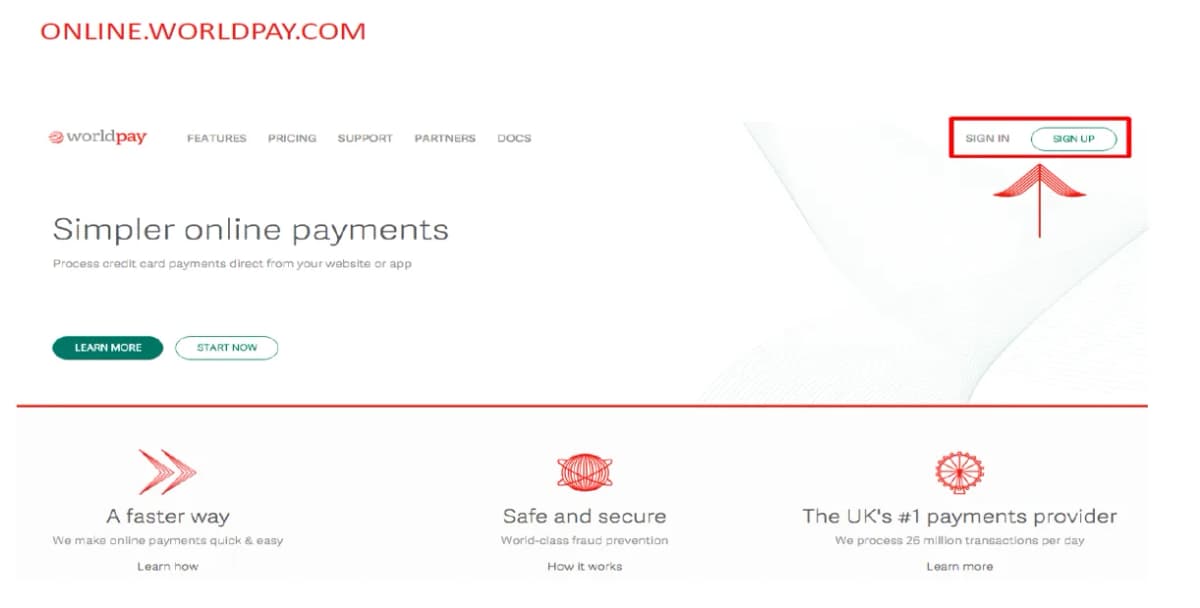
Step 2
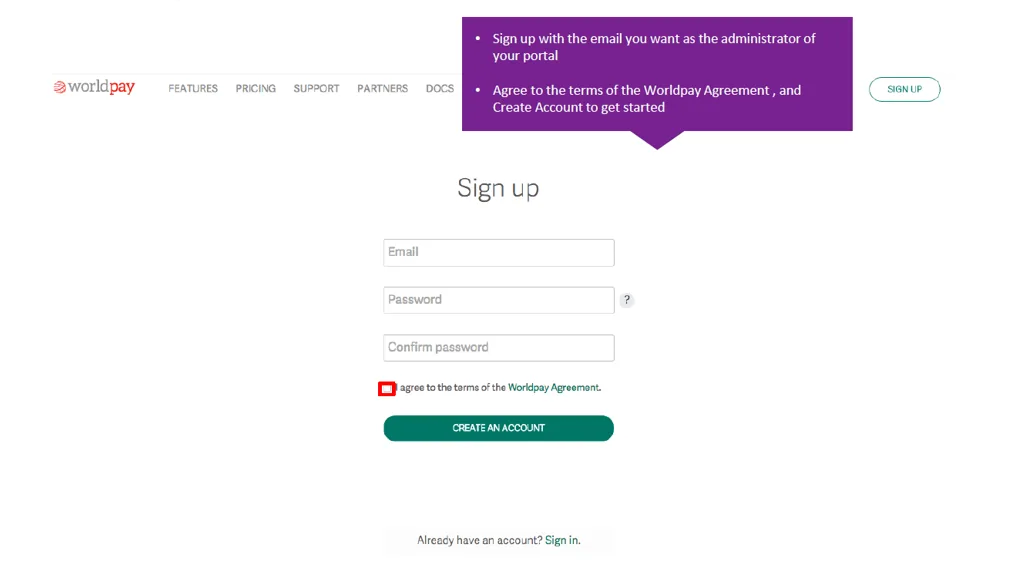
Step 3
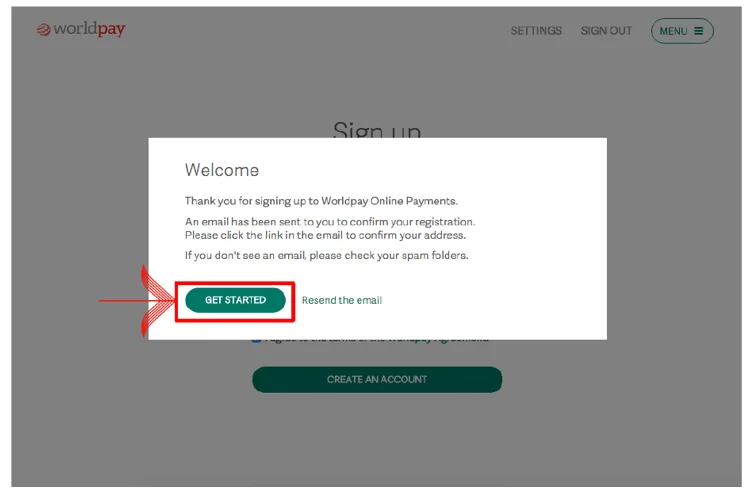
Step 4
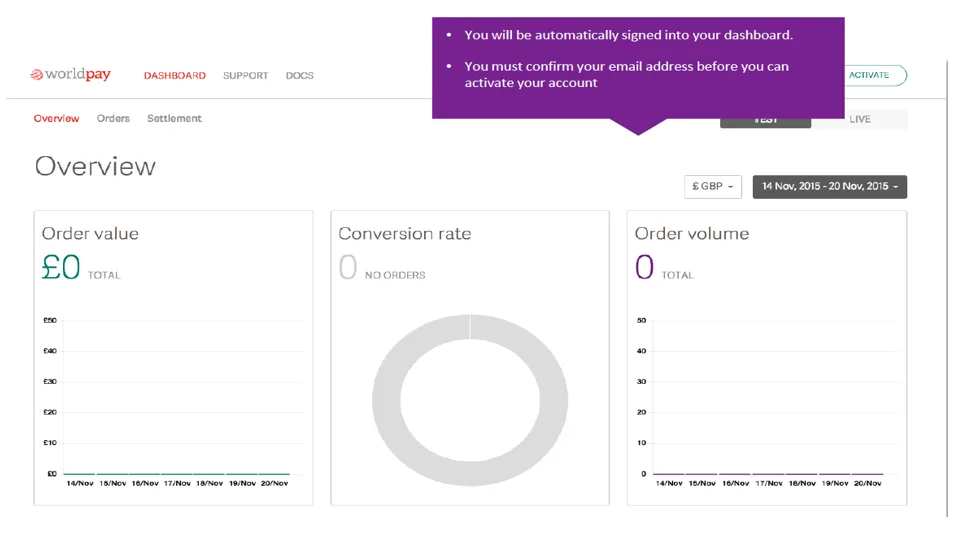
Step 5
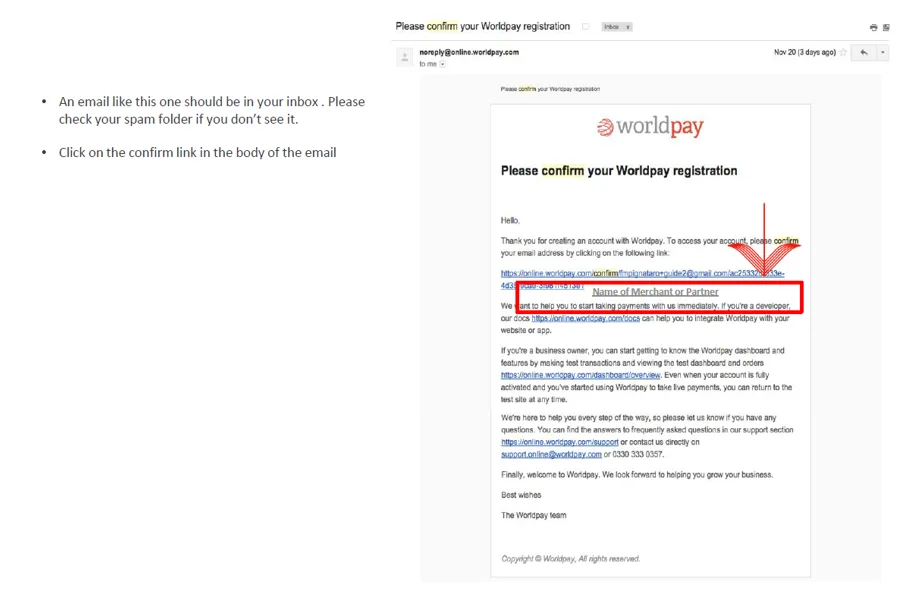
Step 6
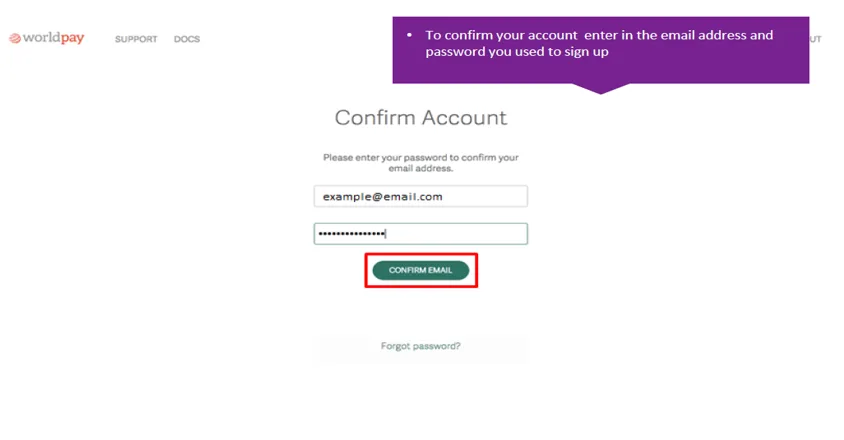
Step 7
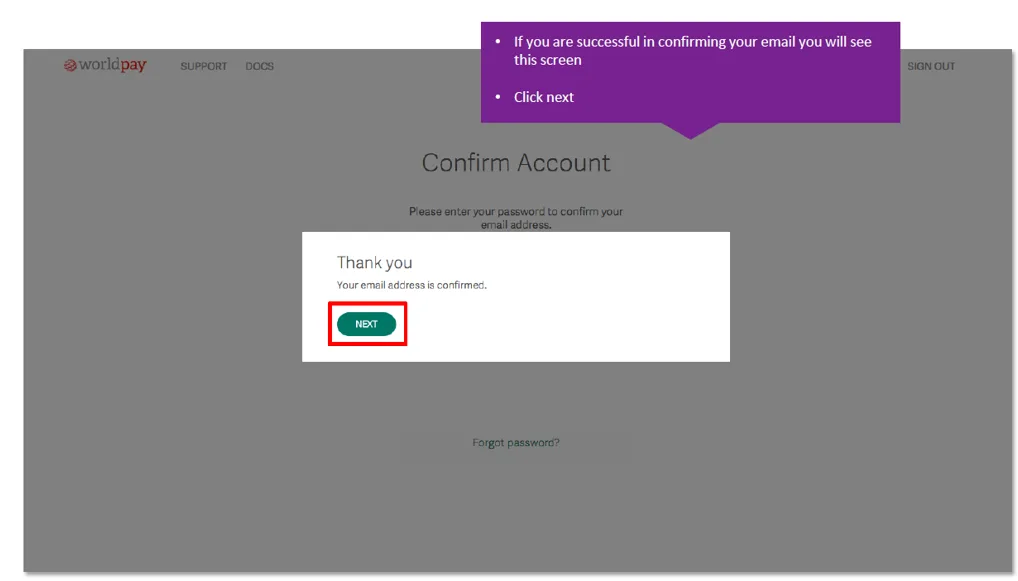
Step 8
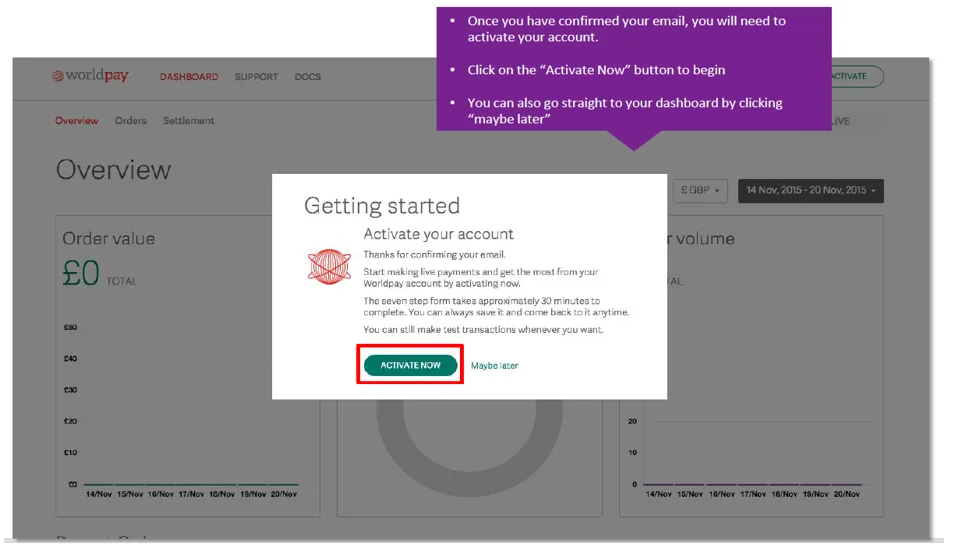
Step 9
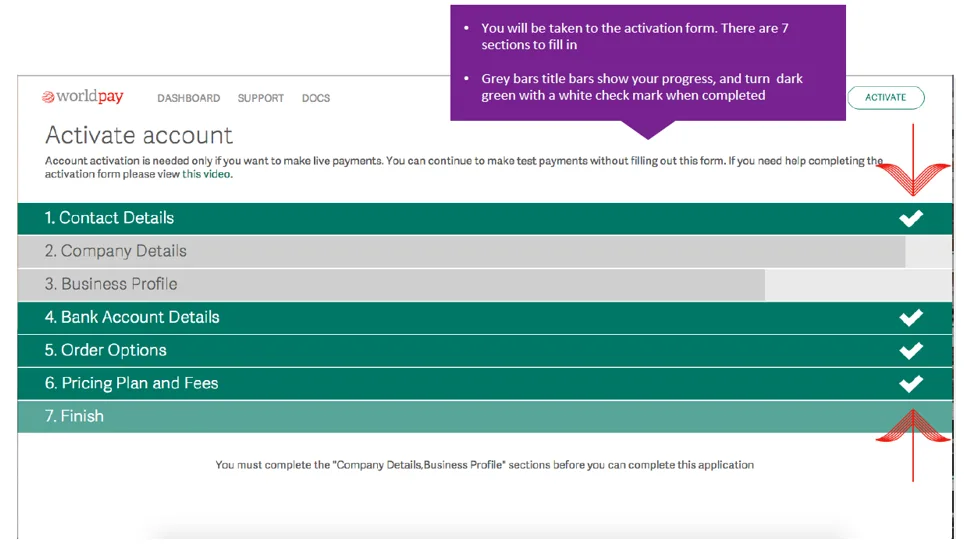
Step 10
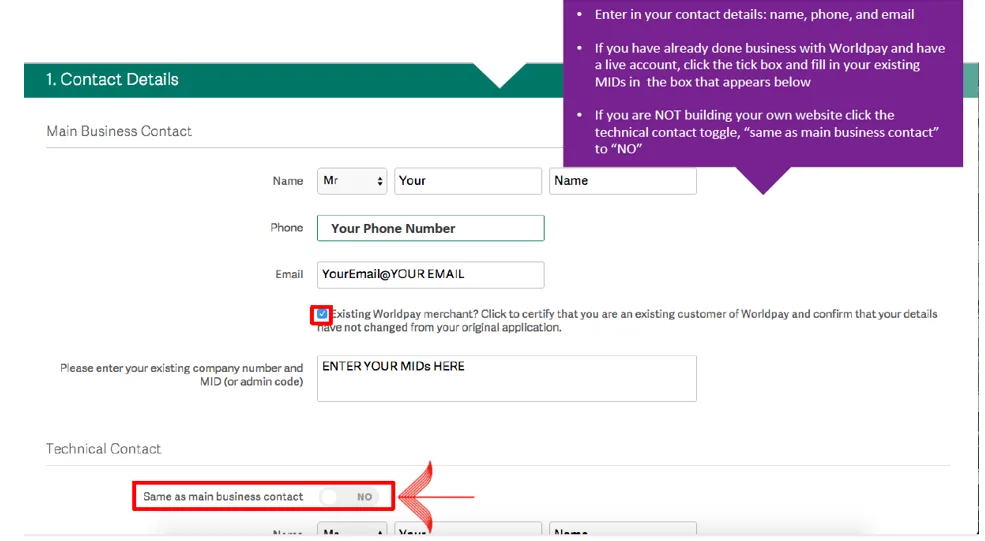
Step 11
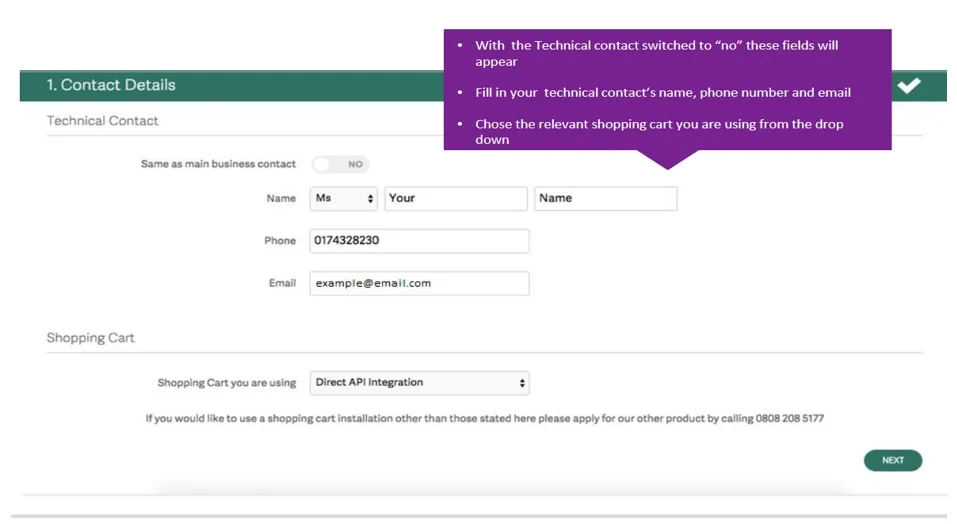
Step 12
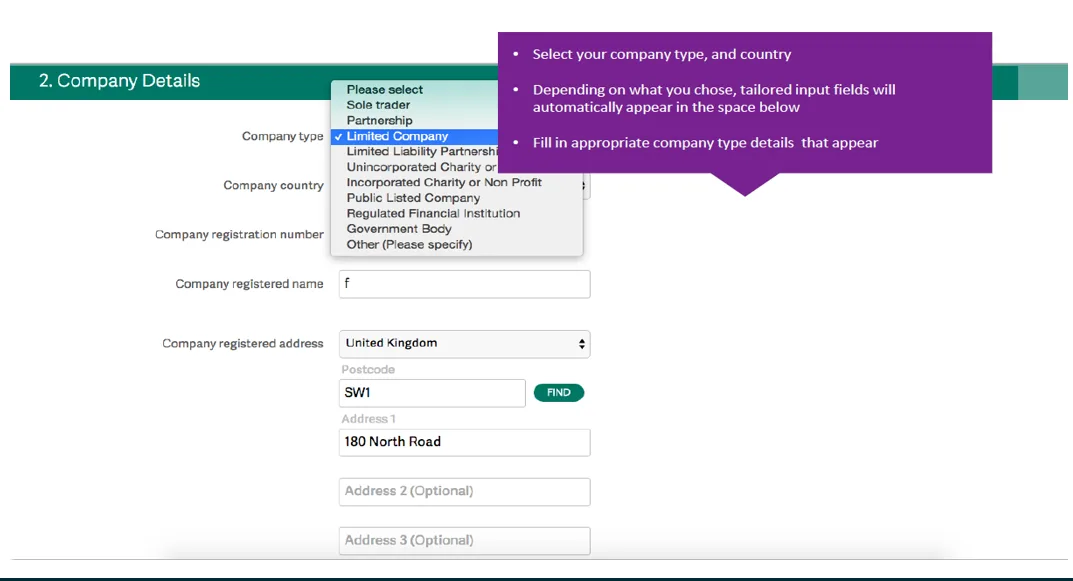
Step 13
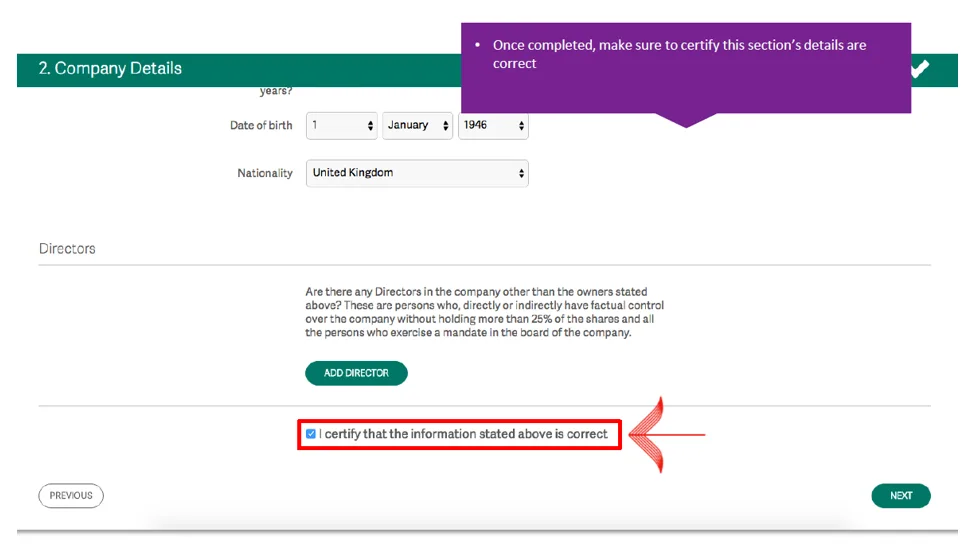
Step 14
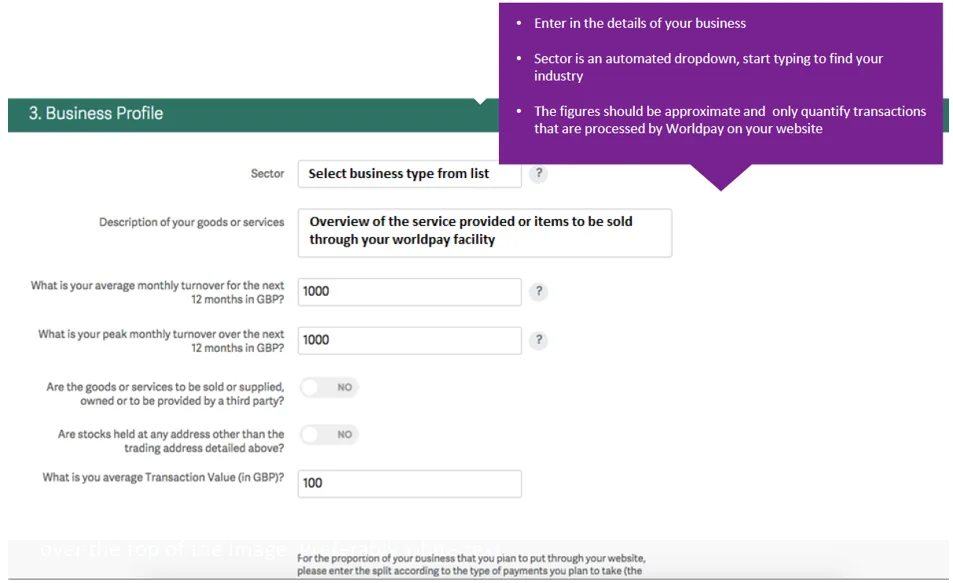
Step 15
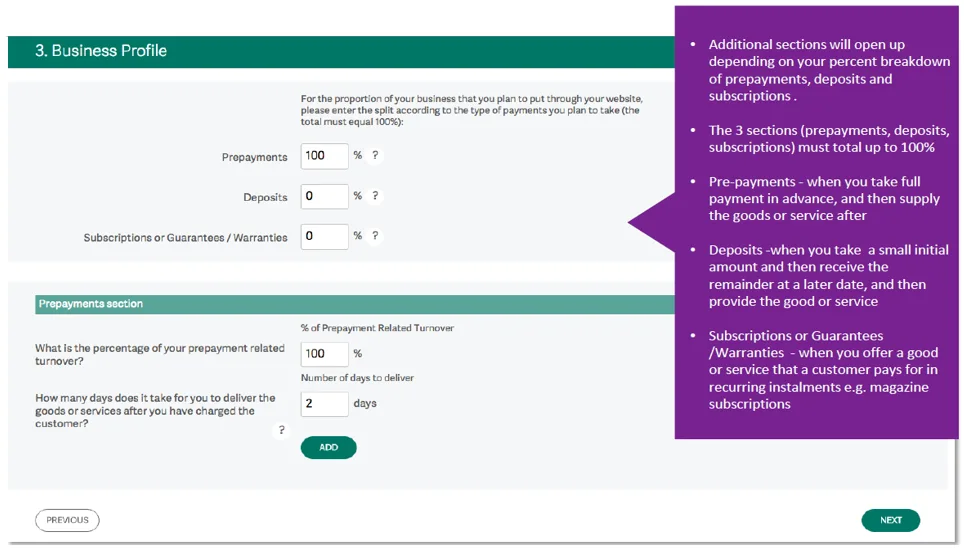
Step 16
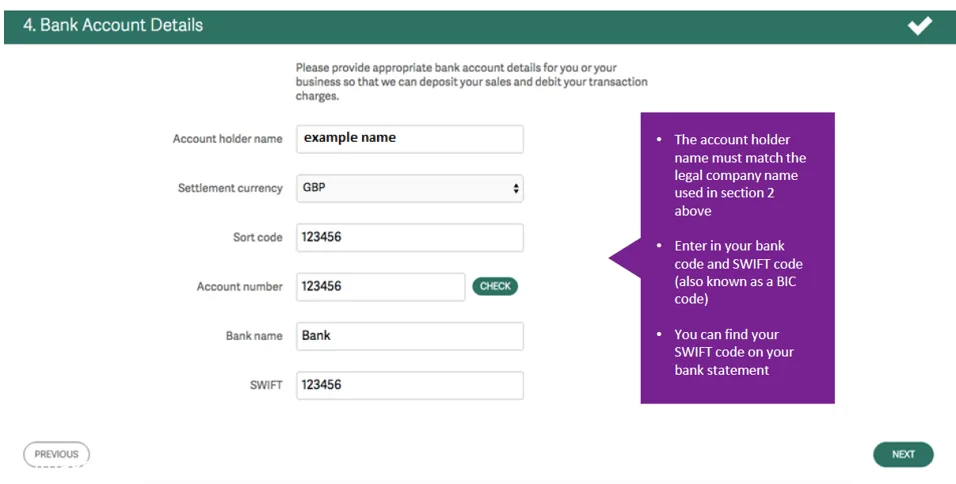
Step 17
Note: That you are replacing the legacy Worldpay telephone payment virtual terminal with the Paytia Secure Virtual Terminal. The existing Worldpay service requires customers to read out their payment card details on the call. Paytia protects you and removes that requirement.
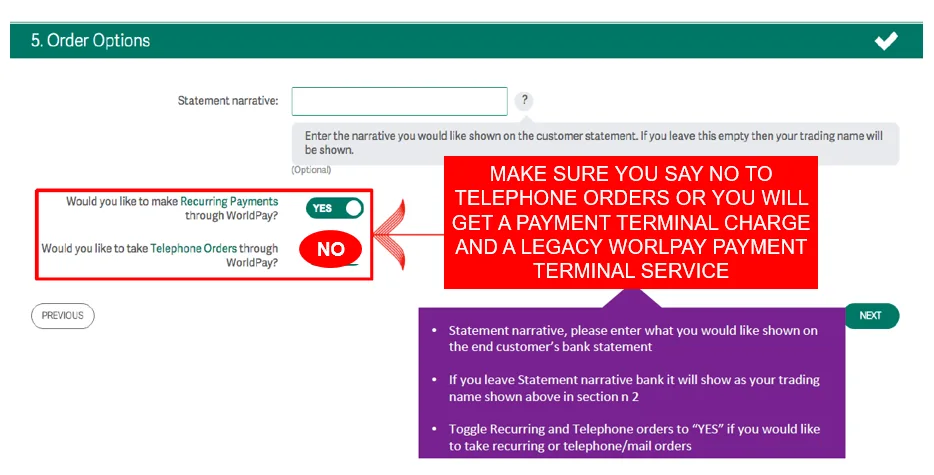
Step 18
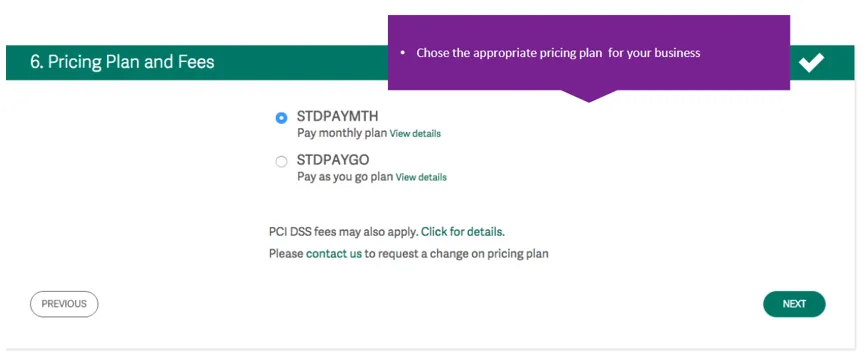
Step 19
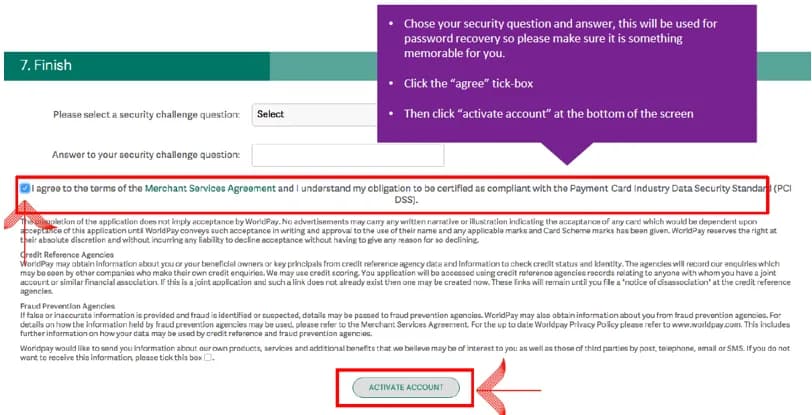
Step 20
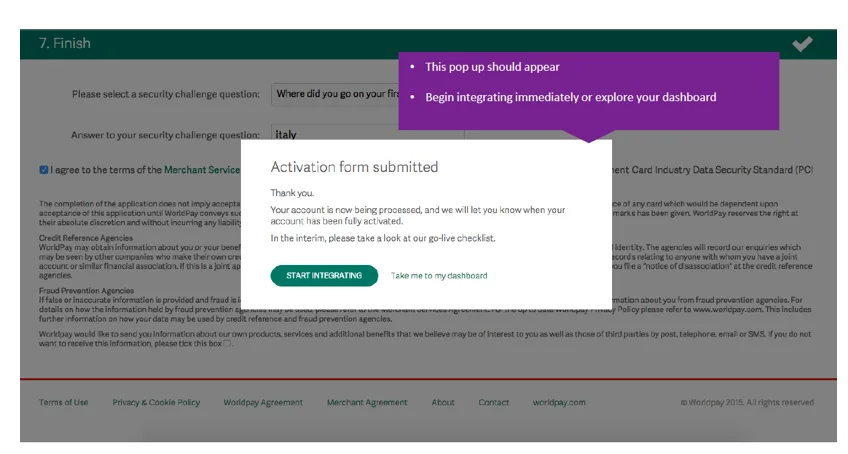
configurationuksetupsign uppaymentconfiguregatewayworldpayireland
Still need help?
Our support team is here to help. Submit a ticket and we'll get back to you within one business day.