How do I add additional SIP numbers?
Once SIP calling is enabled on your account, extra options appear under Payment line. Here's how to add more SIP numbers and what they unlock.
This article will show you how do add additional SIP numbers to your Paytia account.
Adding more numbers
When you have SIP calling services enabled on your Paytia account it will unlock additional features under the Payment line menu option.

If you want to add additional numbers to an account you can click the Add more number button.

Now you will see;
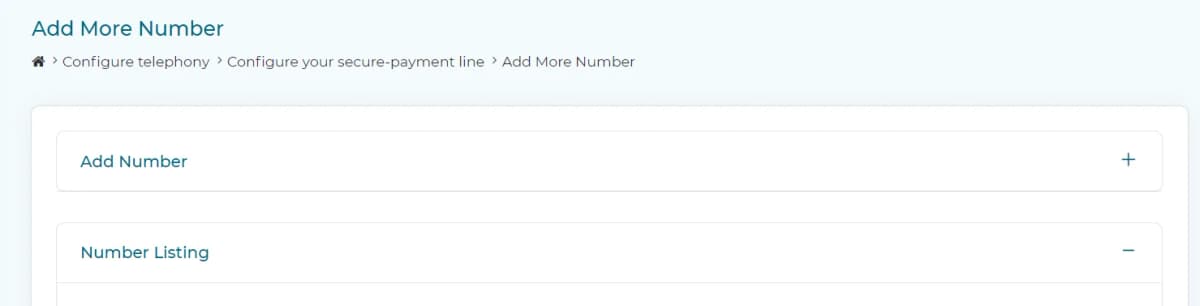
Click the word Add number to show the add number setting.
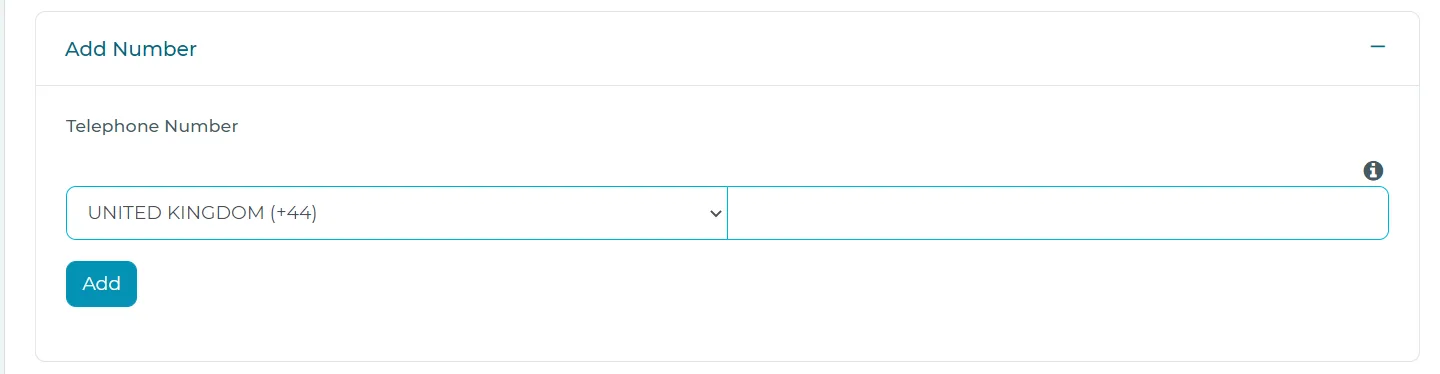
Pick the country pre-fix and type in the telephone number you want manually added (Excluding the lead zero to maintain e.164 numbering format).
Click the Add button to save the entry.
You will be able to see a new section (>Configure telephony>Configure your secure-payment line) dedicated to listing numbers Paytia trusts you to be calling from outbound or receiving calls for inbound.
List of additional numbers

You can use this setting to control what telephone number Paytia will call next. For SIP services we suggest setting both numbers to the telephone system phone number you wish to be routed. This way Paytia will send your calls on and will retain the telephone number presentation.
Buy more numbers
If you want to purchase additional direct dial telephone numbers from Paytia you can do that by clicking the Buy more numbers button.

Buy more numbers will open the Paytia available number list. (Note: that this is a lookup service, so if an area code or number type is unavailable, you can ask sales@paytia.com to organise numbers that match your requirement).
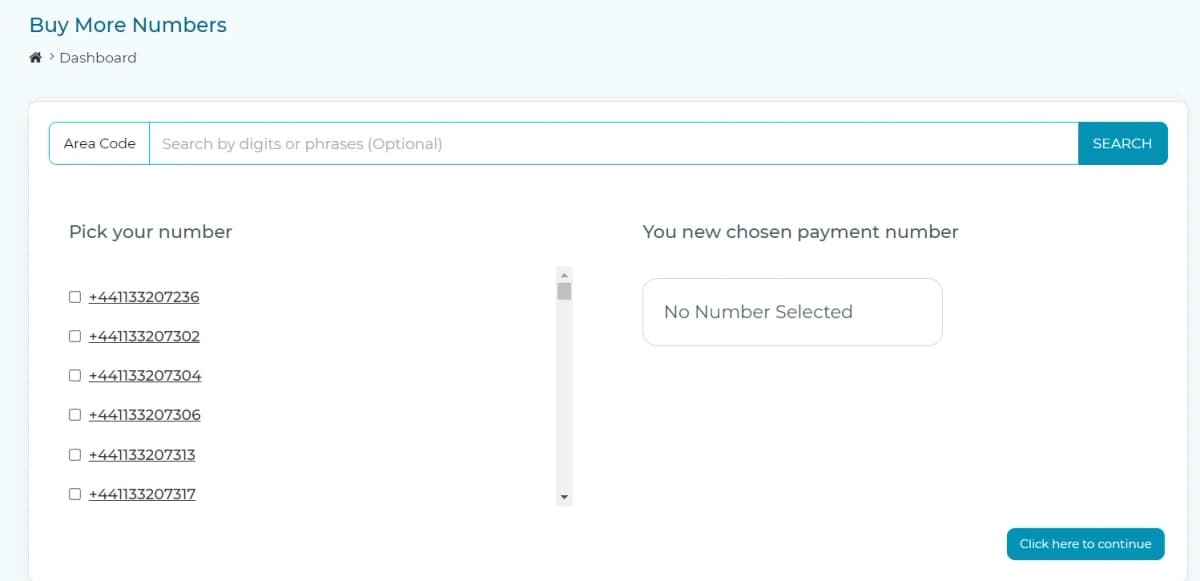
Now filter to find a number you like then tick the box next to the number to secure one or more additional telephone numbers.
More in SIP
Paytia SIP services
We run our own private SIP network core rather than reselling someone else's. Here's what that means for you, and the technical prerequisites to meet before we can route calls.
Paytia SIP translation and routing
Every telephone number can carry its own routing, translation, formatting and termination rules. Here's what you can control per number, and how each rule behaves.
SIP calls are failing outbound
A running list of what to check when outbound SIP fails — the IP being dialled, the CLI being presented, firewall trust, and whether the trunk profile is assigned.
Still need help?
Our support team is here to help. Submit a ticket and we'll get back to you within one business day.