Quick summary
A PCI compliance scan is an external vulnerability scan run by an Approved Scanning Vendor (ASV) against every internet-facing system in your cardholder data environment. Merchants on SAQ A-EP, B-IP, C or D need a passing scan every 90 days. Passing means no failing vulnerabilities under the ASV programme rules — and the surest route to an easy pass is having less to scan in the first place.
Last updated: 29 July 2026
Somewhere in your PCI paperwork you've hit the line that says you need a passing quarterly scan. Maybe your acquiring bank asked for the report. Maybe your compliance portal flagged a deadline. Either way, you now need to know what a PCI compliance scan actually checks, whether you genuinely need one, and how to get through it first time.
We'll cover all three. Then we'll get to the question too few merchants ask: how do you make the scan smaller — or make it unnecessary altogether?
What a PCI compliance scan actually is#
A PCI compliance scan is an external vulnerability scan — an automated probe, run from the internet, against your public-facing IP addresses, web servers and domains. It hunts for known weaknesses: missing patches, weak encryption, open ports that shouldn't be open, misconfigured services. Everything it finds gets compared against a database of published vulnerabilities and rated by severity.
What makes it a PCI scan rather than any old scan is who runs it. PCI DSS Requirement 11.3.2 says the scan must come from an Approved Scanning Vendor — a company the PCI Security Standards Council has certified to produce scan reports that count. Your own scanner, however good, doesn't satisfy the requirement.
Two things it isn't. It isn't an internal scan — PCI DSS asks for those separately, and you can run them yourself. And it isn't a penetration test, which is a manual exercise that goes much deeper. The ASV scan is the automated, outside-looking-in check, repeated at least every 90 days.
Do you actually need one?#
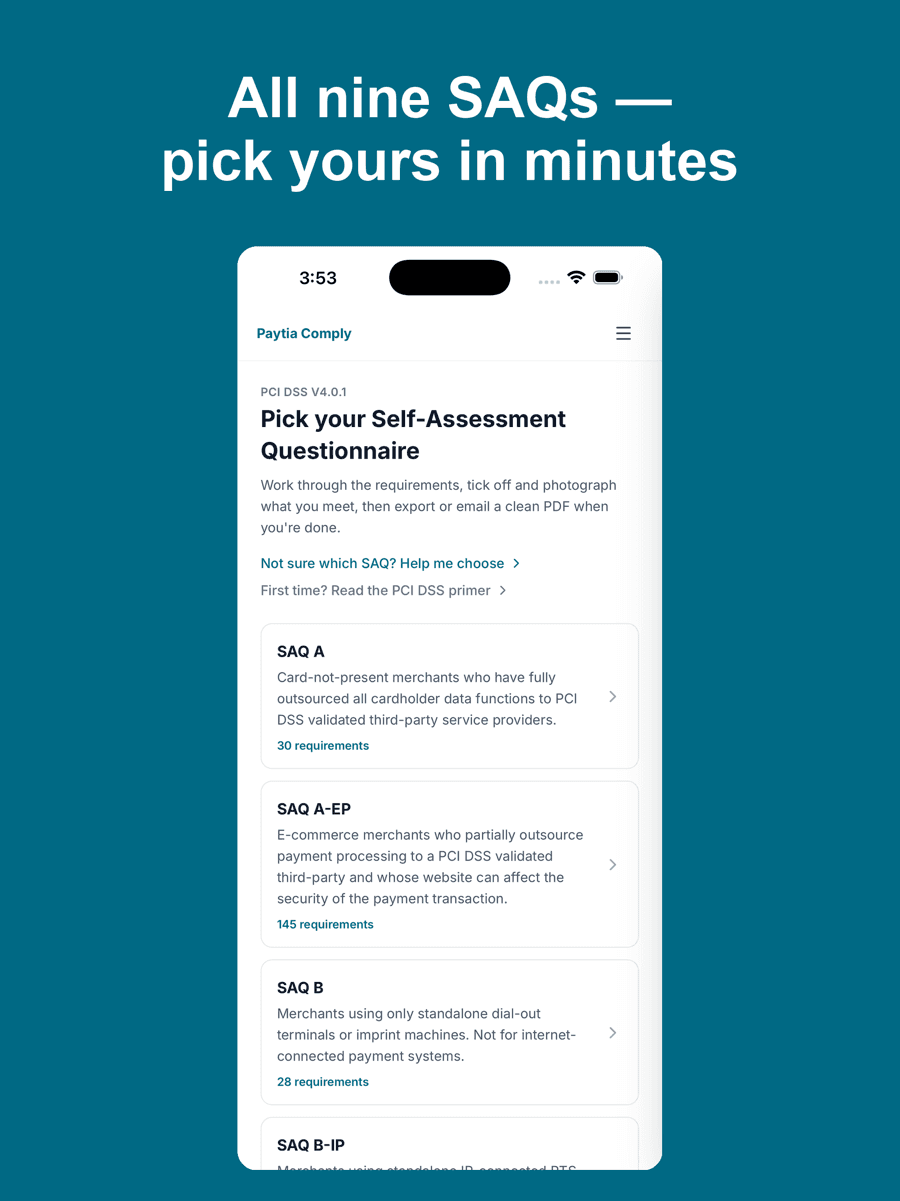
It depends on how you take payments, because that decides which Self-Assessment Questionnaire you complete — and the SAQ decides the scanning obligation. SAQ A-EP, SAQ B-IP, SAQ C and SAQ D all require quarterly ASV scans. If you're on any of those, the scan is not optional and your acquirer will expect passing reports.
SAQ A and SAQ B currently don't require ASV scans for most merchants. We'd hedge that, though: the Council has moved this line before — e-commerce merchants on SAQ A briefly picked up a scan requirement under v4.0 before a 2025 revision took it out again — so read the eligibility notes in the current version of your SAQ rather than taking anyone's word for it, ours included.
Not sure which questionnaire applies to you? Our which-SAQ tool works it out in a couple of minutes, and we've written a full guide to SAQ A if you think you might qualify for the lightest one.
How the scan is run#
You start by giving the ASV a complete list of your external-facing assets: every public IP address, domain and subdomain that's part of your cardholder data environment or could affect its security. This scoping step matters more than people think — you attest that the scope is accurate, and a scan that misses half your estate isn't worth much even if it passes.
The ASV's tools then run against those targets. Scans are non-destructive but they can be noisy, occasionally tripping your own intrusion alerts or slowing a busy server, so most merchants schedule them for a quiet period. When the scan finishes you get a report: every finding, its severity, and an overall pass or fail.
What counts as a pass#
A passing scan is one with no failing vulnerabilities. The bar isn't set by your ASV individually — it's defined centrally in the Council's ASV programme rules. Broadly, findings above a set severity on the CVSS scale fail the scan automatically, and certain categories of issue fail regardless of their score. Lower-severity findings still appear in the report, but they don't block the pass.
One useful nuance: false positives are common, and every ASV runs a dispute process for them. If the scanner flags something that genuinely doesn't apply to your configuration, document why and challenge it. A surprising number of "failed" scans become passes once the false positives are cleared out.
Why merchants fail#
Having seen plenty of scan reports at Paytia over the years, the failures cluster around four causes.
Unpatched software
The single biggest one. An operating system, web server or CMS that's a few updates behind will light up a scan like a Christmas tree, because every missed patch maps to a published vulnerability the scanner knows about. Boring, regular patching prevents most failures on its own.
Exposed services
Remote desktop open to the whole internet. A database port reachable from outside. An admin panel that was only meant to be temporary. Services like these fail scans and, more to the point, they're exactly what real attackers look for first.
TLS configuration
Old protocol versions still enabled, weak cipher suites, expired or self-signed certificates. TLS findings are among the most common failures and usually among the easiest to fix — often a few lines of server configuration.
Forgotten subdomains
The staging site nobody decommissioned. The microsite from a campaign three years ago. Old assets don't get patched, which makes them reliable scan failures — and a genuine risk, since attackers enumerate subdomains too.
How to pass: six steps#
- Map your external footprint. List every public IP, domain and subdomain you own, including cloud services and anything marketing spun up without telling IT. If you don't know it exists, you can't scope it, patch it or defend it.
- Patch everything on that list. Operating systems, web servers, frameworks, plugins. Do it before the scan, not after the failure report tells you to.
- Close what shouldn't be open. Check your firewall rules from the outside. Admin interfaces, database ports and remote access should either be shut or restricted to known addresses.
- Sort your TLS. Disable legacy protocol versions, drop weak ciphers, renew certificates. Free online checkers will show you what a scanner will see.
- Run your own scan first. An ordinary vulnerability scanner won't satisfy the requirement, but it will show you most of what the ASV will find — while you can still fix it quietly.
- Book the ASV scan with room to spare. Don't scan on deadline day. Leave time to remediate, dispute false positives and rescan before the quarter closes.
If you fail anyway#
A failed scan isn't a compliance catastrophe — it's a to-do list. Fix what's flagged, starting with the failing findings, then rescan until you pass. Keep every report, passing or not, along with notes on what you remediated and when. Your acquirer or QSA may ask for the history, and a documented trail of prompt fixes reads far better than a gap.
The one thing not to do is ignore it. A quarter with no passing scan is the kind of detail that surfaces at the worst possible moment — usually during a dispute with your acquirer or after a breach.
The smarter fix: shrink what gets scanned#
Everything above treats the scan as a fact of life. But the scope of a scan is just the set of systems that touch, or could affect, cardholder data. Shrink that set and the scan shrinks with it. Empty it and the scan can disappear from your obligations entirely.
Phone payments are a clear example. If your staff read card numbers aloud and type them into a terminal, your telephony, call recordings, agent desktops and network all sit in scope — and every internet-facing piece of that estate needs scanning. Route the payment through Paytia instead and the caller keys their card number on their own phone keypad; the tones are masked and the details travel straight to your payment processor without ever entering your systems. There's simply less of your infrastructure for a scanner — or an attacker — to find fault with, and you'll often qualify for a lighter SAQ as a result.
If you want to see where you stand today, our free Comply app walks you through the right questionnaire step by step. And if the honest answer is "our scan scope is bigger than our appetite for patching", descoping is the fix that lasts. The easiest vulnerabilities to remediate are on the systems you no longer have to scan.
The full list of certified scanning vendors is published on the PCI Security Standards Council website — worth a look before you sign up with anyone.