Once a year, every business that takes card payments has to sit down with a PCI DSS Self-Assessment Questionnaire. If you've done one, you know the routine: download the official PDF, open it on a laptop, and grind through questions that were written for the assessor who'll eventually read your answers — while the card terminal, the locked cabinet and the visitor log the questions are about sit in another room entirely.
We've built two free tools to make that week less painful, and they split the job the way it actually splits: a phone app for completing the questionnaire, and a Chrome extension for the questions that come up at your desk.
The app: all nine SAQs, answered where the evidence is#
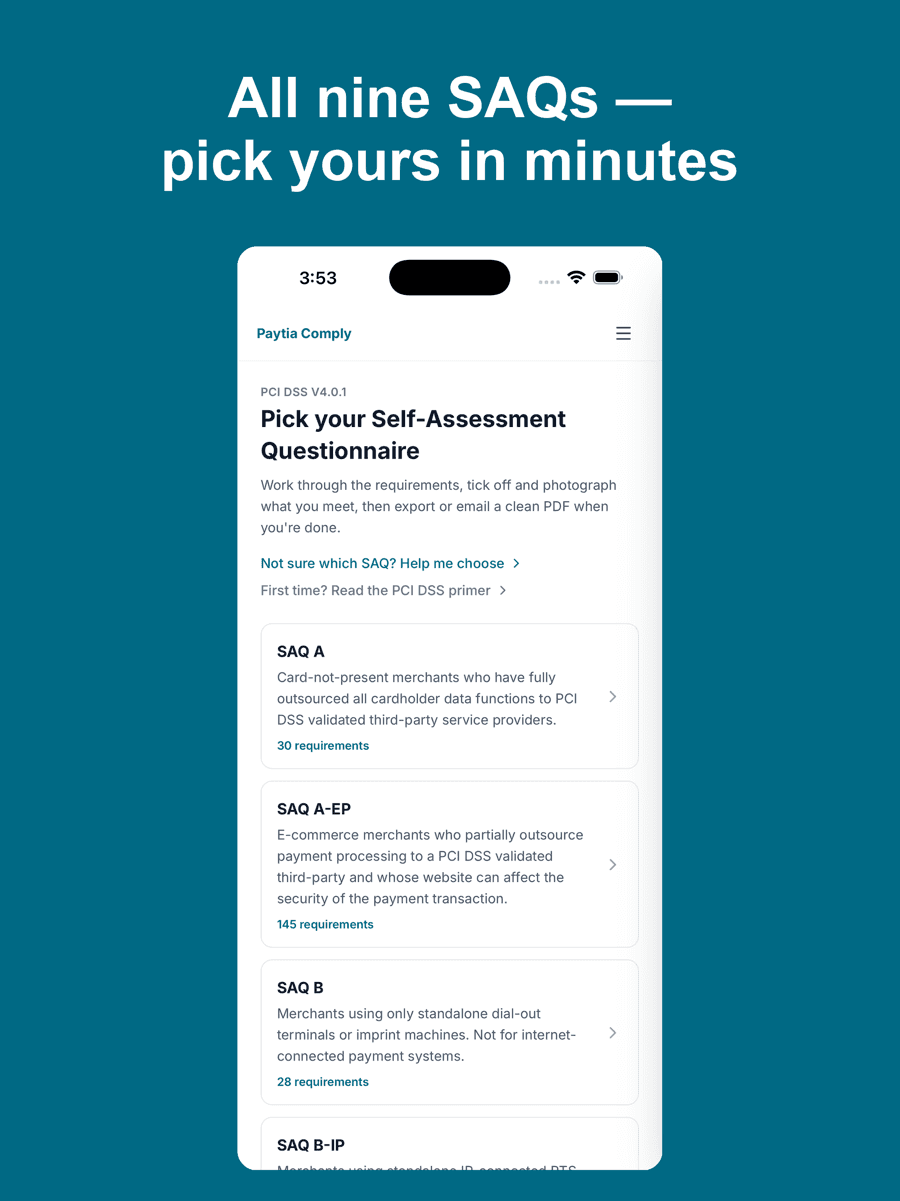
Paytia Comply puts every SAQ type on your phone — A, A-EP, B, B-IP, C, C-VT, D for Merchants, D for Service Providers and P2PE. That's 966 real PCI DSS v4.0.1 requirements, presented one at a time. If you don't know which questionnaire applies to you, tap “Help me choose” and answer a few questions about how you take payments — or read our guide to SAQ A and the SAQ A vs SAQ D decision first.
The design rule we wouldn't bend: the question stays the question. Open any requirement and the official PCI SSC wording sits under a heading that says “The question” — not paraphrased, not trimmed, because a reworded SAQ isn't an SAQ. What we added sits around it: what the requirement actually means in plain English, and the evidence you'll need to satisfy it.
Then there's the part that saves the most time. Lots of requirements want proof rather than a tick — the server room lock, the terminal serial number, the visitor log. Instead of photographing things, emailing them to yourself and renaming files on a laptop, you tap Take photo while you're standing in front of the thing, and the photo attaches to that requirement. Everything stays on your device — compliance evidence shouldn't be scattered across inboxes — and exports into one clean PDF for your acquirer or QSA.
The extension: for the desk-bound questions#
The other half of PCI work doesn't happen in a server room. It happens when an acquirer's email asks for your “AOC” or you realise nobody's sure whether you're SAQ A or A-EP. For those moments there's PCI SAQ Pocket Reference, a free Chrome extension that lives in your toolbar.
It does three things. An eight-question decision guide lands you on the right SAQ for your setup. A glossary translates fifteen pieces of PCI jargon — PAN, CDE, AOC, P2PE and friends — into plain English. And it links through to our free written checklists for SAQ A, A-EP, B and D. It works offline, requests no browser permissions, has no tracking, and the source code is open under an MIT licence. It's a reference, not an assessment tool — when you're ready to actually work through your questionnaire, that's the app's job.
If you just want the “which SAQ am I?” answer without installing anything, we've also put the decision guide straight on the site: the instant SAQ checker runs the same eight questions in your browser and collects nothing.
What neither tool will do#
Neither the app nor the extension makes you PCI compliant, and we're careful about that. Compliance takes an attestation — from a QSA, or a self-attestation your business signs off — and your acquirer always has the final say. The tools don't run vulnerability scans and they don't implement controls. If your SAQ scope is bigger than you'd like, that's usually an architecture problem, not a paperwork one: our guide to PCI DSS v4.0.1 for contact centres covers how DTMF masking takes most phone-payment operations out of scope, and what DTMF actually is if you're starting from zero.
Why we built them#
We've been a PCI DSS Level 1 certified provider since 2016, and we watch businesses hit the same wall every year: they know the SAQ is due, they download the official documents, and they stall — because the documents assume you're a security professional at a desk, and half of what they ask about is somewhere else in the building. We can't change the questions. We could change where you answer them.
Both tools are free with no in-app purchases: Paytia Comply on the App Store, on Google Play, and the extension on the Chrome Web Store. Everything we give away free lives on the tools page.