Can we add account numbers?
Account numbers can be built in two parts, a fixed prefix and a per-customer suffix, then linked to a gateway. It cuts typing errors and speeds up entry on the call.
Adding multiple account numbers and linking them to the payment gateway
The Account number sections allow our merchants to build up two part account numbers i.e. our account number always start ACC then they continue either 001, 002, 003 or CC1. The account numbers then finish off with unique letters or numbers per customer.
We provide the ability for merchants to create these variations themselves and to link account numbers directly to the payment gateway nickname they have selected. The objective is to remove human error and to speed up data entry time when taking payments.
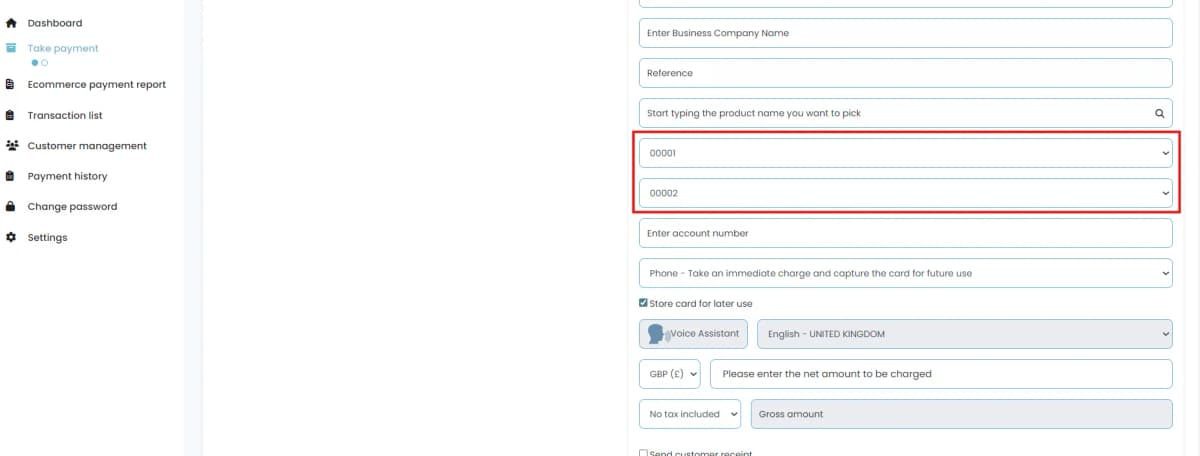
Once created the account number appears as the Partial Account number field on the agent payment form.
Account No. Section 1
This allows you to create a link between the payment gateway the account number is relevant to and the starting value of the account number you are creating. (This is not a required field unless using Account No. Selection 2).
In this process you will select the Company Name (this was the gateway nickname set earlier).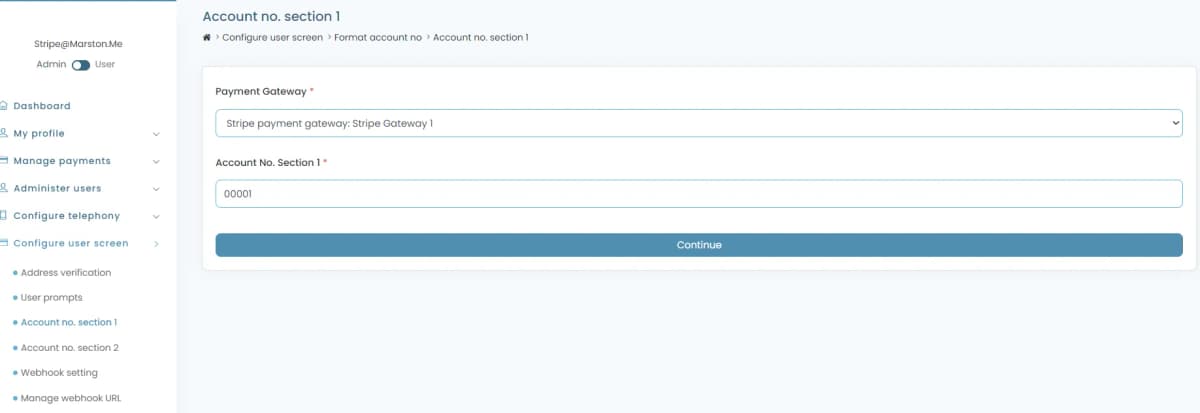
You will then type in the start of your account number up to the point where it becomes variable.
Account No Section 2
This allows you to create a link between the Account No. 1 value that has been created and the next part of the account number up to the point when the account number becomes unique per customer. (This is not a required field, if un-used it will be ignored).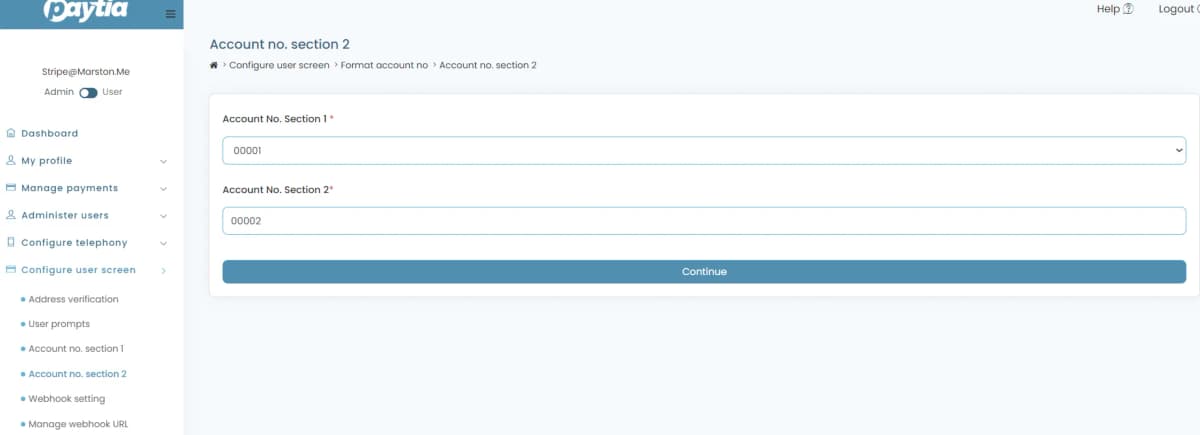
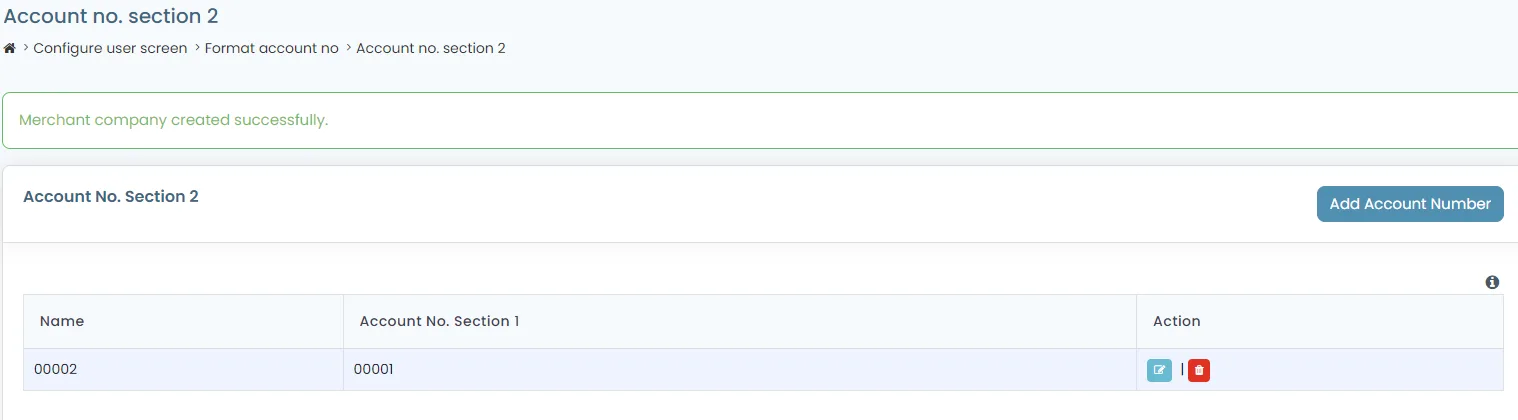
Once added the agent can see this on their Virtual Terminal Payment page
More in Payment rules
Controlling Card Brand and Card Type Acceptance with Paytia
You can decide which card brands and card types your business accepts over the phone. Here's the difference between the two, and how to set your rules.
Controlling the International dial prefix on Paytia telephone numbers
Add the countries you actually dial and they appear in the international dial code dropdown. You can pick them one at a time or a whole region at once.
Create and manage Campaign eForms
Campaign eForms let you run targeted donation and payment collections. Here's how to build one, manage it, and what the single- and multiple-campaign licences each allow.
Enabling Multi-currency Support
Multi-currency is a licensed add-on. Once it's active you choose your operating currencies in the portal and agents pick at the point of payment.
How can I make outbound calls to Paytia from a withheld number?
Two things have to be in place: an additional telephone number, and that number assigned to the users who need it. Here's both, in order.
How do I add a merchant account profile to a payment gateway?
You can connect more than one merchant account to your Paytia gateway — handy if different parts of the business settle into different bank accounts. Here's how to add an extra profile and manage it afterwards.
Still need help?
Our support team is here to help. Submit a ticket and we'll get back to you within one business day.