Bank payments — Pay by Bank and bank-to-bank settlement
On this page
Bank payment options
Quick summary
Open Banking and bank-to-bank payments let UK contact centres take card-free payments mid-call. No card means no PCI scope, no interchange, no chargebacks — and a flat fee under 30p instead of 1.5%+ on cards. Bank rails win whenever the transaction is over £50, B2B, recurring, or in a regulated sector where chargeback fraud is a problem.
Why UK businesses are moving payments off cards
Last updated: 27 May 2026

Card-rail payments have been the default for so long that most contact centres have never priced the alternative. The maths used to favour cards — the customer had one in their hand, the rails were familiar, the bank-side options were clunky enough that nobody wanted to deal with them.
That stopped being true the day Open Banking went mainstream. UK customers now authorise a payment from their phone in the same gesture they use to check their balance. The payment lands in your account in seconds. The fee is a flat pence figure rather than a percentage. There's no chargeback exposure. There's no PCI scope because there's no card data anywhere in the flow.
The regulatory backing matters here. Open Banking in the UK isn't a payment app or a private network — it's a framework the Competition and Markets Authority forced the nine biggest banks (CMA9) to build, supervised by the FCA, with technical standards set by the Open Banking Implementation Entity. When a customer authorises a Pay by Bank payment, they're doing it inside a regulated environment that the bank, the payment initiation service provider, and the merchant's acquirer all sit inside. There's no equivalent regulatory structure behind a card payment — the schemes set their own rules.
Most of our customers don't move all their volume off cards — the card scheme still wins on small consumer payments where the convenience matters more than the fee, especially when the customer has a stored card the agent can reuse. But for high-value consumer payments (legal fees, insurance premiums, rent, tuition) and almost all B2B settlement, bank rails win on cost by an order of magnitude. The fix is to give the customer both options on the same call and let the cheaper one quietly take over.
The pattern we see most often is dual-rail. The agent offers card or bank at the point of payment; the customer picks. After two or three months, the bank-rail share has usually climbed to 40-60% of volume without any change to the script, because customers prefer paying from the app they already trust over reading a 16-digit number down a phone. The savings on processing fees show up in the next month's statement and don't need to be argued for again.
This page covers the four bank-payment methods that actually work for UK contact centres — Open Banking, bank account capture, Direct Debit, and BACS — when each one fits, what they cost, and what the compliance picture looks like compared to cards.
Four bank-payment methods, side by side

There's no single "bank payment" — there are four common ones, and they suit different calls. Open Banking is the right answer for most one-off consumer payments. Bank account capture sits between cards and full Open Banking for cases where the customer can't use a banking app. Direct Debit is for recurring billing. BACS is for B2B batches.
| Method | Customer effort | Settlement | Fees vs cards | Best for |
|---|---|---|---|---|
| Open Banking (Pay by Bank) | Tap link, authorise in banking app | Instant (seconds) | ~80% cheaper | One-off consumer payments, especially high-value |
| Bank account capture | Read sort code + account number to agent on secure line | 1-3 working days | ~70% cheaper | Customers without a banking app, mandate setup for Direct Debit |
| Direct Debit | Sign mandate once, no action on each collection | 3 working days per cycle | ~60% cheaper | Recurring billing — subscriptions, memberships, instalment plans |
| BACS Direct Credit | Share bank details once, you initiate transfers | 3 working days | ~85% cheaper | B2B supplier payments, payroll, batched settlement |
Fees compared against a typical UK card-not-present MOTO transaction at 1.5%+. Bank-rail fees are flat per transaction — usually under 30p on Open Banking, similar on Direct Debit and BACS.
Most of the contact centres we deploy for end up running two of these together — Open Banking for one-off consumer payments and either Direct Debit (B2C subscriptions) or BACS (B2B settlement) for the recurring side. Card stays on the call as a fallback for customers who'd rather pay that way, but the bank options quietly take the majority of the volume within a few months.
Pay by Bank for consumer payments
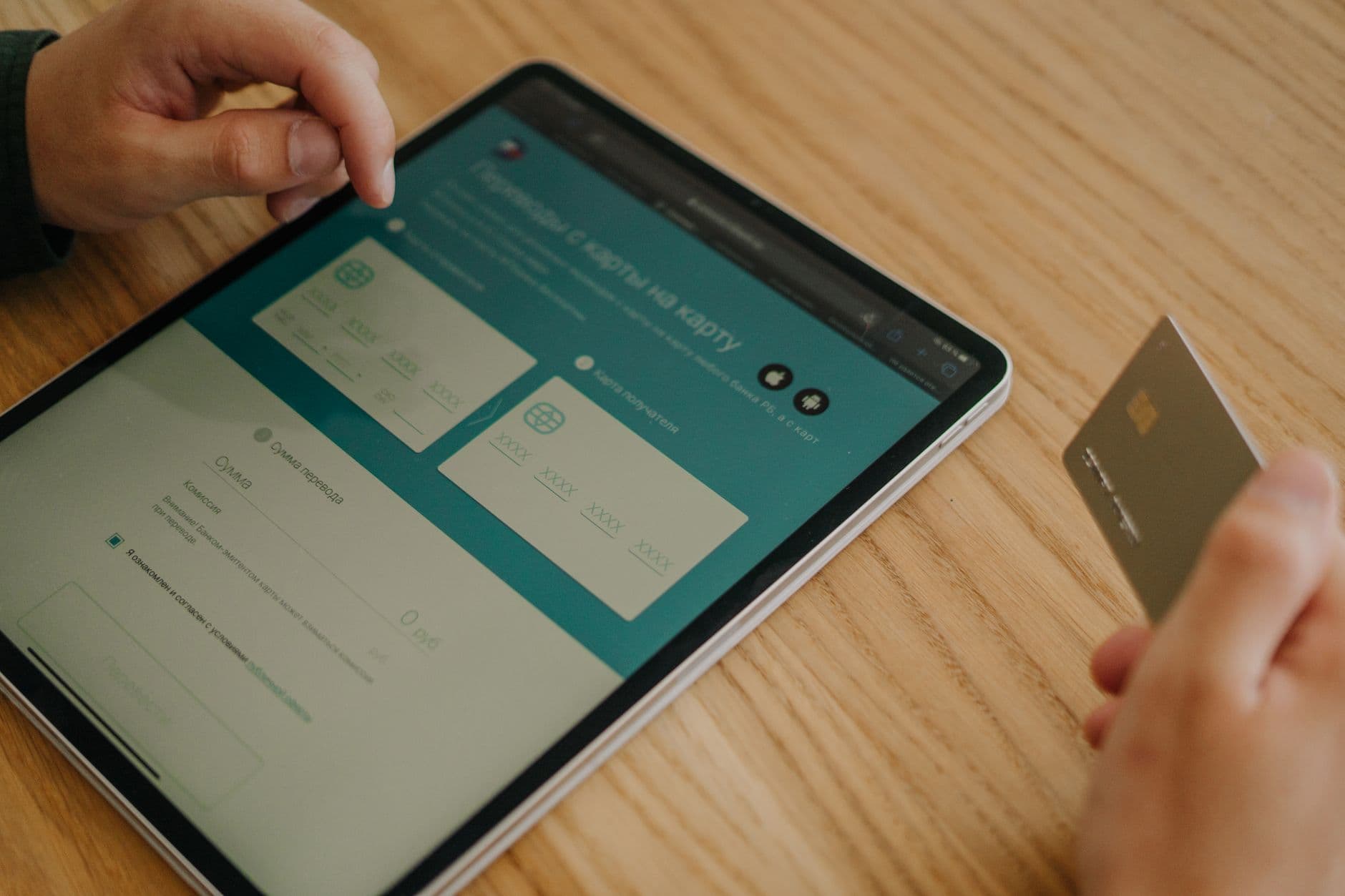
When your agent's on a call with a customer about to pay, they now have two buttons: card, or bank. Pick bank, and there's no card data, no PCI scope, no interchange, and no chargeback exposure. For high-value consumer payments on the phone — legal fees, rent, insurance premiums, tuition — Pay by Bank beats cards on cost by a factor of 10.
The agent sends the customer an Open Banking payment link mid-call — SMS or email — and the customer authorises it in their banking app. Money lands in your existing business account within seconds. We run the Open Banking connection via FCA-regulated partners, so you're not taking on the regulatory load yourself.
The mechanics are governed by PSD2 strong customer authentication — the customer authenticates inside their own banking app with the same biometrics or PIN they use every day. Paytia's infrastructure never touches their payment credentials. The whole flow is documented in our how Open Banking works guide.
Most of our customers run Pay by Bank and card side by side on the same call. The agent offers both, the customer picks, and over time the cheaper route — bank — quietly takes the majority of the volume.
The customer journey, step by step
From the customer's side, the flow is short. They're on a call about an invoice, a renewal, a fee. The agent says "I'm sending you a payment link by SMS — can you tap it when it arrives?" The link arrives, the customer taps it, they pick their bank from a list (or it's pre-selected if they've paid this way before), the banking app opens, they authorise with Face ID or their PIN, and they're back on the call. From tap to confirmation is usually 15-25 seconds. The agent sees the payment confirmation in their dashboard before the customer's finished talking.
The settlement timing is the part that surprises finance teams. The money moves over UK Faster Payments, which clears in seconds, 24/7. There's no card-acquirer settlement window, no T+1 batch, no weekend hold. If the customer authorises at 11pm on a Sunday, the money's in your business account before they put the phone down.
When Pay by Bank wins on the consumer side
Three call patterns where the bank rail beats the card every time. First, high-value one-off payments — anything north of £500 where the percentage fee on a card starts to bite. Legal completion payments, insurance excess, school fees, property deposits, tax bills. Second, sectors where chargeback fraud is a problem — gambling, ticketing, electronics, anything where a customer might claim "I didn't authorise this" weeks later to get their money back. Bank-rail payments don't carry the card-scheme chargeback route, so the fraud vector closes. Third, regulated sectors with strict refund rules — the dispute path on bank payments goes through your own refund process, which is usually a feature, not a bug.
Where cards still win on the consumer side: small impulse payments under £20 where the customer doesn't want to open their banking app, callers who don't have a smartphone, and anyone whose bank isn't on the Open Banking network (rare in the UK now — all the major retail banks are mandatory under CMA9). For those, card stays on the call as the second option.
Bank-to-bank for B2B settlement

Bank-to-bank — account-to-account (A2A) settlement — covers the B2B half of bank-rail payments. Recurring invoicing, supplier payments, periodic settlements, high-value one-offs. Same underlying rails as Pay by Bank, different buyer context: the payer is a business account, not a consumer's banking app.
The maths is the same as on the consumer side, but the impact is bigger. A flat per-transaction fee on a five or six-figure invoice replaces the percentage your card processor would charge — the saving on a single large invoice typically pays for the rest of the month's transactions outright. Settlement runs on UK Faster Payments or CHAPS rails, which usually means same-day clearing.
For predictable recurring billing, Direct Debit and BACS sit alongside A2A. A mandate gets signed once — either over the phone via bank account capture or online — and collections run on schedule without the customer doing anything on each cycle. The detail's in our Direct Debit explainer.
For finance teams running their AR or AP through a contact centre — collections agents, account managers, billing desks — bank-to-bank takes the card-fees-on-large-invoices conversation off the table.
Direct Debit for recurring B2B and B2C billing
Direct Debit is the right answer when the same customer pays the same kind of amount on a schedule — monthly subscriptions, annual renewals, instalment plans, regulated utility billing. The customer signs a mandate once (either over the phone with bank account capture or via an online form), and collections run on a 3-working-day cycle through BACS without anyone having to touch a phone again. The fees are flat per collection — usually under 25p — and the failure rate is low because the bank pulls the money rather than the customer pushing it.
The settlement timing on Direct Debit is T+2 to T+3 working days. The mandate setup itself takes about 5 working days to go live with the customer's bank — once it's live, collections happen on the schedule you set. For predictable recurring billing this is the cheapest rail in the UK by some distance. The flip side is the Direct Debit Guarantee: customers can claim a refund through their bank for any collection they say was wrong, and the bank gives it back immediately and asks questions later. For genuine errors this is a feature; for businesses with messy billing it can be expensive, so get the billing reconciliation tight before you switch volume across.
BACS Direct Credit for outbound B2B payments
BACS Direct Credit is the outbound version — you initiating a payment to a supplier, contractor, or employee, rather than collecting from a customer. Same 3-working-day clearing, same flat per-transaction fee, batchable across hundreds of payees in a single submission. For a contact centre running an AP function (paying claims, paying suppliers, paying small contractors), BACS is the standard rail. The alternative — paying suppliers by card — costs the supplier their card-processing fee, which gets passed back to you in their pricing one way or another.
For higher-value or urgent supplier payments, CHAPS is the same-day option — wire-style, irrevocable, fee usually £15-£25 per transfer. Most businesses don't need this for routine AP, but for property completions, treasury moves, or large one-off settlements it's the right tool.
Variable Recurring Payments — Open Banking 2.0
Variable Recurring Payments(VRP) is the next layer on Open Banking. It lets a customer authorise a merchant to pull repeated payments from their account, within agreed limits — maximum per payment, maximum per month, total cap, expiry date — without re-authorising in their banking app every time. It's the bank-rail equivalent of putting a card on file.
Sweeping VRP — moving money between a customer's own accounts at different banks — has been live in the UK since 2022, mandated by the CMA on the CMA9 banks. Commercial VRP — paying merchants — is rolling out through 2026 under the FCA and Joint Regulatory Oversight Committee (JROC) framework. The phased launch starts with low-risk sectors: government payments to HMRC, regulated utilities, financial services, then broadens through 2027.
What VRP enables that single-payment Open Banking doesn't: subscription billing, top-up wallets, pay-as-you-go meters, usage-based pricing, and any flow where the amount changes each time but the customer's consent is the same. The customer sees one consent screen in their banking app, agrees to the limits, and from then on the merchant pulls payments within those bounds. The bank manages the cap enforcement; the customer can revoke at any time from the bank app.
For contact centres, VRP changes the recurring-billing maths. Today, a subscription that bills £50-£200 a month depending on usage gets put on a card-on-file because Direct Debit needs amount predictability. With commercial VRP live, the same subscription can sit on a bank rail at a flat per-collection fee, no card scheme involvement, no 3-day Direct Debit clearing window. Settlement is instant on Faster Payments.
We're tracking the commercial VRP rollout closely and will switch customers across as their sector becomes eligible. If you're in utilities, government-facing services, or regulated financial services, the timeline is short — worth scoping now so the migration plan is ready.
Faster Payments, FedNow, and the real-time settlement context
Open Banking is the authorisation layer. The actual money movement happens on a real-time settlement rail underneath. In the UK that's Faster Payments, operated by Pay.UK. In the US it's FedNow, operated by the Federal Reserve. Both clear payments in under 15 seconds, run 24/7/365, and have effectively replaced same-day batch payments for everything except the highest-value B2B transfers (which still tend to use CHAPS in the UK and Fedwire in the US).
Faster Payments has been live since 2008 — by 2024 it processed over 4.5 billion transactions a year, with a per-transaction cap that's risen incrementally to £1 million. FedNow launched in July 2023 and is still in the network-build phase: about 1,400 financial institutions are connected as of mid-2026, covering roughly 90% of US deposit accounts. The two rails operate independently — no shared infrastructure, no cross-border clearing — but the customer-facing pattern is converging. Both run an authorisation layer on top (UK Open Banking, US open banking under the CFPB's October 2024 final rule).
For a UK contact centre, this means every Pay by Bank payment your customer authorises moves over Faster Payments and lands in your account in seconds. For a US-facing operation, the equivalent flow exists today via ACH (slower, T+1 to T+3) or via FedNow at participating banks (instant). The customer experience is similar; the rail underneath is different.
The reason this matters for contact centres: real-time settlement closes the "payment received" gap in the agent's workflow. With cards, the authorisation is instant but the actual money lands days later — until it clears, the order ships on faith. With Faster Payments or FedNow, the money is in your account before the agent ends the call. For high-value, ship-on-payment, or service-on-payment businesses, that's a meaningful operational change.
When bank payments beat cards
Cards aren't dying. For a £15 impulse payment on a contact-centre call, the card still wins because the customer doesn't want to open their banking app for the sake of saving 18p in fees. The question isn't card-or-bank in the abstract — it's which one fits which call. Five scenarios where bank rails win clearly:
1. High-value B2B settlement
A £20,000 invoice on a card at 1.4% costs £280 in processing fees. The same invoice on A2A bank transfer costs 25p. On a finance team running ten of these a month, the saving is £33,000 a year. The supplier doesn't care which rail you used; their bank account looks the same either way. The only reason to use a card here is if you don't have a B2B bank rail set up — and the setup cost is hours, not months.
2. Recurring billing where Direct Debit fits
Subscriptions, memberships, annual renewals, instalment plans. On a card, every cycle hits the 1.5%+ percentage fee, plus you've got card-expiry churn (customers updating their card every 3-5 years), plus the chargeback exposure. On Direct Debit, it's a flat 20-25p per collection, the bank handles the mandate lifecycle, and the customer doesn't need to update anything. For a £30/month subscription with 10,000 active customers, the annual fee difference is in the £40-£50k range.
3. Regulated industries with strict refund rules
FCA-regulated firms, utilities under Ofgem, regulated lenders, insurance brokers. These sectors already have their own refund and dispute processes that the FCA expects them to run cleanly. The card-scheme chargeback route is, at best, redundant; at worst, it lets customers bypass your regulated process and pull a chargeback as a faster alternative. Bank rails route the dispute back through your own process, which is what the regulator expects anyway.
4. High-fraud-risk sectors
Gambling, ticketing, electronics resale, anything with a friendly-fraud chargeback problem. Card-scheme rules tilt the chargeback adjudication toward the cardholder, which means even legitimate transactions can be reversed weeks later if the cardholder claims they didn't recognise the charge. Bank-rail payments require the customer to authenticate inside their own banking app, which is a much harder fraud claim to make — and even if they do, the dispute doesn't go through the card scheme.
5. International settlement (UK and EU)
For UK businesses taking payments from EU customers, the SEPA Instant rail (the EU equivalent of Faster Payments) clears in seconds across the eurozone at flat per-transaction fees. The cross-border alternative on cards involves multi-currency conversion fees, cross-border interchange premiums, and DCC margin if the merchant's acquirer offers it. For B2B EU settlement, the bank rail is materially cheaper. (US settlement is a different shape — FedNow doesn't cross borders, so for UK→US settlement the rails are still SWIFT or correspondent banking.)
Compliance and regulation
The compliance picture for bank payments is genuinely simpler than cards. There's no card scheme, so there's no PCI DSS scope on the payment itself. There's no card data passing through your agent, your CRM, or your call recording, so the cardholder data environment doesn't expand to include any of those.
What you do pick up is the regulatory frame around Open Banking and payment initiation. PSD2 governs strong customer authentication, the FCA regulates payment initiation service providers (PISPs) and account information service providers (AISPs), and the Open Banking Implementation Entity sets the technical standards everyone connects through. Paytia's partners hold the FCA authorisations — you don't become a payment institution by adding bank rails to your contact centre.
UK GDPR still applies — sort codes, account numbers, and customer names are personal data, and you need a lawful basis to process them, the same as any other contact-centre data. The bar is much lower than card data though: there's no equivalent of PCI DSS scope, no SAQ to complete, no quarterly ASV scans.
For an FCA-authorised firm, the consumer duty obligations apply to bank-rail payments the same way they apply to card payments — clear pricing, reasonable refund handling, accessible alternatives. The FCA consumer duty glossary entry covers the practical implications. The longer regulatory walk-through is at UK regulations for taking card payments by phone — most of the same framework applies.
What it actually costs
Bank-rail payments charge a flat per-transaction fee — usually under 30p on Open Banking, similar on Direct Debit and BACS. Card-not-present MOTO transactions, by contrast, charge a percentage of the transaction value plus a small fixed fee — typically 1.5%+ on debit cards, more on credit. The break-even point is low: on anything over £20, the bank rail is cheaper. On anything over £200, it's materially cheaper. On a £5,000 invoice, it's an order of magnitude cheaper.
A worked example. A contact centre takes 5,000 phone payments a month at an average value of £150. On cards at 1.6% plus 20p, that's a monthly processing bill of £13,000. The same volume on Open Banking at 25p flat is £1,250. The £140,000 a year saved would fund a couple of extra agents — and that's before you count the PCI compliance cost you no longer have to carry on the bank-rail half of the volume.
The PCI side is the multiplier. The longer breakdown is at how much PCI compliance costs, but the headline is that a typical UK contact centre carrying full SAQ D scope on phone card payments spends £40,000-£80,000 a year on audit, infrastructure controls and staff overhead. Moving any meaningful share of volume to bank rails shrinks the cardholder data environment and pulls the audit cost down with it. The merchant services fees explainer walks through how the percentage-versus-flat-fee structure plays out on a real merchant statement.
We'll model your real volume against your current processing bill in the second demo call — book a 15-minute slotand we'll walk through your numbers, not a hypothetical example.
Common questions about Open Banking
Five misconceptions we hear at least once a week from finance leaders looking at bank rails for the first time. Worth addressing head-on, because most of them are out of date.
"Open Banking is a security risk because it shares my bank login."
It doesn't. Open Banking under the UK regulatory framework explicitly forbids credential sharing — the customer never gives a password, PIN, or login detail to the merchant or the payment initiation service provider. The authentication happens inside the customer's own banking app, using the same biometrics or PIN they use for everyday banking. The merchant gets back a payment confirmation, not a credential. This is one of the things the FCA explicitly mandates under PSD2 Strong Customer Authentication — credential sharing was banned with the move from screen-scraping to API-based Open Banking in 2018.
"If there's no PCI scope, what compliance do we still have to do?"
UK GDPR still applies to any personal data you process — names, addresses, sort codes, account numbers all count. That's the same lawful basis, retention, and security obligations you already have for any other contact-centre data. FCA-regulated firms also still owe customers the Consumer Duty obligations on price transparency and refund handling. What you don't have to do anymore on the bank-rail half of your volume: SAQ D, quarterly ASV scans, annual penetration tests on the card-data environment, segmenting your call recording from the card flow, paying for an annual QSA audit on the cardholder data environment. The compliance burden shrinks; it doesn't disappear.
"Our customers don't trust bank payments — they prefer cards."
This was true in 2019. It hasn't been true since 2022. UK Open Banking passed 1 billion cumulative payments in 2024 and is currently running at over 500,000 payments a day. Customers are paying utility bills, HMRC tax bills, university fees, legal completion payments, and gym memberships via Open Banking every day. The pattern we see when contact centres switch the option on: customer adoption climbs to 40-60% of volume within three months without any change to the script, because customers prefer authenticating inside their own banking app over reading a card number to a stranger.
"Bank payments mean refunds are harder."
The opposite, in fact. Open Banking refunds settle in seconds over the same Faster Payments rail the original payment used — there's no card-acquirer settlement window or 5-day clearing delay. Direct Debit refunds have the Direct Debit Guarantee, which means customers can get money back through their bank for any erroneous collection. BACS Direct Credit refunds are normal credit transfers. The only thing you don't have is a card-scheme chargeback adjudicator — which means the dispute goes through your own refund process, which is faster for genuine cases and harder to abuse for fraud cases.
"We'd have to rebuild our payment flow."
You wouldn't. Paytia's setup adds the bank-rail option alongside your existing card flow — same agent dashboard, same business bank account for settlement, same reporting. The agent script gains a sentence ("I can send you a payment link by SMS, or take card details — which works better?") and the rest is the same call. Most customers go live with bank rails in 2-4 weeks from contract signature, with no change to their CRM, telephony, or finance systems.
Five common mistakes when rolling out bank payments
We've watched enough contact centres switch bank rails on to spot the patterns that go wrong. Five anti-patterns worth avoiding from day one.
1. Switching cards off before bank rails have settled in
Don't do this. The card flow is the fallback for the 1-2% of calls where the customer's bank is down, the customer's on a basic phone with no banking app, or the customer just prefers card for that particular payment. Run both rails in parallel for at least three months before you even think about cards going away — and most of our customers never get to that point, because card stays useful as the second option.
2. Putting Direct Debit on customers who shouldn't be on it
Direct Debit is for predictable recurring billing where you know the amount in advance. Putting it on usage-based billing, variable-amount subscriptions, or one-off ad-hoc payments doesn't work — the customer either gets surprised by a collection they didn't expect (and claims under the Direct Debit Guarantee), or you spend half your support time handling mandate confusion. For variable-amount recurring, wait for commercial VRP to land in your sector; for one-off payments, use Open Banking.
3. Not training agents to offer the bank rail
If the script still says "please read me your card number", the bank rail will never get used. The script needs to change to offer both: "I can send you a payment link by SMS — or I can take card details on the secure line. Which works better for you?" The customer picks. Agents who've been taking card payments for years sometimes default back to card out of habit; a couple of weeks of supervisor reinforcement gets the new flow embedded.
4. Sending the payment link from a number that looks like spam
Payment links sent from random short codes or unfamiliar numbers get treated as smishing by the customer and ignored. Send them from a branded sender ID that matches your company name, and use a domain on the link that's recognisably yours. We set this up as part of onboarding; if you change SMS provider later, make sure the sender ID gets registered with the mobile networks first.
5. Treating the savings as a finance-only conversation
The cost saving is the headline number, but the operational wins are bigger over time — chargeback exposure drops to near zero, the cardholder data environment shrinks (which cuts the PCI audit cost), customer authentication becomes the customer's bank's problem rather than yours, and high-value payment failures ("the card was declined") become much rarer because bank balances are predictable in a way credit limits aren't. Loop in the compliance, risk, and operations teams from the start — the conversation gets sharper when everyone sees their own win.
Frequently asked questions
What is Pay by Bank?+
Pay by Bank is an Open Banking payment. On a phone call, your agent sends a secure link — the customer opens it, authorises the payment in their banking app, and the money moves straight from their account into yours. No card, no scheme fees, no PCI scope because no card data is ever involved.
What's the difference between Pay by Bank and bank-to-bank settlement?+
Pay by Bank is the consumer-side flow: the customer authorises a payment from their personal bank account during a phone call, usually via Open Banking. Bank-to-bank settlement is the B2B-side flow: account-to-account (A2A) payments between business accounts, often higher value, often recurring. Both move money over bank rails rather than card rails — same underlying mechanism, different buyer context.
How do bank-payment fees compare to cards?+
Typically 60-80% cheaper. A card payment on a phone call pays interchange plus scheme fees plus gateway fees — often 1.5%+ on debit, more on credit. Open Banking or A2A on the same call is a flat per-transaction fee, usually under 30p. On high-value payments the saving is the kind you notice monthly.
Can we still get chargebacks?+
No. Bank-rail payments don't carry the card-scheme chargeback route. If there's a dispute, the customer has to raise it with you — usually back on the phone. For most businesses that's a feature: it kills card-chargeback fraud. Just make sure your own refund process is solid before you flip volume across.
Do we need a separate bank account or gateway?+
No. Payments settle into the same business account your card payments already land in — nothing to open, nothing to migrate. We handle the Open Banking and A2A connections via FCA-regulated partners, so you don't need to become an authorised payment institution yourself.
Is bank-to-bank suitable for B2B settlement?+
Yes — that's its sweet spot. Recurring B2B invoicing, supplier payments, periodic settlements, high-value one-offs. A2A keeps fees flat regardless of transaction size, which makes a meaningful difference on five and six-figure invoices where card processing would charge a percentage. Settlement is typically same-day on UK Faster Payments or CHAPS rails.
How is Direct Debit different from a bank transfer?+
Direct Debit is a pull payment — once a customer signs a mandate, you can collect agreed amounts from their account on a schedule without them lifting a finger. Bank transfer (or instant A2A) is a push payment — the customer authorises each one individually in their banking app. Direct Debit suits predictable recurring billing; A2A suits one-off or variable payments where you want immediate confirmation.
Is Open Banking secure?+
Yes — and arguably more secure than reading a card number down a phone. The customer authenticates inside their own banking app using the same biometrics or PIN they already use for everyday banking. No payment credentials cross our infrastructure or yours. The flow is mandated under PSD2 strong customer authentication, regulated by the FCA, and the data-sharing layer is governed by the Open Banking Implementation Entity's standards.
What's Variable Recurring Payments (VRP) and when can we use it?+
VRP lets a customer authorise repeated Open Banking payments to you within agreed limits — amount per payment, frequency, total cap — without re-authorising in their banking app every time. It's the bank-rail equivalent of a stored card on file. Sweeping VRP (moving money between a customer's own accounts) has been live in the UK since 2022. Commercial VRP (paying merchants) is rolling out through 2026 under the FCA and JROC framework, starting with regulated sectors like utilities, government, and financial services. If your billing fits a predictable cap, it's worth asking us about the timeline.
How does Open Banking compare to Faster Payments and FedNow?+
Faster Payments is the UK rail that actually moves the money — sub-15-second settlement, 24/7, operated by Pay.UK. Open Banking is the authorisation layer that sits on top: the customer approves the payment in their banking app, the bank pushes the money over Faster Payments. FedNow is the US equivalent of Faster Payments, launched by the Federal Reserve in July 2023. The pattern is the same on both sides of the Atlantic — a real-time rail with an authorisation layer on top — but the UK Open Banking ecosystem is several years ahead of the US one in terms of merchant adoption.
What happens if the customer's bank is down during the call?+
Their bank is the authoriser, so if it's offline they can't authorise. Realistically this is rare — UK retail banks have 99.9%+ availability — but when it happens, the agent falls back to card on the same call. The dual-flow setup means there's no scramble; the agent picks the other button and continues.
Can we take bank payments from customers outside the UK?+
Open Banking has equivalents across the EU (under PSD2), Australia (Consumer Data Right), and the US (where it's being built on FedNow plus the open banking rule published by the CFPB in October 2024). Each market has its own bank-app coverage and customer adoption pattern — UK and EU are the most mature today. For US customers, ACH is the established bank rail; for AU, PayTo runs on the New Payments Platform. We can scope what's available in your customer base — book a demo and we'll map it out.
Do bank payments work for refunds?+
Yes. Refunds go back over the same bank rails — Open Banking refunds settle in seconds, Direct Debit refunds via the indemnity claim process for in-error collections, and BACS refunds as a normal credit transfer. There's no card-scheme refund window or 3-5 working day clearing delay. The customer gets the money back in their account on the same call most of the time.
“The flex licensing transformed our cost structure. We can scale our agents up or down instantly without worrying about fixed payment processing costs.”
All Clear Travel Insurance
Read the case study →Used by British American Tobacco · Howard Kennedy · CITB · Clinical Partners · Trinity Hall College
Since 2016
Building secure payments
PCI DSS Level 1
Highest certification
99.99%
Platform uptime
£400M+
Transactions processed
Ready to cut your card fees?
Tell us what your contact centre takes in card payments today and we'll show you what the same volume would cost on Open Banking — with the phone-call flow mapped out.
Trusted by law firms, insurers, healthcare providers and regulated businesses worldwide. Learn more about Paytia