Paytia

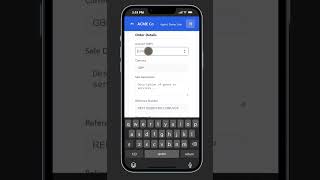
Paytia Application Example - iPhone CRM Demo for Scan QR to Pay

Business Use Cases1:301/15/2025

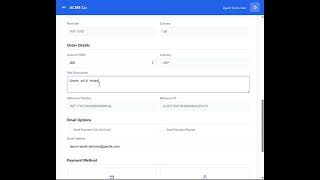
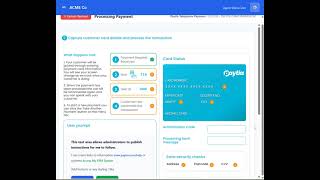
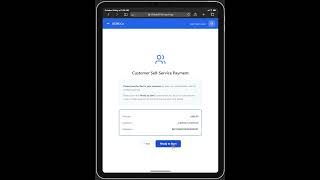
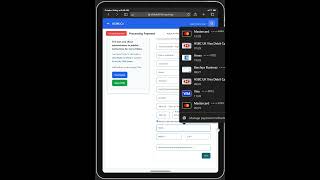
This demonstration shows you what is possible using the Paytia API service to generate a prefilled Payment page accessed by a QR code. This allows the business user to show a QR code to their customer. The customer uses their mobile phone camera to scan the QR code and make payment.

Video Transcript

This video demonstrates how businesses can use Paytia API to generate QR codes that link to prefilled payment pages. Business users display the QR code to customers, who scan it with their mobile phone camera to access a secure payment form with pre-filled details, enabling quick and convenient mobile payments.

Key Features Demonstrated

  • QR code generation via API
  • Prefilled payment forms
  • Mobile phone camera scanning
  • CRM integration
  • Secure mobile payment processing
  • Instant payment access

Overview

Discover how Paytia API enables businesses to generate QR codes that link directly to prefilled payment pages. Customers scan the QR code with their mobile phone camera to access secure payment forms with pre-filled details, streamlining mobile payment collection and improving customer convenience.

Key Benefits

  • Enable instant mobile payments through QR code scanning
  • Reduce payment friction with prefilled payment forms
  • Integrate seamlessly with CRM and business applications via API
  • Provide convenient customer payment experience
  • Eliminate manual data entry errors
  • Process payments quickly without app downloads
  • Support contactless payment collection
  • Track QR code payment usage and conversion rates

Common Use Cases

Retail stores offering QR code payment at point of sale

Service providers sending QR codes via email or SMS

Restaurants and hospitality businesses for table payments

Event organizers for ticket and merchandise payments

Field service providers collecting payments on-site

E-commerce businesses for order completion

Subscription businesses for renewal payments

Professional services for invoice payment collection

Technical Integration

Paytia API provides RESTful endpoints to generate unique QR codes linked to prefilled payment pages. The QR code contains encrypted payment details that automatically populate secure payment forms when scanned. Integration requires API key authentication and supports webhook notifications for payment status updates. The system maintains PCI-DSS Level 1 compliance for all payment processing.

Implementation Process

Businesses integrate Paytia QR code generation API into their CRM or business applications. When a payment is needed, the application calls the Paytia API to generate a QR code with prefilled payment details. The QR code can be displayed on screens, printed materials, or sent digitally. Customers scan with any mobile phone camera to access the secure payment form and complete the transaction.

Frequently Asked Questions

How do customers scan the QR code for payment?

Customers use their mobile phone camera to scan the QR code. Most modern smartphones have built-in QR code scanning in their camera apps. When scanned, the QR code opens a secure payment page with pre-filled payment details.

What information can be prefilled in the payment form?

Paytia API allows businesses to prefilled payment amount, customer information, invoice details, and transaction references. This reduces data entry for customers and speeds up the payment process.

Do customers need to download an app to use QR code payments?

No, customers do not need to download any app. QR code payments work with any mobile phone camera that can scan QR codes. The payment form opens directly in the mobile browser.

How secure are QR code payments?

Paytia QR code payments maintain PCI-DSS Level 1 compliance. The QR codes contain encrypted payment details, and all transactions are processed through secure, tokenized payment forms with 256-bit encryption.

Can QR codes be integrated with CRM systems?

Yes, Paytia provides RESTful API endpoints that integrate with any CRM or business application. Businesses can generate QR codes programmatically and track payment status through webhook notifications.

Ready to Get Started?

See how paytia application example - iphone crm demo for scan qr to pay can transform your payment processing operations.