
Your Essential Guide to the IVR Contact Center
Get Secure Payment Solutions
Learn how Paytia can help secure your payment processing.
An IVR contact center is a telephony system that lets customers interact with your business using automated voice menus.Think of it as a smart, digital receptionist that guides callers to the right place or helps them solve problems on their own, all without needing a person to pick up the phone first. It’s on duty 24/7, tirelessly managing your incoming calls.
What Is an IVR Contact Center and Why Does It Matter?
Picture this: your business gets hundreds, maybe thousands, of calls every day. Without an IVR, every single one of those calls—from a simple question about opening hours to a complex technical issue—ends up in the same big queue. Customers get stuck waiting, they get frustrated, and your team spends its day answering the same questions over and over again.
An IVR contact centre is built to fix this exact mess.
It’s an automated system that answers the phone, offers callers a menu of choices, and then acts on their selections. This interaction usually happens in one of two ways: either the caller presses a key on their phone, which sends a Dual-Tone Multi-Frequency (DTMF) signal, or they simply speak their request, and a speech recognition system figures out what they need.
The Modern Digital Receptionist
It’s easy to dismiss an IVR as just a call-routing machine, but a good one is so much more. It's the front door to your entire customer experience. A well-designed system doesn't just pass the buck; it actively solves problems and collects important details before an agent ever has to say "hello."
This initial sorting process is the secret to an efficient contact centre. By handling that first point of contact, an IVR can:
- Filter and Segment Callers: It intelligently sorts callers by their needs, directing sales enquiries one way and technical support another.
- Offer Instant Self-Service: Many routine tasks, like checking an order status or paying a bill, can be handled entirely by the IVR. This frees up your agents completely.
- Reduce Agent Workload: By taking care of the simple, repetitive stuff, the IVR lets your skilled agents focus on the complex problems where a human touch really makes a difference.
- Provide 24/7 Availability: Your business never truly closes. Customers can get help or complete basic tasks whenever it suits them, day or night.
More Than Just Routing Calls
The real magic happens when an IVR contact center connects with your other business tools. When it's linked to your Customer Relationship Management (CRM) software, for example, it can recognise a caller by their phone number, greet them by name, and even offer personalised menu options based on their past interactions.
A recent study found that 70% of UK consumers still want to speak to a real person for complex issues. An IVR contact centre makes this possible by automating the simple queries, ensuring human agents are available for the conversations that truly matter.
Imagine a customer calling about a recent purchase. The IVR could automatically identify them and offer an update on the shipping status without them having to ask. This isn’t just efficient; it makes the customer feel seen and understood.
As we’ll explore later, these systems can also securely manage sensitive tasks like taking payments—a crucial function for many businesses. For more on this, you can learn about modern solutions for contact centres that streamline these operations. This foundational technology is what turns a chaotic call queue into an organised, intelligent, and customer-focused operation.
A Look Inside How an IVR System Works
At first glance, an IVR system might seem like a complex bit of tech. But really, you can think of it as a highly efficient digital switchboard operator. Instead of a person asking, "How can I help you?", the system uses automated prompts and menus to figure out what a caller needs and where they should go next. It’s all about a few core components working together seamlessly.
The whole experience starts with the Voice User Interface (VUI). This is essentially the IVR's personality—the voice, the prompts, the menu structure, and the overall conversational flow that guides a caller from start to finish. A great VUI is crystal clear and intuitive, making the interaction feel helpful, not robotic.
How Callers Interact With the System
Once the VUI offers up some options, the caller needs a way to respond. This is where the "interactive" part of IVR comes from, and it usually happens in one of two ways.
- DTMF (Dual-Tone Multi-Frequency): This is the classic method we all know: "press 1 for sales, press 2 for support". When you press a number on your keypad, it sends a unique tone that the IVR system instantly recognises and acts on. It's simple, reliable, and something everyone understands.
- Speech Recognition: More sophisticated IVR systems use Automatic Speech Recognition (ASR). This technology lets callers just say what they want. The ASR engine listens to the spoken words, turns them into text, and matches them to a command—think "check my balance" or "speak to an agent."
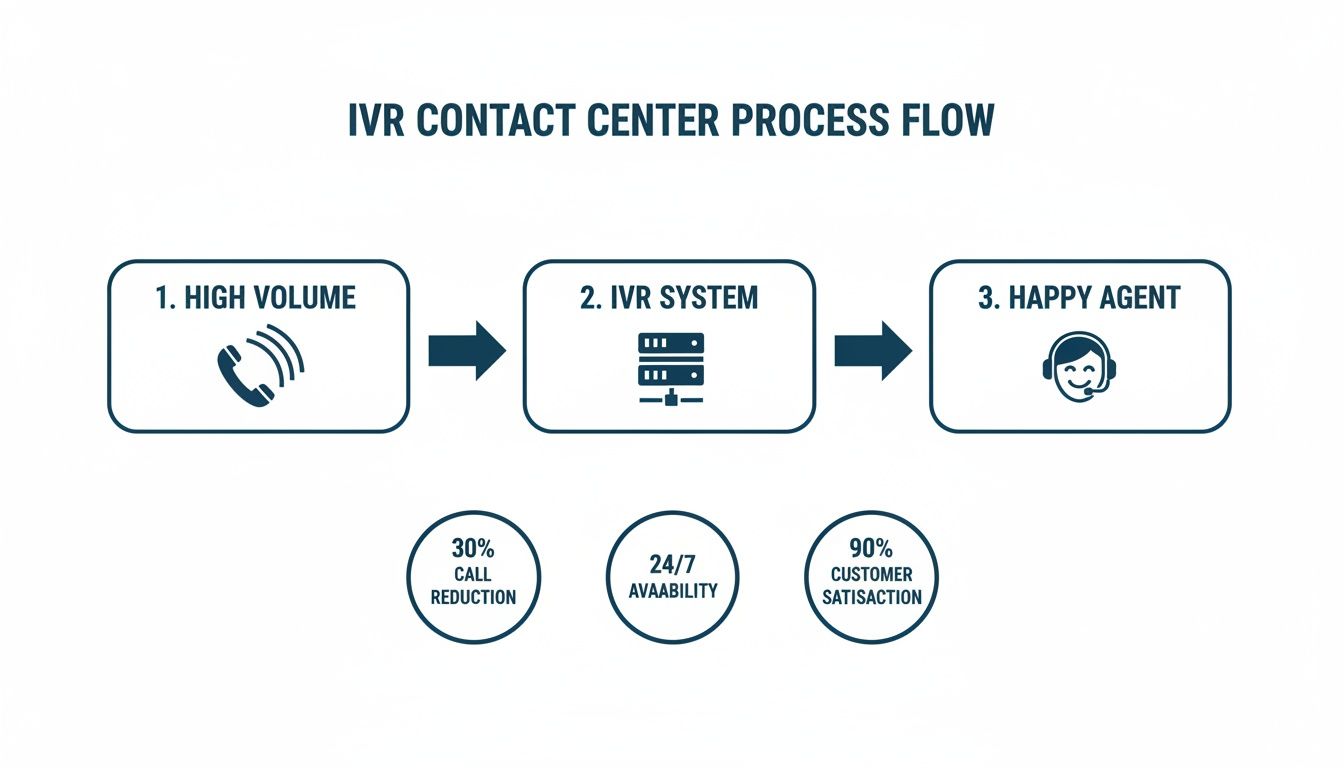
This flowchart gives you a bird's-eye view of how an IVR manages incoming calls, sorts them out, and gets them to the right place.
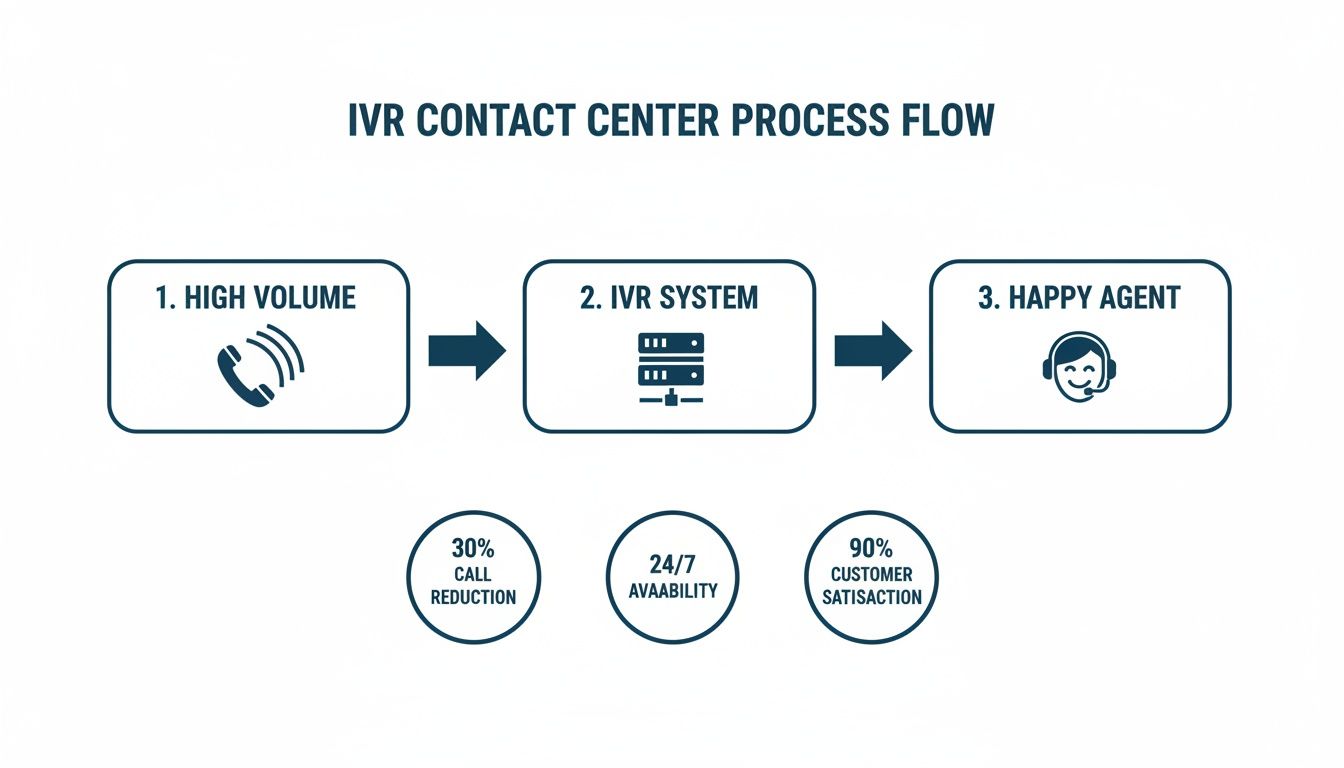
As you can see, the IVR acts as a crucial first line of defence, filtering and handling simple tasks so that only the more complex queries ever need to reach a human agent.
A Typical IVR Journey in Action
To really understand how it all works, let's walk through a quick example. Imagine a customer, Alex, calling his bank.
- The Greeting: Alex dials the number and the IVR answers straight away: "Thank you for calling ABC Bank. To ensure your security, please enter your 8-digit account number using your keypad."
- Identity Verification (DTMF): Alex taps in his account number. The system instantly cross-references it with the bank's database to confirm who he is. Security is handled in seconds, no agent required.
- The Main Menu (Speech Recognition): Now verified, the IVR asks, "How can I help you today? You can say things like 'check my balance,' 'make a payment,' or 'report a lost card.'" Alex simply says, "I want to check my balance."
- Self-Service Fulfilment: The speech recognition software gets it. The IVR pings the bank's internal system, fetches Alex's account balance, and reads it back to him. The entire call is over in less than a minute, and Alex never had to wait in a queue.
This self-service element is the backbone of any modern IVR. By automating routine enquiries, an IVR contact centre can successfully resolve up to 80% of common customer questions, which dramatically cuts down the number of calls that have to be passed on to a live agent.
But what if Alex had a trickier problem? Let's say he said, "I want to discuss my mortgage." The IVR would recognise this isn't a simple request. It would then intelligently route his call to an agent in the mortgage department, passing along his verified details so Alex doesn't have to repeat himself. It’s this smart blend of automation and human support that makes an IVR such a powerful tool for any contact centre.
Putting Your IVR to Work for Maximum Efficiency
It’s one thing to understand the theory behind an IVR contact centre, but seeing it in action is where you realise its true value. A well-designed system does so much more than just answer calls. It becomes a dynamic tool that genuinely boosts business efficiency, improves customer satisfaction, and, crucially, frees up your team to handle the high-value, complex conversations that matter most.
The goal is to shift your IVR from being a simple call director into a powerful, automated problem-solver. Let's dig into three of the most impactful ways you can use an IVR to make it an efficiency powerhouse for your business.
Intelligent and Context-Aware Call Routing
Basic "press 1 for sales" routing is yesterday's news. A modern IVR contact centre acts more like a skilled detective than a simple switchboard, using intelligent routing to get customers to the right place, fast. By integrating with your CRM, the IVR can often identify callers by their phone number before an agent even picks up the phone.
Imagine a high-value client calls. Instead of wading through a generic menu, the IVR recognises their number, checks the CRM, sees they have a dedicated account manager, and routes them straight through. This creates a seamless, personal touch that shows the customer you value their time. This kind of context-aware approach ensures calls land in the right place on the first try.
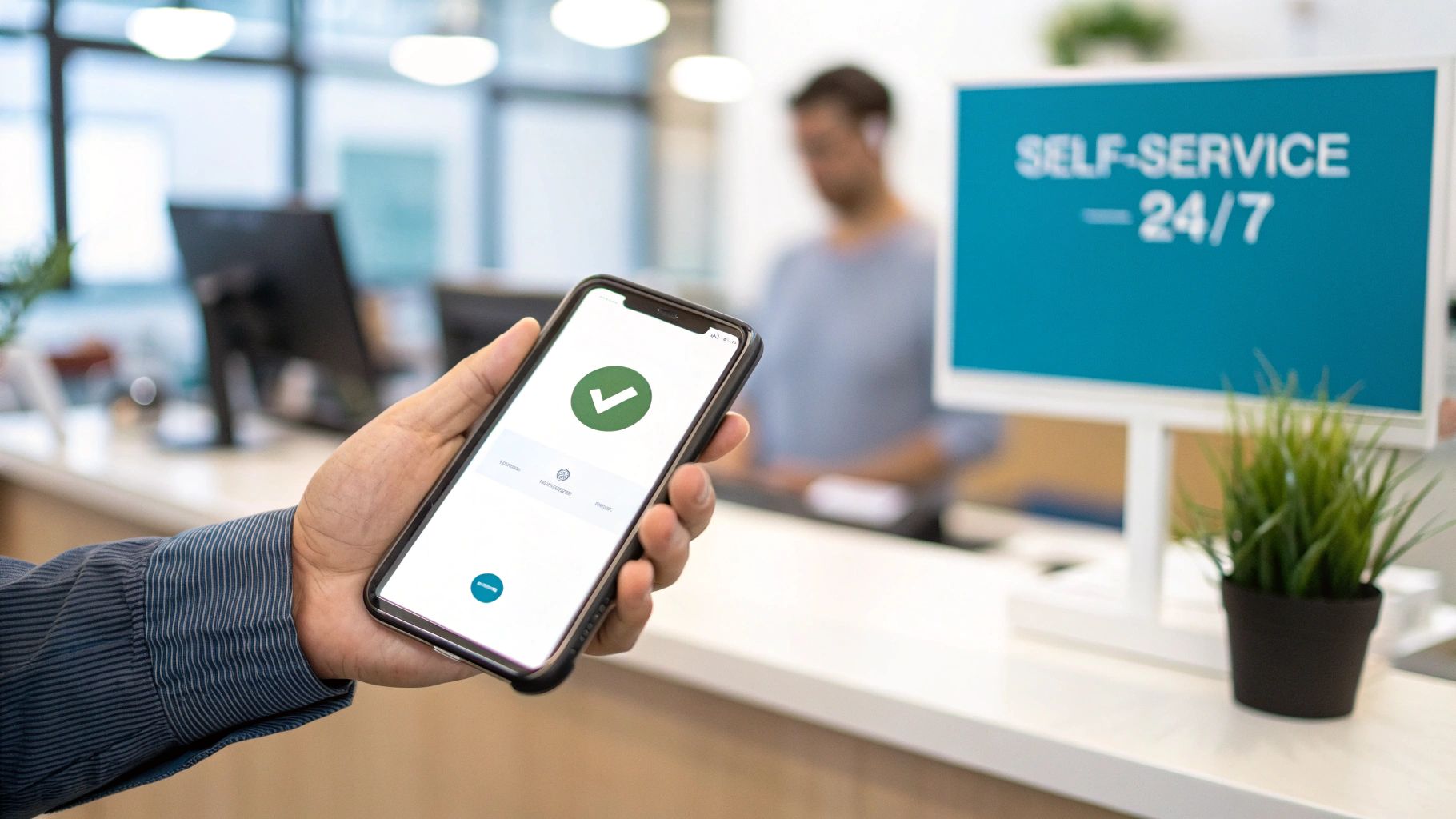
Empowering Customers with 24/7 Self-Service
So many customer queries are simple, repetitive requests that don't actually need a human touch. These are the calls that clog up agent queues and leave other customers waiting. This is exactly where self-service automation shines, turning your IVR into a support hub that’s open around the clock.
This function lets customers manage routine tasks entirely on their own, whenever it suits them.
- Order and Appointment Management: Customers can check a delivery status, confirm an upcoming appointment, or even reschedule, all without speaking to anyone.
- Information Retrieval: Your IVR can instantly provide answers to frequently asked questions, like business hours, office locations, or basic product details.
- Account Enquiries: Through a secure process, customers can check account balances, review recent transactions, or confirm their membership details.
By automating these common interactions, an IVR doesn't just cut down on call volume; it empowers your customers. It gives them the immediate answers they're looking for, which builds confidence and reduces frustration.
This strategy is especially important in the UK, where contact centre agent workloads are consistently on the rise. In fact, 52.6% of UK contact centres report an increased workload for their agents. A smart IVR handles the basics, freeing up your team for the complex issues where 70% of UK consumers still prefer speaking to a real person.
Automated and Secure Payment Collection
One of the most valuable applications for an IVR contact center is taking payments automatically. This lets customers pay bills, renew subscriptions, or settle a balance securely over the phone, any time of day, without ever needing to speak to an agent.
The entire process is built for security and convenience. A customer calls, verifies their identity, and is then guided through a secure payment flow. They simply use their telephone keypad (DTMF) to enter their card details, which are masked and processed without ever being stored in your systems or on call recordings. This approach massively reduces your PCI DSS compliance burden.
Platforms like Paytia specialise in this exact area, offering robust systems that make collecting phone payments both effortless and completely secure. By automating this critical function, you can:
- Speed up your collections and improve cash flow.
- Reduce the administrative load on your finance and support teams.
- Offer customers a convenient and secure way to pay 24/7.
Here’s a quick breakdown of how these use cases directly affect your key metrics:
IVR Use Case Impact on Business Metrics
| IVR Use Case | Primary Business Benefit | Impacted KPI |
|---|---|---|
| Intelligent Routing | Improved Customer Experience | First Contact Resolution (FCR), Customer Satisfaction (CSAT) |
| Self-Service | Increased Operational Efficiency | Call Containment Rate, Average Handle Time (AHT) |
| Automated Payments | Enhanced Security & Cash Flow | PCI DSS Compliance Scope, Days Sales Outstanding (DSO) |
This table clearly shows that a well-implemented IVR isn't just a cost-saver; it’s a strategic tool for improving performance across the board. These real-world applications show how an IVR is far more than a simple call-routing tool. You might be interested in a deeper look at how a payment IVR solution can be tailored to meet these specific business needs. When used strategically, it becomes an indispensable part of your operation, driving efficiency and delivering a far better customer experience.
Securing Customer Trust and Ensuring Compliance
When a customer gives you their payment information over the phone, they’re handing over more than just money—they're giving you their trust. In an IVR contact centre, where you never see your customer face-to-face, protecting that trust with iron-clad security isn't just a nice-to-have; it's the bedrock of your business. A single mistake can lead to a devastating data breach, eye-watering financial penalties, and a reputation that’s hard, if not impossible, to repair.
This is precisely why standards like the Payment Card Industry Data Security Standard (PCI DSS) were created. PCI DSS sets out a strict rulebook for protecting cardholder data at every touchpoint—from the moment it's collected to when it's processed and stored. If your business takes card payments over the phone, compliance isn't optional.
Core Technologies for Secure IVR Payments
To create a truly secure payment environment, an IVR contact centre needs some clever technology working behind the scenes. These tools create a protective bubble around the transaction, shielding sensitive data from both prying eyes outside your business and potential weak spots within it. Get this wrong, and your entire operation—call recordings, agent desktops, network logs—could fall under the intense scrutiny of a PCI DSS audit, a notoriously expensive and complex process.
Two technologies are absolutely fundamental to getting this right: DTMF suppression and tokenisation.
DTMF Suppression (Masking): Think about the sound a keypad makes. Each number has a unique tone, known as DTMF. Without protection, those tones can be captured in call recordings and easily translated back into card numbers. DTMF suppression technology cleverly intercepts these tones, replacing them with a flat, uniform beep in the recording. The actual data is passed securely to the payment processor, but the sensitive information never actually touches your systems.
Tokenisation: This is a bit like swapping cash for a casino chip. Tokenisation replaces a customer’s real card number with a unique, randomly generated "token." This token is useless to fraudsters because it has no intrinsic value outside the secure payment system. It allows you to process refunds or recurring payments without ever having to store—or expose—the original card details.
Together, these technologies form the cornerstone of modern payment security, ensuring that sensitive card data never even enters your business environment.
How Secure Payment Platforms Reduce Your Risk
Building this level of security from the ground up is a massive undertaking. That's why most businesses turn to specialised platforms that handle the entire process. A solution like Paytia's Secureflow essentially takes on all the heavy lifting of compliance by completely isolating your business from the flow of sensitive data.
This is a concept known as channel separation or de-scoping.
By preventing sensitive payment details from ever entering your contact centre's environment, you can reduce your PCI DSS scope by as much as 90–95%. This dramatically lowers the cost and complexity of compliance audits and frees your team to focus on serving customers rather than managing security protocols.
So how does it work in practice? When a customer is ready to pay through your IVR, the call is securely handed off to the payment platform. The customer enters their card details using their phone’s keypad, and the platform’s DTMF suppression and tokenisation tools capture and process the payment directly with the payment gateway. Your business simply gets a confirmation that the transaction was successful. The actual card data never comes anywhere near your phone lines or servers.
Building Unbreakable Customer Confidence
Ultimately, all these security measures are about more than just ticking a compliance box. Every secure transaction reinforces your customer's confidence in your brand. When people know their data is safe with you, they're far more likely to come back, recommend you to others, and become loyal customers.
A secure IVR contact centre isn't just a technical achievement; it's a clear signal to your customers that you value their trust above all else. With security standards constantly evolving, staying informed is key. You can learn more about what’s next by exploring the upcoming requirements for PCI DSS 4.0 and telephone payments to ensure your operation stays ahead of the curve.
Best Practices for a Flawless IVR Implementation
Rolling out an IVR contact centre can be a game-changer for your customer service. Get it right, and you’ll see efficiency soar. But a clumsy implementation can create more headaches than it solves, leaving customers frustrated and your agents cleaning up the mess.
A great IVR isn't about just flipping a switch; it's the result of smart planning, user-focused design, and a genuine understanding of why your customers are calling in the first place. The real goal is to create a system that feels like a helpful guide, not an infuriating digital wall. Let’s walk through the essential practices that will make your IVR a strategic asset, not just a necessary evil.
Design an Intuitive and Simple Call Flow
Let's be honest: the number one reason people hate IVRs is confusing menus. Customers are calling because they have a problem, and forcing them through a complex, multi-layered menu is the fastest way to make a bad situation worse. The key is to keep it simple, clear, and laser-focused on what they actually need.
Start by looking at your data. Why are people calling you? Map out the top reasons and build your main menu around them. This simple step ensures most of your callers find what they need right away, instead of getting lost in a maze of options that aren't relevant to them.
A cardinal rule of IVR design is to avoid "IVR jail"—that dreaded loop where a customer can't find their option and can't escape to talk to a person. You absolutely must provide a clear and easy way to reach a human agent (like pressing '0') at every single stage of the menu.
And keep your menus short. A good rule of thumb is to stick to four or five options per level. Any more than that, and people can’t remember what was said, forcing them to listen to the whole list again. That's a one-way ticket to frustration.
Write Clear and Professional Voice Prompts
The voice of your IVR is the voice of your brand. The prompts your customers hear need to be crystal clear, concise, and professional, guiding them smoothly through the process. Ditch the internal jargon and acronyms—speak in the same language your customers use.
Here are a few pointers for crafting voice prompts that actually work:
- Be Direct and Action-Oriented: Start prompts with the action. Instead of, "For our sales team, please press one," try, "To speak with sales, press one." It's a small change that makes a big difference.
- Use a Professional Voice Artist: While text-to-speech technology has come a long way, nothing beats the warmth and quality of a professional voiceover. It’s a subtle touch that tells your customers you care about their experience.
- Ensure Consistency: Stick with the same voice, tone, and phrasing throughout the entire IVR journey. This predictability creates a cohesive experience and makes the system easier to navigate.
These details matter. A well-scripted system sounds helpful and puts people at ease. A poorly written one just sounds robotic and uncaring, which reflects badly on your whole business.
Ensure Seamless Technical Integration
An IVR doesn't live on an island. To truly unlock its power, it has to be deeply connected to your other business systems, especially your Customer Relationship Management (CRM) platform and your core telephony setup. This integration is what elevates a basic call router into an intelligent IVR contact centre.
When your IVR talks to your CRM, it can recognise callers by their phone number, greet them by name, and even offer personalised menu options based on their recent orders or account status. Better yet, if the call gets transferred, all that context goes with it, so the customer doesn't have to repeat their life story to the agent.
When you're evaluating vendors, make integration capabilities a top priority. Look for providers with well-documented APIs and pre-built connectors for the platforms you already use. For example, a secure payment platform like Paytia is designed to integrate cleanly into existing telephony environments, meaning you can add PCI-compliant payment capture without having to rip out and replace your entire system. Focus on scalability and security—you need a solution that can grow with your business and protect customer data without compromise.
Right, you’ve put an IVR system in place. But is it actually doing its job? Launching the technology is just the starting line; the real work lies in figuring out if it's genuinely helping your customers and your business.
To do that, you need to look at the data. Key Performance Indicators (KPIs) are your best friend here. They're not just jargon; they are specific, measurable signposts that tell you what’s working, what’s not, and how your IVR is affecting efficiency and customer happiness. Without them, you’re just guessing.
Core Metrics for IVR Performance
To get a proper sense of how your IVR is performing, you don't need to track a hundred different things. Start with a handful of crucial metrics that tell a clear story about how people are using your system.
These are three of the most telling KPIs you should be watching:
Containment Rate: This is a big one. It's the percentage of callers who solve their problem entirely within the IVR, without ever needing to speak to a person. A high containment rate is a brilliant sign that your self-service options are hitting the mark.
First Contact Resolution (FCR): This tracks how many issues are sorted out in a single interaction. Even when a call does need to go to an agent, a high FCR shows your IVR is doing a great job of getting them to the right specialist with the right information first time, saving everyone a follow-up call.
Customer Satisfaction (CSAT): How do your customers feel about the experience? CSAT gives you the answer, usually through a quick post-call survey like, "On a scale of 1-5, how satisfied were you?". This is direct, unfiltered feedback on how your IVR is being received.
Interpreting the Data to Optimise Your System
Collecting these numbers is only half the battle. The real magic happens when you start to understand what they're telling you and use that knowledge to make smart adjustments.
A low containment rate, for example, could be a warning that your IVR menu is a maze or that the self-service functions just aren't useful enough. A disappointing FCR score might mean your call routing is off, sending frustrated customers on a detour to the wrong department.
Analysing these KPIs helps you spot the exact points of friction in the customer journey. If you see a high abandonment rate after a particular menu prompt, that’s a massive red flag. It tells you that option is confusing or unhelpful, giving you a clear target for improvement.
By keeping a close eye on this data and acting on it, your IVR contact centre stops being a rigid, one-size-fits-all tool. It becomes a living system that you can continuously fine-tune. This cycle of measuring, learning, and refining is what ensures you get the best possible return on your investment and deliver an experience that customers genuinely value.
Got Questions? We've Got Answers
Even after getting to grips with the technology, you're bound to have some practical questions about bringing an IVR into your contact centre. Let's tackle a few of the most common ones we hear from businesses just like yours.
Can an IVR Genuinely Make Customers Happier?
It absolutely can, but there's a catch: it has to be designed for the customer, not just for the business. A well-thought-out IVR boosts satisfaction by giving customers what they often want most—a quick, immediate answer. It offers 24/7 self-service for simple things, which means no more waiting in a queue just to check a balance or track an order.
Beyond that, it frees up your human agents. By taking care of the routine stuff, the IVR ensures that when a customer really needs to talk to someone, they get put through to the right person, the first time. That alone cuts out the single most frustrating part of calling a company: getting bounced from one department to another.
How Tricky Is It to Connect an IVR to Our CRM?
It's usually more straightforward than you might think. The difficulty really depends on the systems you're using, but most modern IVR platforms are built with integration in mind. They use APIs (Application Programming Interfaces) to talk to major CRMs like Salesforce or HubSpot.
This connection is what allows the magic to happen. The IVR can pull customer data from the CRM to offer a personal touch—like greeting a caller by name. In return, it pushes call information back into the CRM, giving your agents a full picture of every interaction. For most well-known platforms, it's a well-trodden path.
The single biggest mistake we see is building long, convoluted menu trees that trap customers in "IVR jail," with no obvious way to reach a human. This is guaranteed to send your call abandonment rates through the roof.
To sidestep this trap, keep your menus short and sweet—no more than four or five options at each stage. Use plain, simple language and always, always give callers an easy escape route to an agent, like pressing '0'. Make a habit of looking at your call data to see where people are getting stuck or dropping off; it'll tell you exactly where your IVR flow needs a tune-up.
Ready to elevate your customer experience with secure, automated payments? Paytia offers a robust IVR solution that simplifies compliance and builds customer trust. Find out how you can streamline your payment collections at the official Paytia website.
Ready to Get Started?
Contact Paytia to learn how we can help secure your payment processing.