A call centre IVR answers the phone before any human does. Callers hear a menu, press keys or speak, and get routed to the right team — or sort the whole thing out themselves without queueing at all. When it's built well, nobody notices it. When it's built badly, it's the part of your business customers complain about at dinner parties.
We've watched businesses get this right and wrong for years, and the difference is rarely the technology. This guide covers how IVR actually works, how to design menus people don't dread, how to take payments through one without dragging your whole operation into PCI DSS scope, and which numbers tell you whether any of it is working.
Key takeaways
- IVR systems take input by keypad (DTMF) or voice recognition — for payment capture, keypad wins on reliability.
- A well-designed IVR cuts your cost per contact and lets customers pay outside business hours.
- DTMF masking or channel separation — either one keeps card data out of your telephony environment.
- Your PCI DSS scope depends on whether card data touches your systems. With the right architecture, it never does.
- Watch call completion rate, containment rate, average handle time and first call resolution.
What a Call Centre IVR Actually Does#
IVR stands for Interactive Voice Response. It's a form of computer telephony integration (CTI) that automates the opening of a phone call: a set of recorded prompts works out why someone's calling and sends them to the right place, no human required.
Ring your bank and you'll hear the classic version:
- "For account balances, press 1."
- "To report a lost or stolen card, press 2."
- "To speak with an advisor, press 0."
That's the version everyone knows, but modern systems go a long way past it. Plug the IVR into your CRM and it can recognise the caller's number, greet them by name and read back the status of their latest order before they've said a word. The menu stops being a gate and starts being a service.
This kind of automation matters at scale. The UK call centre industry has grown into a £3.2 billion market as of mid-2026, driven by finance, retail and utilities — sectors where inbound calls still account for over half of all customer interactions. You can find out more about the UK call centre market trends from IBISWorld.
The Two Main IVR Interaction Methods
Callers interact with an IVR in one of two ways: pressing keys or talking. Touch-tone has been around since the 1960s and still does most of the heavy lifting. Speech recognition is newer, cleverer and fussier. Each suits different jobs, and picking the wrong one for the task at hand is where a lot of IVR designs fall over. A four-option routing menu doesn't need speech recognition; a caller trying to describe an unusual problem shouldn't be forced through one.
An IVR earns its keep by handling the routine calls so your agents can spend their time on the ones that need judgement, patience or a bit of persuasion.
Here's what each technology actually involves.
Comparing IVR Interaction Methods
Before you pick an approach, see how the two stack up side by side.
| Feature | DTMF (Touch-Tone) | Speech Recognition (Conversational IVR) |
|---|---|---|
| User Input | Pressing numbers on the phone keypad. | Speaking in words and phrases. |
| Best For | Short, structured menus ("Press 1 for Sales") and entering digits such as card numbers. | Open-ended queries ("I need to check my order status"). |
| Complexity | Simple to design and very hard to break. | Needs Natural Language Processing (NLP) and ongoing tuning. |
| Customer Experience | Rigid. Fine for short menus, maddening for long ones. | More natural and often quicker — when the recognition works. |
DTMF (Dual-Tone Multi-Frequency) is the technical name for the tones your keypad makes. Two frequencies sound at once for every key, which is why the system almost never mishears a button press. That reliability is exactly why keypad entry is the better choice for capturing payment details.
Speech recognition powers what's usually called conversational IVR. Natural Language Processing works out what the caller means, so the exchange can flow back and forth like a normal conversation. For simple choices, touch-tone gets it done faster. For anything open-ended, speech wins.
The Real-World Benefits and Common Pitfalls of IVR#
Get the design right and an IVR pays for itself several times over: lower costs, happier agents, customers who can sort things out at 11pm. Get it wrong and you've built the most complained-about part of your business. Both outcomes are common. Here's what separates them.
The Clear Advantages of a Well-Designed IVR
Start with cost. Every routine query your team handles — a balance check, a delivery update, a question about opening hours — is a few minutes of agent time you're paying for. An IVR deflects those calls entirely. That produces dramatic cost savings on your cost per contact and lets you absorb more call volume without hiring.
Then there's availability. An IVR doesn't sleep, doesn't take holidays and doesn't call in sick. Customers can get answers and settle simple tasks 24/7, at a level of convenience you couldn't afford to staff with people alone.
Your agents get better work out of it, too. When the machine takes the transactional calls, the humans handle the conversations that need empathy and critical thinking. Agents doing interesting work stay longer and perform better — the quality of your difficult calls goes up because your best people aren't burnt out reading opening hours down the phone.
Routing improves as well. A caller who's answered two or three well-designed questions lands with the right person first time, instead of being bounced between departments. That lifts first-call resolution: even when the IVR can't solve the problem itself, it's gathered enough context to hand it to someone who can.
The Common Pitfalls That Frustrate Customers
So why do so many people groan when they hear an automated voice? Not because the technology failed — because the design did. The classic failure is what callers bitterly call "IVR jail" — an endless loop of confusing options with no visible way through to a human. Once someone's been round the same menu twice, they've stopped listening to the options and started composing the complaint. Overly long menus, vague choices and a buried "speak to an agent" option are the usual suspects.
One bad IVR experience can undo years of customer loyalty. You're building a shortcut for the customer, not a fortress around your agents.
The other big failure is systems that feel ancient. A robotic voice, muddy audio and zero personalisation tell customers you couldn't be bothered. Force someone down a rigid path that has nothing to do with their problem and their frustration builds within seconds. None of this is inherent to IVR — it's what happens when a design serves internal processes instead of the person on the line.
Want to see this working in your setup? Book a working-demo call — we'll wire up your actual phone system and show you a live capture.
Designing an IVR That Customers Actually Want to Use#
Building an IVR is the easy part. Designing one people will willingly use takes discipline, because every department wants its own menu option and every option you add makes the whole thing slightly worse.
Remember why anyone calls: they've got a problem to solve. Every extra menu layer, every ambiguous option, every second of preamble stands between them and solving it. When callers feel lost they hang up, your abandonment rate quietly climbs, and your brand takes the blame. A badly designed IVR doesn't stay a telephony problem for long — it becomes a reputation problem.
Laying the Foundation for a Better IVR Journey
Simplify first. Keep your main menu to no more than four clear choices — beyond that, callers have forgotten option one before they've heard option five.
Then write like a human. "For account servicing" means nothing to anyone outside your org chart. "To check your account balance, press one" tells the caller exactly what happens next. Menu prompts are no place for internal jargon — the caller shouldn't need to understand how your business is organised to work out which button to press.
And always leave the door open.
Give callers a straightforward route to a live agent — pressing '0' is the convention. Hiding it might trim agent-handled calls this quarter, but the frustration it creates will cost you customers for good.
Using Data to Refine and Optimise
A great IVR is never finished. Your call analytics show exactly where the design works and where callers give up, and reading them regularly is the difference between a system that improves and one that fossilises.
Three red flags matter most. Callers hanging up at one specific menu layer means the options there are confusing or irrelevant. Billing calls that keep landing in the technical support queue mean your menu descriptions aren't doing their job. And customers ringing back about the same issue shortly after an IVR interaction usually mean the system claimed to resolve something it didn't.
UK contact centres are genuinely split on how well any of this is going. 36% of customers say IVR has improved their experience, while 32% say it makes interactions worse. The complaints are specific: 22% point to too many steps to reach a human, and 20% say the AI lacks situational understanding. Centres have noticed — the use of speech analytics to fine-tune IVR routing jumped from 28% to 37.5% in a single year. Our guide on how to improve call centre efficiency digs further into these trends.
The short version: trust the data over the anecdotes. Survey answers tell you how people felt; call analytics tell you what they actually did. Acting on both is easier with cloud-based contact centre solutions, which come with the analytics and flexibility this sort of continuous tuning needs. Pair a simple, clear design with the habit of acting on the numbers, and your IVR stops being a barrier and starts being genuinely useful.
How to Securely Process Payments with IVR#
When a customer rings to pay a bill or place an order, the security of that transaction matters more than anything else on the call. Capturing card details through a standard IVR — or having an agent jot them down, or letting them land in a call recording — creates exactly the kind of exposure that ends in penalties and headlines when a breach happens.
That's the problem secure IVR payment platforms exist to solve. They're designed so sensitive data is shielded from the moment the customer starts typing, which protects the customer and keeps your business compliant. There are two ways to run it, and we build both.
Agent-Assisted Secure Payments
The agent-assisted model keeps a human on the line for the whole call, which suits customers who want reassurance or have questions the machine can't field. The agent answers those questions, sorts out the order, and stays with the customer right up to the point of payment — then triggers a secure payment mode.
The customer keys their card number, expiry date and CVC into their own phone. DTMF masking replaces those keypad tones with a flat tone through DTMF suppression, so the agent never hears or sees a single digit. The same suppression keeps the tones out of your call recordings, so your audio archive stays clean and compliant — it's the approach behind our PCI compliant call recording. And the agent never leaves — if the customer fumbles a digit or has a question mid-payment, help is right there. Your team supports the whole transaction without ever handling the sensitive part of it.
This infographic shows a design flow for a customer-friendly IVR — the foundation any smooth payment journey sits on.
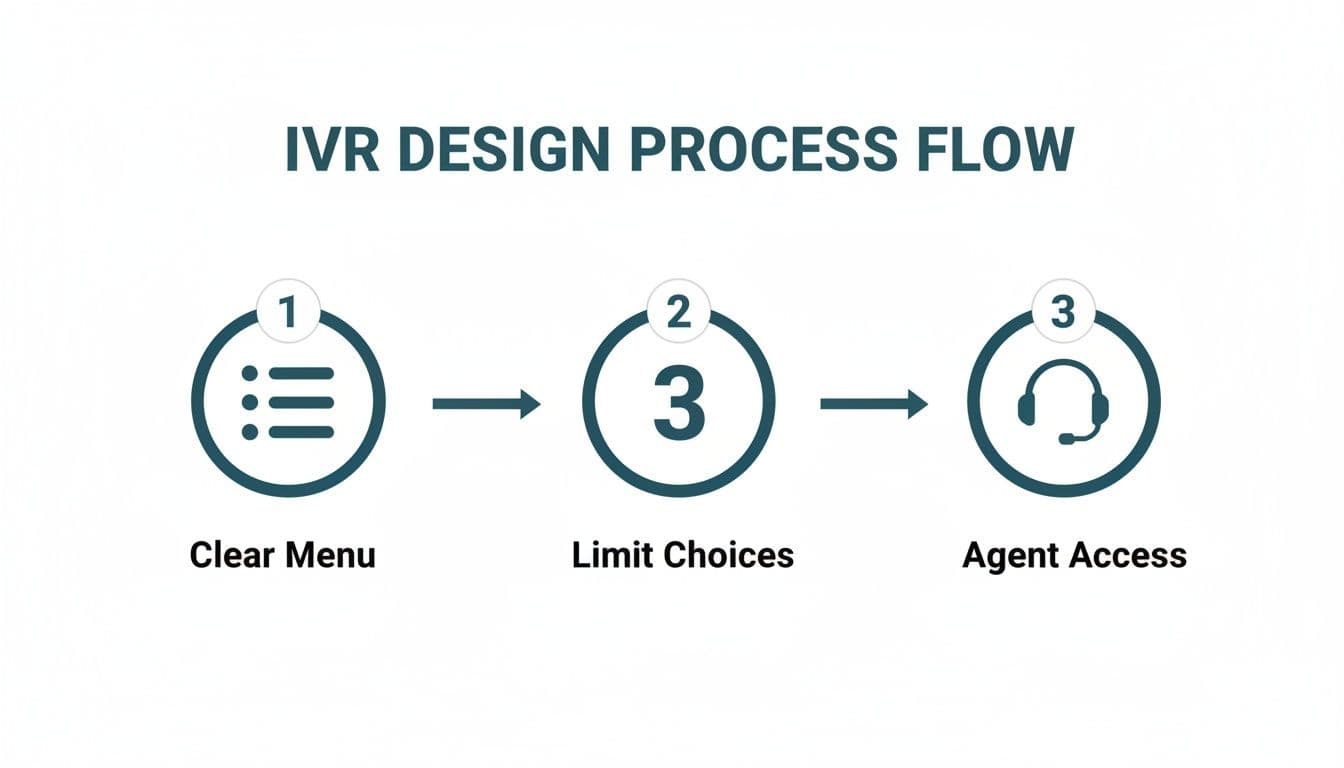
Simple menus, limited choices and an always-available path to an agent apply just as much during payment as everywhere else in the call.
Fully Automated Self-Service IVR Payments
If you want to take payments at 3am on a Sunday, self-service payment IVR is the answer. Customers call in whenever suits them, the system securely authenticates them, and it walks them through the payment steps — no agent involved at any point. For utilities, councils and anyone collecting regular bill payments, this is usually the highest-volume payment channel they run, and it costs a fraction of a staffed line.
Take your agents, systems and call recordings out of the path of sensitive card data and the scope of your PCI DSS audit shrinks dramatically — which saves serious money and weeks of compliance effort every year.
Two technologies work together in the automated approach. DTMF suppression makes sure the keypad tones are never exposed, and tokenization converts the card details into a unique, non-sensitive token. Store the token for recurring payments and you never hold the actual card number at all. There's more on how to securely accept card payments over the phone in our solutions guide.
As IVR platforms adopt more AI, they pick up new security questions too — a speech interface that captures data has a bigger attack surface than a keypad, and that deserves scrutiny before you deploy it. Whichever mix of agent-assisted and self-service suits your operation, the principle stays the same: card data goes straight to the payment provider and never touches you.
Where PCI DSS Fits In#
If you take card payments over the phone, PCI DSS applies to you — and the way to keep the audit small is to keep card data away from your agents, your network and your call recordings entirely. That's an architecture decision, not a policy one, and it deserves its own walkthrough, so we've written it up properly in our guide to setting up PCI-compliant IVR payments — descoping, DTMF masking versus channel separation, tokenisation, and what your QSA will ask at re-attestation. The short version: get the architecture right and your call centre never sees, hears or stores a card number, and compliance becomes something you maintain rather than something you dread.
Measuring the Success of Your IVR Performance#
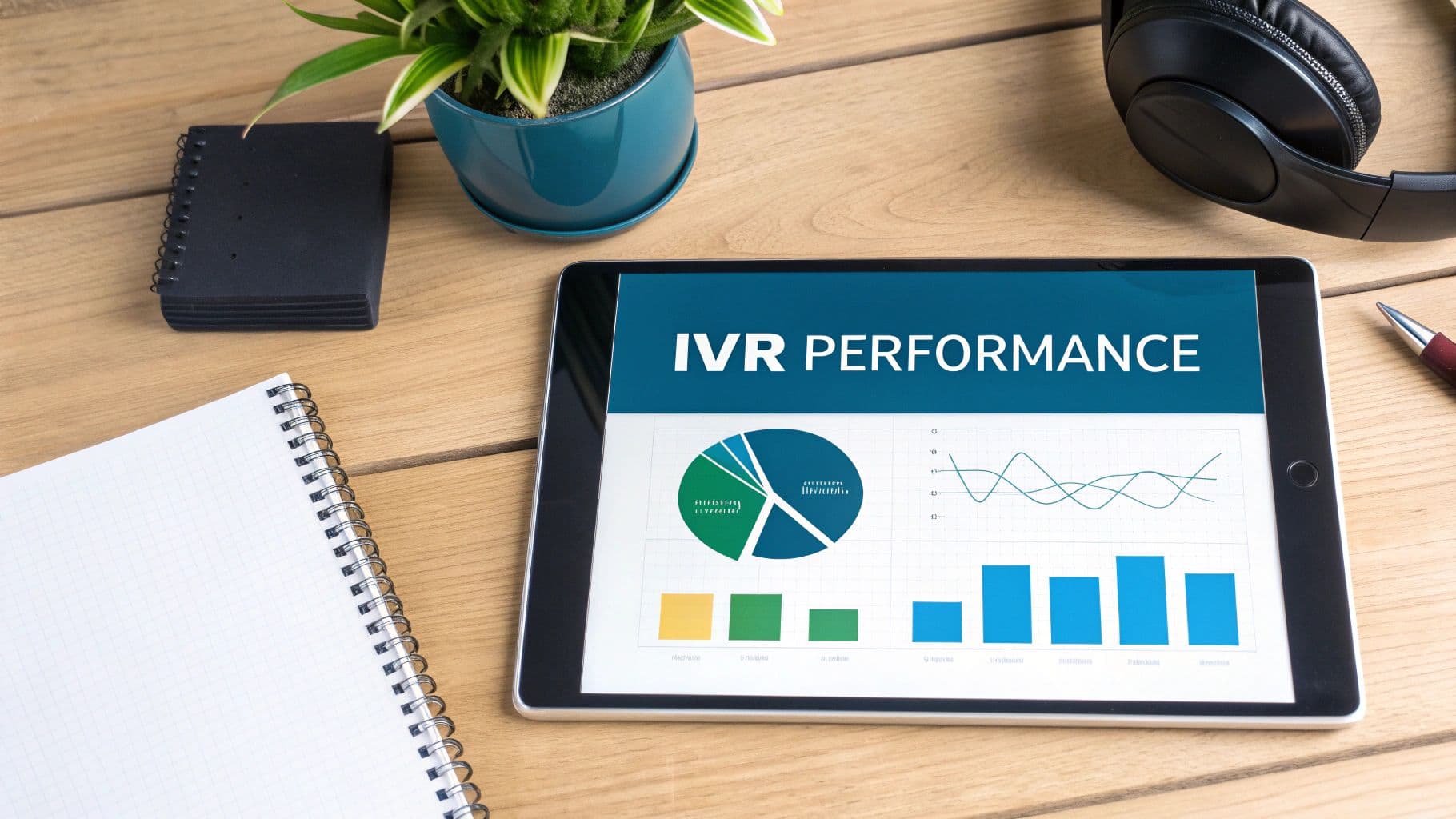
Installing a call centre IVR is one decision; proving it works is an ongoing job. Raw call counts won't tell you much. The key performance indicators (KPIs) below will, and they're the difference between a "set and forget" system and one that keeps getting better.
A machine that answers calls proves nothing — a machine that resolves them is worth measuring. The right metrics show you where your system shines and, more usefully, where it creates friction for your customers.
Core Metrics for IVR Effectiveness
Three numbers give you an honest, at-a-glance picture of IVR health, and they'll tell you where to look when something's off. Track them monthly at minimum; weekly if you've just changed the menu.
The one to watch first is IVR containment rate — the percentage of calls fully resolved inside the IVR with no agent involved. High containment means the system's doing its main job — handling routine queries so your people don't have to.
First call resolution (FCR) usually gets treated as an agent metric, but it belongs to your IVR too. A customer who sorts their issue on the first attempt, using only the automated system, is a genuine win for your costs and their patience.
Then there's call abandonment rate — how many callers hang up while still navigating the menu. When it climbs, something's wrong: a confusing menu, painfully long waits, or no obvious way to reach a person.
Together, those three tell you how well the IVR serves customers and how much load it's actually taking off your agents.
The bar to aim for is a system so quick and intuitive for simple tasks that customers choose it over queueing for an agent — leaving your experts free for the conversations that genuinely need a human.
Deeper Dives into IVR Data
Beyond the core three, the detail in your call data explains the 'why' behind the numbers and points at precisely which parts of the flow need a rethink.
Some context on why this matters more than it used to: 61% of UK contact centre leaders reported a surge in call volumes since 2020, and centres now field thousands of calls every month. The ones using AI-powered conversational IVR are resolving 14% more issues per hour and have cut Average Handling Time (AHT) by 9%.
Good call centre reporting software makes these deeper dives far less painful. Measure consistently and your IVR stops being a static, rigid menu and becomes something that adapts to what your customers actually do — with the numbers to prove its value to anyone who asks.
Your IVR Questions Answered#
A few questions come up in almost every conversation we have about call centre IVR — on implementation, security and keeping the customer experience decent. Here are the straight answers.
How Can I Stop My IVR Annoying Customers?
Design it for the caller, not the org chart. Short menus, plain language, a logical flow — and no more than four clear choices per menu layer.
Above all, make the exit obvious. A clearly signposted route to a human agent, usually by pressing '0', is non-negotiable. Then check your call analytics regularly: where people get stuck or drop off tells you exactly what to fix next.
Is DTMF Masking Good Enough for PCI DSS Compliance?
DTMF masking does one job and does it well: it stops card data reaching your agents and recordings. But masking on its own doesn't make you compliant. For genuine, solid PCI DSS compliance, you pair it with payment tokenisation and a certified, secure payment gateway.
That layered approach keeps sensitive card data away from your business environment entirely — agent desktops, call recordings, all of it. That's what genuinely shrinks your compliance scope, your risk and your audit workload.
Can I Connect an IVR to My Existing CRM?
Yes. Modern secure IVR payment platforms are built to slot into the tools you already run. The better providers offer APIs and pre-built connectors for the major CRM systems, contact centre platforms and a wide range of payment gateways.
Once connected, information flows where it should. Payments reconcile automatically inside your CRM, and you keep the freedom to work with whichever payment processor you prefer, without any disruption.
What's the Real Difference Between IVR and Conversational AI?
A traditional IVR is a structured, button-pushing system. Callers press keys (DTMF) to follow a rigid, pre-set path — a series of "if this, then that" rules and nothing more.
Conversational AI uses Natural Language Processing (NLP) to understand full sentences. Rather than being forced to "Press 2 for billing," a customer just says, "I've got a question about my last invoice," and the system works out the intent. When it works well, the whole exchange feels more natural and takes noticeably less time.
Ready to take secure, compliant, customer-friendly payments through your call centre? We built Paytia to keep card data away from your agents, systems and recordings on every channel — which makes PCI DSS compliance far simpler and your customers' data far safer. See how it works at Paytia.
Related reading#
- IVR payments for contact centres
- Pillar guide: Cloud Contact Centre Solutions: Features and Security Guide
- Aircall Phone Payments: Secure Integration with Paytia
- Call Centre Payment Security: Complete 2025 Guide
- How to Improve Call Centre Efficiency
- How to Reduce Average Handling Time Without Wrecking CSAT
- Paytia IVR payments solution
Want to see this working in your setup? Book a working-demo call — we'll wire up your actual phone system and show you a live capture.