
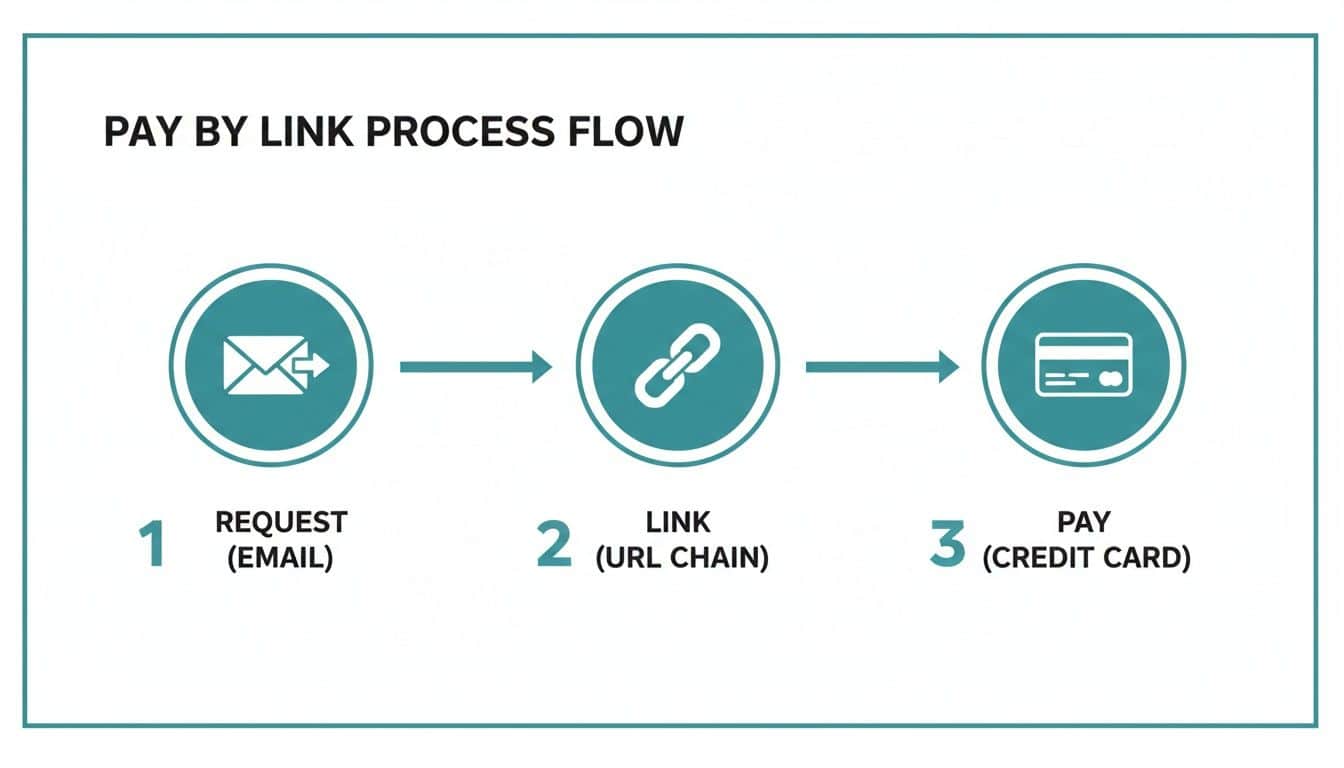
At its most basic, payment by link is a straightforward and secure way for a business to request money. Instead of sending a paper invoice or asking for card details over the phone, you generate a unique, secure hyperlink and send it straight to the customer via email, SMS, or even a chat message. That link takes them directly to a dedicated page to complete the payment.
It's a simple idea, but a powerful one.
How Payment by Link Actually Works#
A payment link is the digital equivalent of handing someone a portable card terminal. Customers don't read card numbers aloud; they pay on their own device through a direct, secure channel. What used to be clunky and insecure becomes a single click.
The platform handles everything from generating the link to processing the payment securely. Card data never passes through your company's systems — it goes straight from the customer's browser to the payment gateway.
The Customer's View: From Link to Confirmation
From the customer's point of view, the whole process feels quick and safe. There's no app to download or account to create; they just click, check the details are correct, and pay.
Here's what their journey looks like:
- Receiving the Link — The customer gets a message, maybe an SMS reminder for an overdue bill or an email after a support call, with the unique payment link inside.
- Secure Payment Page — Clicking the link opens a branded, secure webpage. This page clearly shows the amount due and who they're paying, which gives them confidence they're in the right place.
- Entering Details — They enter their payment information—like card details or bank info for a direct debit—into the secure online form.
- Instant Confirmation — As soon as the payment goes through, they see an on-screen confirmation and usually get an email or text receipt too. This closes the loop and gives them peace of mind.
This infographic shows just how simple the core three-step flow is from the business side.
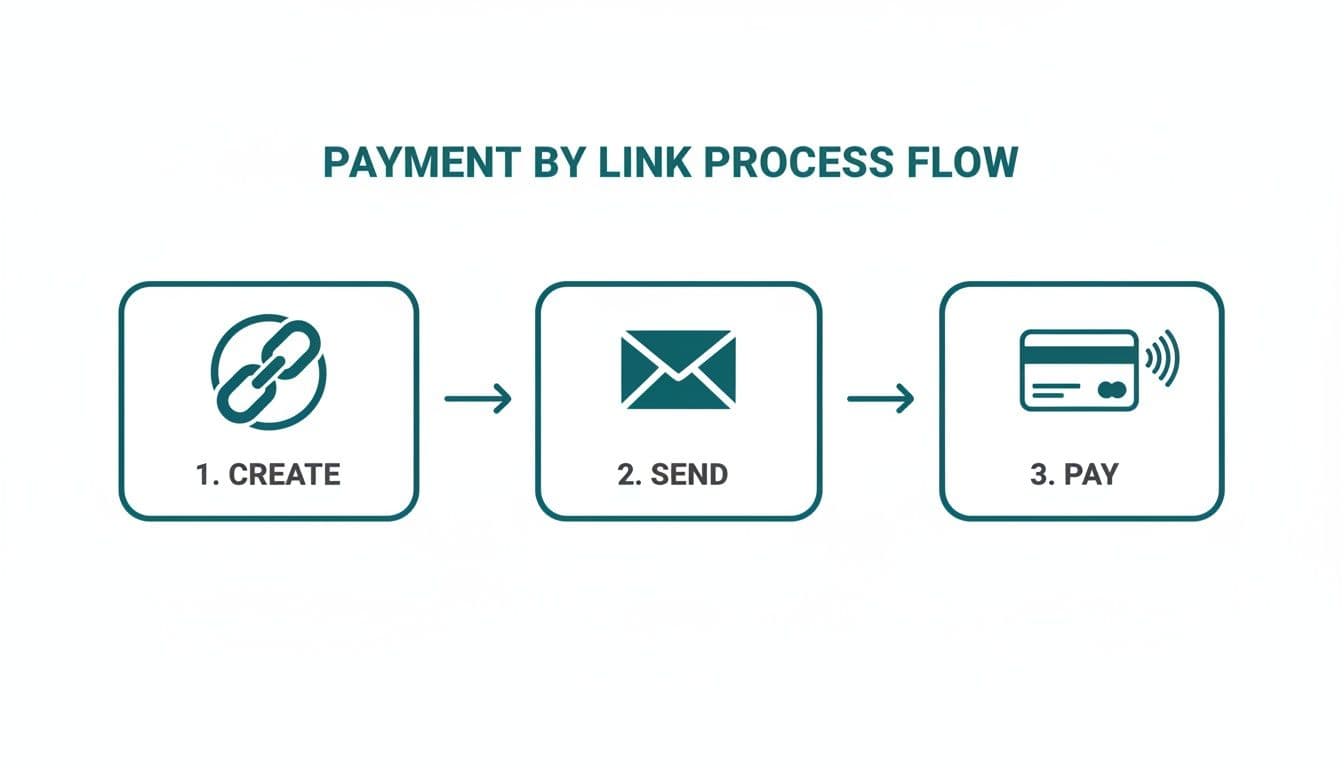
As you can see, a complex financial transaction is distilled down to just creating, sending, and getting paid—all in a few clicks.
To provide a clearer overview, the table below outlines the specific actions taken by both the business and the customer during a typical transaction.
Payment by Link Process at a Glance
| Step | Business Action | Customer Action |
|---|---|---|
| 1. Initiation | Generates a unique link for a specific amount via a portal or integrated system. | Interacts with the business (e.g., on a phone call, in a web chat). |
| 2. Delivery | Sends the link to the customer through their preferred channel (SMS, email, etc.). | Receives the link on their personal device. |
| 3. Transaction | Waits for real-time notification that the payment has been completed. | Clicks the link, enters card details on a secure page, and confirms payment. |
| 4. Confirmation | System automatically sends a receipt and updates the customer's account balance. | Receives instant on-screen confirmation and a receipt via email or SMS. |
This breakdown highlights the clean handover from agent to customer, where each party has a clear, simple role to play.
How Businesses Create and Send Links
For a business, generating a payment link is just as easy. While you can fully automate the process through integrations, an agent can also create a link manually through a secure web portal in seconds.
The real power of payment by link is its ability to decouple the payment conversation from the payment action. An agent can discuss an account balance on the phone while the customer pays securely and privately on their own device, all within the same interaction.
This separation of duties is what makes the technology so useful for contact centres and other customer service environments. Organisations wanting to learn more about implementing these secure payment links can see how it speeds up their entire collections or sales process. It's as simple as an agent or an automated system entering the payment amount, generating the link, and sending it to the customer, getting a real-time notification the moment it's paid.
The Security Benefits of Using Payment Links#
If customers feel their card details are safe, they'll pay. If they don't, they'll hang up or abandon the cart. Payment by link helps on both counts: the process is more secure, and PCI compliance gets easier.
The core idea is simple but powerful: get sensitive card data out of your business environment. By sending a customer to a secure, dedicated payment page, their card details never touch your internal systems, your agent's computer, or your call recordings. This single shift in process dramatically reduces your risk profile.
Unpacking Tokenisation and Channel Separation
Two key pieces of technology make this possible: tokenisation and channel separation. They might sound a bit technical, but the concepts behind them are straightforward and genuinely effective.
First up is tokenisation. Think of it like swapping your credit card for a single-use arcade token. The payment gateway takes the customer's actual card number and replaces it with a unique, randomly generated string of characters—the token.
This token is completely useless to a fraudster. If your systems were ever breached, all the hackers would find are these worthless tokens, not real card numbers they can sell or use. The actual, sensitive data remains safely locked away with the payment processor.
The other half of the equation is channel separation. This simply means the conversation you're having with a customer (whether by phone, web chat, or email) is kept completely separate from the channel where they enter their payment details.
The conversation channel and the payment channel stay isolated. Your agents and internal systems never touch the card data — it moves directly from the customer's browser to the gateway.
This separation is what really underpins the security of the whole system. It's the key to taking your business out of the loop and reducing your security headache.
Drastically Reducing Your PCI DSS Scope
Anyone who handles card payments knows about the Payment Card Industry Data Security Standard (PCI DSS). It's a demanding set of rules, and staying compliant can be a costly, time-consuming nightmare of audits, network scans, and strict internal procedures.
Payment by link gives you a direct route to descoping—that is, reducing the parts of your business that fall under these strict rules. Because card data no longer passes through your communication channels or IT infrastructure, your compliance footprint can shrink massively. For many businesses, especially contact centres, this can lead to a PCI DSS scope reduction of up to 95%.
This delivers some very real, tangible advantages:
- Lower Compliance Costs — Fewer systems in scope mean less time and money spent on those dreaded annual audits and assessments.
- Reduced Fraud Risk — By minimising your exposure to sensitive data, you inherently lower the risk of a costly data breach.
- Simpler Operations — Your team no longer needs complex training on how to handle cardholder data securely during a call.
Here in the UK, the pressure from regulatory bodies to adopt these kinds of secure methods is only growing. As digital payments become the norm, fraud prevention is a top priority for organisations like the Payment Systems Regulator. Industry reports, like a recent PSR strategy review, consistently stress the need to get sensitive card data out of legacy systems—a major reason firms are turning to secure link-based payments.
By putting a secure link system in place, you're not just protecting your customers; you're also aligning your operations with regulatory expectations and future-proofing your business. To learn more about how this all comes together, our guide on the benefits of using secure payment links is a great next step. It all boils down to building solid confidence with every single transaction.
Curious how Paytia fits in? Have a quick chat with us — we'll show you in 15 minutes whether we're a fit.
Real-World Use Cases for Payment by Link#
The real value of payment by link shows up when you see how it solves everyday problems. From contact centres to insurance, it tackles the awkward bit of getting paid securely and on time.
At its heart, it's about turning a moment of friction—the payment—into a smooth, professional part of the customer conversation. Instead of a clunky, multi-step ordeal, it's a single click. This simple shift can resolve an issue or finalise a sale in moments, which has a knock-on effect on both how your business runs and how your customers feel about you.
Making Life Easier in the Contact Centre
In any contact centre, time is quite literally money. Every second an agent spends on the phone is a direct operational cost, so anything that makes calls quicker is a big win. This is precisely where payment by link shines, cutting right through some of the most common bottlenecks.
Picture an agent who has just sorted out a customer's account query. The old way? They'd have to transfer the customer to a clunky, automated phone payment system or, even worse, ask for credit card details over the line. Both methods drag out the call and open up a can of security worms.
With a payment link, it's a different story. The agent can generate and text or email a secure link while still talking to the customer. The customer then just taps the link and pays on their own mobile, never having to read out their card number.
This one change delivers three big wins:
- Shorter Calls — Agents wrap up calls faster, which means they're ready for the next customer in the queue sooner. This is a direct hit on Average Handling Time (AHT).
- Fewer Follow-Ups — The payment is sorted there and then, on the first call. No more chasing invoices or sending reminder letters.
- Tighter Security — Card details are never spoken or heard by the agent, keeping the conversation secure and making PCI DSS compliance much simpler.
Sorting the query and taking the payment in a single call is a meaningful gain in contact centre efficiency. It turns the payment from a clumsy, time-consuming chore into a simple, secure, and immediate conclusion.
Speeding Up Collections in Regulated Industries
Sectors like insurance, utilities, and housing associations are in a tricky spot. They need to collect money efficiently, but they also have to navigate a minefield of regulations while keeping customers on side. Payment by link gives them a modern way to balance these competing pressures.
Think about these common situations:
- Insurance — An agent needs to take the first premium to get a new policy started. Sending a payment link lets the customer pay instantly, putting the cover in place in minutes and cutting out all the usual paperwork and delays.
- Utilities — A customer has an overdue bill. Instead of a paper reminder that gets lost in the post, the company can send a quick text with a direct link to pay. It's just so much easier for the customer to settle up right away.
- Housing Associations — Chasing rent arrears is a delicate, and often costly, process. Sending automated reminders with a payment link gives tenants a discreet, non-confrontational way to pay what they owe.
Here in the UK, we've seen a big shift towards digital and remote payments. Card payments are still king, but instant bank transfers through Faster Payments are catching up fast. As a recent UK Finance report on payment markets pointed out, systems that can handle both card and bank-to-bank payments are in the perfect position to meet everyone's expectations. It's this adaptability that makes payment links such a smart tool for bringing collections into the 21st century.
Integrating Payment Links into Your Current Workflows#
Bringing in new technology should make your life easier, not create more headaches. The best thing about a payment by link solution is how easily it can fit into the way you already work. You don't have to rip up your old processes and start from scratch. Whether you need a quick fix right now or a fully automated system for the long haul, there's a straightforward way to get there.
This flexibility means you can start simple and expand as you grow. The whole point is to improve what your team already does best, making their job faster and more secure without adding a layer of confusing tech. It's all about making the technology work for your business, not forcing your business to work around the technology.
Choosing Your Implementation Path
Generally, there are two main ways to bring payment links into your operations. The right one for you really boils down to your technical know-how, how many payments you handle, and how much you want to put on autopilot.
1. The Web Portal Approach (No-Code)
- How it works — This is the fastest way to get started. Your team gets a secure online dashboard where they can create payment links in just a few clicks. They just pop in the amount and customer details, then send it off by email or SMS. Simple.
- Best for — Businesses that need a solution now without any technical fuss. It's a perfect fit for contact centre agents who need to generate a link while on a call or for teams processing a reasonable number of payments each day.
2. The API Integration Approach (Full Automation)
- How it works — If you're after something more powerful, you can use an API (Application Programming Interface) to plug the payment link service directly into your other systems—think your CRM, accounting software, or online store. This lets you automatically generate and send links when certain things happen, like a new order coming in or an invoice going past its due date.
- Best for — Companies wanting to automate a high volume of payments and build a truly hands-off process. This route gets rid of manual data entry, cuts down on mistakes, and can handle as much business as you throw at it.
The real beauty of a good platform is that you aren't locked into one path. You could give your agents the web portal to start with, and then later use the API to automate your overdue invoice reminders. You get the best of both worlds, tailored to what you actually need.
Getting Your Team Ready for a Smooth Rollout
Introducing any new tool needs a bit of thought, but getting a team up and running with payment links is usually pretty painless. The trick is to focus on practical training that shows them how this new tool connects directly to the tasks they're already doing.
For agents using a web portal, training often takes less than an hour. You just need to walk them through the simple steps of making a link and show them what the real-time payment notifications look like. When you're setting up automated workflows, the "training" is often just letting the team know that a few of their old manual steps have disappeared.
Payment links are a practical way to introduce some essential business automations for things like invoicing and chasing payments. You'll know the rollout has worked when your team stops describing it as "the new tool" and starts using it as the default.
Getting the Most Out of Payment Links#
Getting payment by link running is one thing. Getting the most out of it comes down to small details on the customer side.
The goal is to reduce the "is this a phishing link?" friction that makes customers hesitate. A few deliberate choices make a real difference to completion rates.
Personalise Your Communication
A generic, robotic message reads as spam. When you're asking for money, a personal touch is essential to build the trust a customer needs before they'll click a link and hand over their card details.
Always start by using the customer's name. Mention the specific product, service, or invoice number they're paying for. This small step instantly confirms the message is legitimate and meant just for them. Be crystal clear about the amount due and what it covers to avoid any confusion.
Your goal is to make the payment request feel like a helpful part of the conversation, not a sudden, impersonal demand. That human touch goes a long way in reassuring customers they're dealing with a professional and credible company.
Brand Your Payment Pages
When a customer clicks your link, where they land is critical. A generic, unbranded payment page is jarring and can easily be mistaken for a phishing scam, causing them to drop out immediately.
Make sure your payment pages look and feel like they belong to you. This means including:
- Your Company Logo — It's the quickest way for a customer to know they're in the right place.
- Consistent Colour Scheme — Use the same brand colours from your website to create a familiar and professional environment.
- Clear Contact Information — Adding a phone number or email address offers another layer of reassurance.
This visual consistency is more than just window dressing; it reinforces your brand identity and gives customers the confidence they need to complete the payment.
Automate Reminders and Follow-Ups
Chasing late payments is a drain on time and energy. One of the biggest advantages of a good payment link system is the ability to automate this awkward task, so you can follow up consistently without lifting a finger.
You can easily set up a workflow to send polite reminders if a link hasn't been paid after a certain time. For example, a friendly text message could go out 24 hours after the initial link, followed by an email a few days later. Often, this gentle persistence is all it takes. If this sounds like a good fit for your business, solutions with advanced payment links have the tools to build these kinds of automated sequences.
By taking these steps, your payment links become more than just a way to collect funds—they become a key part of a polished, secure, and effective customer journey.
How to Measure the ROI of Your Payment by Link Solution#
Bringing in a payment by link solution is far more than a simple tech upgrade. It's a strategic move, and one that should deliver a clear, measurable return on your investment (ROI). To really build the business case, you need to connect the dots between its features and the real-world financial and operational gains. That all comes down to tracking the right key performance indicators (KPIs).
Your contact centre is the perfect place to start looking for these wins. One of the biggest and most immediate improvements you'll see is a drop in Average Handling Time (AHT). When agents can just send a link and wrap up a payment on the spot, calls get shorter and much more efficient. This frees them up to help the next customer, giving you a direct boost in productivity without hiring more staff.
Key Operational KPIs to Monitor
Beyond AHT, a few other metrics will tell the story of the system's impact. Keeping an eye on these will give you a full picture of how payment links are improving both your daily operations and your customers' experience.
- First-Contact Resolution (FCR) — A rise here is brilliant news. It means more payments are sorted on the first call, getting rid of expensive follow-ups like posting reminder letters or making chase-up calls.
- Payment Completion Rate — It's vital to track the percentage of links sent that actually result in a successful payment. A high rate is a great sign that the process is working well and that your customers trust it.
- Days Sales Outstanding (DSO) — This metric tells you how fast you're collecting what you're owed. Payment links speed this up dramatically, which is great for your cash flow.
- Agent Utilisation — With shorter calls, your agents are available more of the time. Better utilisation means you can handle more queries without having to expand the team.
Those operational wins underpin most of your ROI, but the direct financial benefits stack up too.
Calculating the Direct Financial Gains
The financial return comes from two places: direct cost savings and getting more money in the door. For many businesses, the biggest saving by far is the significant reduction in PCI DSS compliance costs.
By keeping sensitive card data completely out of your environment, payment links don't just lower risk—they dramatically shrink the scope of expensive audits and the need for constant security fixes. That simplification alone can often justify the entire investment.
This is a major reason for its popularity in the UK. Businesses often report massive savings when they switch from taking card details over the phone to using secure, tokenised links. The industry often points to a potential PCI scope reduction of up to ~90–95%, which means a smaller audit footprint and lower bills for staff training and system remediation. You can learn more about how UK organisations are using these methods to boost collections and cut operational costs.
On top of that, you can calculate the direct financial impact by looking at:
- Reduced Transaction Fees — Compare the fees for link payments against other methods. Manual card-not-present transactions, for example, often come with higher rates.
- Elimination of Manual Errors — Automated links prevent costly typos and human mistakes that can lead to chargebacks or even lost payments.
- Lower Administrative Costs — Don't forget to add up the savings on postage, printing, and the staff time you used to spend on manual invoicing and chasing payments.
By tracking these operational and financial metrics, you can build a strong argument showing that a payment by link solution isn't just another tool—it's a direct driver of business growth and efficiency.
Your Top Questions About Payment by Link, Answered#
If you're thinking about bringing payment by link into your business, you've probably got a few questions. Here are the ones we hear most often.
Is a Payment Link Really More Secure Than Taking Card Details Over the Phone?
Yes. The security difference is meaningful. When an agent takes card details over the phone, that sensitive information is now inside your world—your network, your systems, maybe even your call recordings. This immediately expands your PCI DSS scope and puts the burden of protecting that data squarely on your shoulders. It's a significant risk.
A secure payment link flips that model on its head. The customer clicks the link and enters their details directly into a certified, PCI-compliant payment gateway. Their card information never once touches your systems. It's not on your agent's screen, it's not in your call logs, and it's not on your network. This separation is the key to its security; it dramatically cuts your risk of a data breach and makes your compliance journey a whole lot simpler.
Can We Use These Links for Recurring Payments?
Yes. While they're brilliant for one-off invoices and single purchases, today's payment link solutions are perfectly capable of setting up recurring payments and subscriptions.
A customer can use a single, secure link to authorise a recurring payment plan. You get the immediate convenience of a payment link combined with the long-term efficiency of automated billing. It's a versatile tool for any business that depends on repeat payments.
This means you can manage everything from monthly service fees to annual memberships using the same simple, secure process.
What's the Technical Setup Like? Is It Complicated?
It can be as simple or as integrated as you need it to be, which is one of its biggest strengths.
Many businesses start with a straightforward web-based portal. This requires zero coding and means your team can be trained to generate and send payment links manually in a matter of minutes. It's the perfect starting point for contact centre agents who need to create links live on a call.
For businesses looking to automate and scale, APIs (Application Programming Interfaces) are the answer. An API allows you to integrate the link generation process directly into your existing CRM or business software, making the entire workflow automatic. A good provider will offer the full spectrum, from a simple 'plug-and-play' portal to fully customised API integrations, so you can pick the route that makes the most sense for your goals and resources.
Ready to simplify your payments and strengthen your security? Paytia provides a suite of secure, PCI-compliant payment solutions designed for contact centres and regulated industries. Learn how our secure payment links can change how you take payments.
Related reading#
- Pillar guide: Payment Gateway API Integration: 2026 Developer Guide
- Pay by Link vs Hosted Checkout: Which to Use
- Manual vs Automated Payment Chasing: When to Switch
- How Open Banking Works: Essential Business Guide
- What is click to pay: A Faster, Safer Online Checkout
Curious how Paytia fits in? Have a quick chat with us — we'll show you in 15 minutes whether we're a fit.